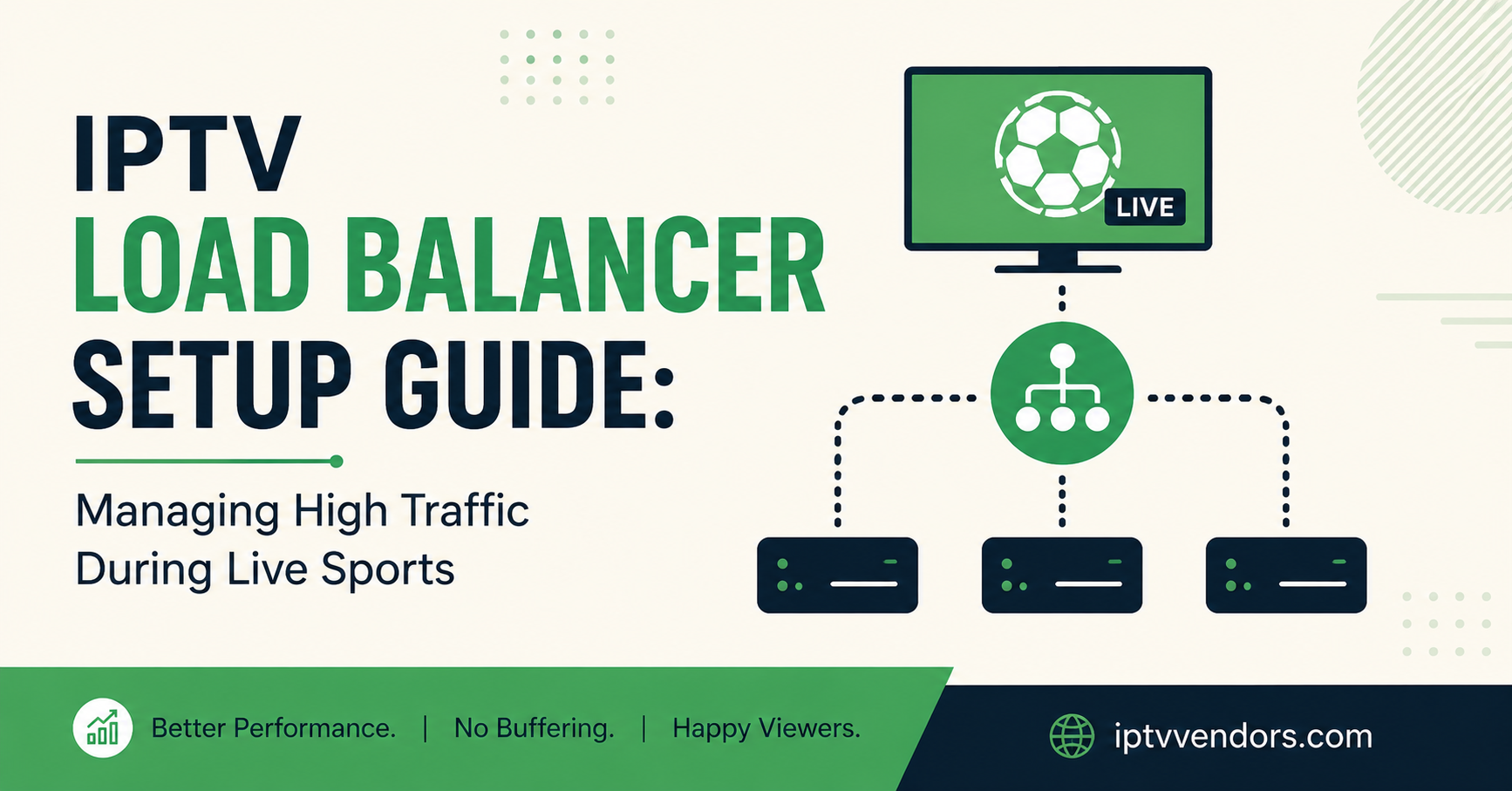
An IPTV Load Balancer Setup Guide exists for one reason: a single streaming server cannot reliably handle thousands of concurrent connections the moment viewer numbers spike, particularly during major live sports fixtures. Setting one up means distributing incoming connections across multiple servers or edge nodes so no single machine becomes the bottleneck, using either DNS-based distribution, a dedicated load balancing appliance, or a CDN layer in front of your streaming infrastructure. Done properly, viewers get a stable stream even when demand triples for a few hours. Done badly, or not at all, a panel that ran fine on a quiet Tuesday can fall over completely on a Saturday afternoon.
Why Live Sports Traffic Breaks IPTV Infrastructure
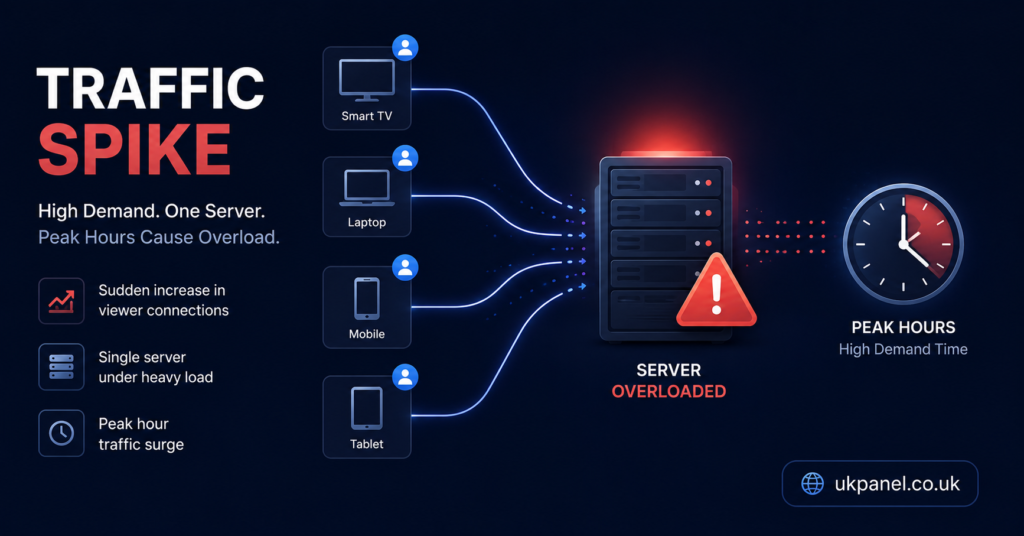
Ordinary viewing patterns are forgiving. People start and stop streams at different times throughout the evening, so load spreads out naturally. Live sports removes that spread. Thousands of subscribers connect within the same ten or fifteen minute window, all requesting the same handful of streams, and all expecting the picture to hold steady for the next two hours without interruption.
This is a fundamentally different traffic shape from catch-up TV or on-demand libraries. A server that comfortably handles 2,000 steady connections across a normal evening can choke on 2,000 connections arriving inside a single kick-off window, because the strain isn’t just about total volume, it’s about how concentrated that volume is in time.
IPTV Reseller panels feel this pressure differently depending on where they sit in the supply chain. A sub-reseller with a few hundred end customers might notice nothing more than a few support messages. A reseller managing several thousand connections across multiple sub-resellers can see cascading failures if one upstream server buckles and every downstream account tries to reconnect at once.
What a Load Balancer Actually Does
A load balancer sits between incoming viewer connections and your streaming servers, deciding which server handles each request. Instead of every viewer hitting one origin server, the load balancer spreads connections across several, based on rules like current server load, geographic proximity, or simple round-robin rotation.
There are three common approaches worth understanding before you commit to one:
- DNS-based load balancing rotates which server IP address is returned when a device looks up your stream domain. It’s simple and cheap to set up but reacts slowly to failures, because DNS changes take time to propagate.
- Software or hardware load balancers (like HAProxy or Nginx configured as a reverse proxy) sit in front of your servers and actively route each connection in real time, checking server health continuously.
- CDN-based distribution pushes stream delivery out to edge locations closer to viewers, reducing the distance data has to travel and taking pressure off your origin servers entirely for cached content.
None of these is universally “best.” The right choice depends on your budget, technical resources, and how many concurrent connections you’re actually trying to support.
Comparing Load Balancing Options for an IPTV Setup
| Option | Best For | Limitation |
|---|---|---|
| DNS-based rotation | Small panels on a tight budget | Slow to detect and route around a failed server |
| Software load balancer | Mid-size operators with server access | Requires ongoing configuration and monitoring |
| CDN edge distribution | High-traffic panels serving wide geographic areas | Higher recurring cost, more complex initial setup |
Pro tip: Before choosing a method, log your actual concurrent connection numbers during a normal evening and during your busiest recent live sports night. The gap between those two figures tells you how much headroom you genuinely need, rather than guessing.
Setting Up the Basics: Server Distribution
Start by mapping out how many streaming servers or reseller connections you currently have available, and where they’re physically located. If your customer base is concentrated in the UK, servers with strong routing to UK ISPs will outperform distant ones even before load balancing enters the picture.
Once you know your server inventory, group them logically. Some operators split by content type, others split by region, others simply mirror the same content across identical servers and let the load balancer decide which one answers each request. For most reseller panels working with an upstream IPTV provider, this grouping decision is largely handled at the panel level rather than something you build from scratch, but understanding the logic helps you ask better questions when something goes wrong.
Health checks matter here. A load balancer that doesn’t actively check whether a server is still responding will happily keep sending viewers to a server that crashed five minutes ago. Configure health checks to run frequently, ideally every ten to thirty seconds, so failures get caught fast.
Failover: What Happens When a Server Drops
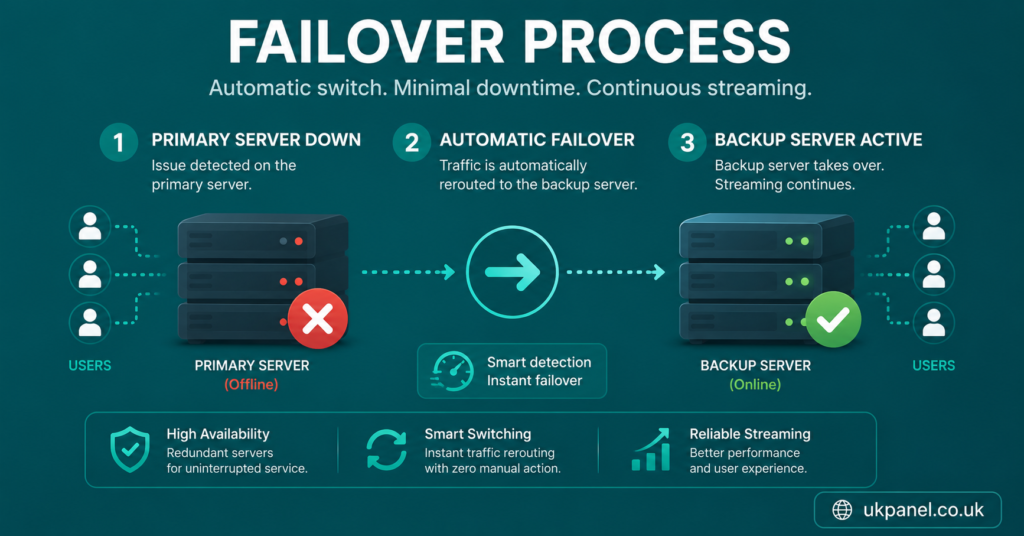
Failover is the process of automatically shifting traffic away from a server that’s stopped responding. Without it, every viewer connected to that server simply loses their stream and has to reconnect manually, which during a live match means a flood of support messages within minutes.
A working failover setup typically follows this sequence:
- Health checks detect that a server has stopped responding correctly.
- The load balancer removes that server from the active rotation.
- New connection requests are routed only to remaining healthy servers.
- Existing connections on the failed server either reconnect automatically or drop and retry, depending on how the client app is configured.
- Once the failed server recovers and passes health checks again, it’s added back into rotation.
The weak point for most smaller operators is step four. If your reseller panel or streaming app doesn’t support automatic reconnection, viewers experience a hard stop even with a technically correct load balancer setup behind the scenes. This is worth testing deliberately rather than assuming it works.
Reseller Considerations: Credits, Capacity, and Customer Expectations
For a reseller, load balancing isn’t purely a technical exercise, it’s directly tied to how many IPTV credits you can responsibly sell without overpromising capacity you don’t actually have. Selling connections faster than your infrastructure can support, or your upstream provider can guarantee, is one of the most common causes of churn during high-demand periods.
Before a known high-traffic period, it’s worth reviewing:
- How many concurrent connections your upstream panel realistically supports without degradation
- Whether your reseller dashboard gives you any visibility into server load or only shows account-level data
- Whether your sub-resellers understand capacity limits, so they aren’t selling promises you can’t back up
- What your refund or credit policy looks like if a customer experiences buffering during a specific event
Sub-resellers sit in a more exposed position here. They typically have no direct control over server infrastructure and depend entirely on their parent reseller’s capacity planning. If you’re a sub-reseller, the practical move is asking your provider directly what load balancing or failover measures exist upstream, rather than assuming they’re in place.
Common Mistakes When Setting Up Load Balancing
| Mistake | Better Approach |
|---|---|
| Adding a load balancer only after a major outage | Set it up ahead of a known high-traffic period, not reactively |
| Assuming DNS rotation reacts instantly to failures | Pair DNS methods with active health checks or move to a real-time balancer |
| Never testing failover under real load | Run a deliberate test with a simulated traffic spike before it matters |
| Ignoring geographic server placement | Route UK-based viewers to servers with strong UK ISP routing |
| Overselling connections beyond tested capacity | Track actual peak concurrent numbers and leave a buffer |
Pro tip: Run a test failover during a quiet period by manually taking one server offline and watching how quickly the load balancer redistributes traffic. It’s far better to find configuration gaps on a Tuesday afternoon than during a Saturday fixture.
Monitoring During High-Traffic Events
Setting up load balancing once isn’t the end of the job. Live monitoring during the event itself lets you catch problems before customers notice them. At minimum, keep an eye on:
- Current concurrent connections per server against known capacity
- Server response times, since these often degrade before a full failure happens
- Bandwidth usage at the network level, not just individual server load
- Support ticket volume as an early indicator that something isn’t distributing correctly
Pro tip: Set a simple threshold alert, even a basic one, so you’re notified when any single server crosses roughly 80% of tested capacity rather than finding out from a wave of customer complaints.
Working With an Upstream Provider Instead of Building Your Own
Many resellers and sub-resellers never touch load balancer configuration directly, because it’s handled by the panel provider upstream. That’s a legitimate approach, particularly for smaller operations, but it shifts the responsibility to asking the right questions rather than doing the technical setup yourself.
Worth asking any IPTV provider before relying on them during high-demand periods: what happens when a server reaches capacity, whether failover is automatic or manual, and whether there’s a way to check server status independently rather than waiting for IPTV support to respond after something has already gone wrong. You can review how panel infrastructure and reseller responsibilities typically divide on the IPTV reseller panel explainer, and the installation walkthrough covers device-side setup that complements server-side planning. Some providers, such as britishseller.co.uk, publish this kind of infrastructure detail openly as part of their service pages, which is worth comparing against whatever your current provider discloses.
Subscriber Guidance: What You Can Do on Your End
If you’re a subscriber rather than a reseller, you can’t configure server-side load balancing, but a few things on your end reduce the chance of buffering during busy periods. Using a wired connection instead of WiFi where possible reduces one variable. Lowering stream quality slightly during known peak windows can also help if your connection is borderline. If buffering is consistent specifically during high-traffic events rather than general use, that’s a useful detail to pass along when contacting support, since it points toward server-side congestion rather than a device or app issue.
Frequently Asked Questions
Do I need a dedicated load balancer if I’m a small reseller?
Not necessarily. Smaller operators often rely on their upstream provider’s infrastructure rather than running their own load balancing setup. It becomes more relevant as your connection numbers grow or if you’re managing multiple servers directly.
What’s the difference between load balancing and failover?
Load balancing distributes normal traffic across servers to prevent any one server from being overloaded. Failover specifically handles what happens when a server stops working, redirecting its traffic elsewhere. A complete setup typically includes both.
Can DNS-based load balancing handle live sports traffic on its own?
It can help with steady distribution, but it reacts slowly to a server actually failing, since DNS changes take time to propagate to viewer devices. For high-stakes live events, pairing it with active health checks or a real-time load balancer is generally more reliable.
How do I know if buffering is a load balancing issue or something else?
If buffering happens consistently during high-traffic periods but the stream runs fine at quieter times, that pattern points toward server capacity or distribution rather than an isolated device or connection problem.
Is CDN-based distribution worth it for a UK-focused IPTV panel?
It depends on scale. For panels serving a genuinely large, geographically spread customer base, a CDN can meaningfully reduce load on origin servers. For a smaller, regionally concentrated customer base, the added cost may outweigh the benefit.
Should sub-resellers worry about load balancer setup themselves?
Generally no, since sub-resellers rarely have direct server access. The more useful step is confirming with your parent IPTV Panel reseller or provider what failover and capacity measures already exist upstream.
Conclusion
An IPTV Load Balancer Setup Guide ultimately comes down to one practical goal: making sure no single server has to carry more concurrent viewers than it can actually handle, especially during the narrow windows when live sports traffic spikes hardest. Whether that means configuring your own DNS rotation, deploying a real-time software balancer, working with a CDN, or simply asking better questions of an upstream provider, the underlying principle stays the same. There’s no single setup that suits every panel size, and testing under real conditions matters more than any theoretical configuration. Start by measuring your actual peak load, build in failover rather than hoping servers never fail, and revisit the setup as your customer numbers grow.
Setup Checklist
- Log actual concurrent connections during both a normal evening and your busiest recent live event
- Choose a load balancing method that matches your budget and technical access (DNS, software, or CDN)
- Configure health checks to run every 10 to 30 seconds
- Test failover manually during a quiet period before relying on it live
- Confirm whether your client app supports automatic reconnection after a dropped stream
- Set a capacity alert threshold, such as 80% of tested server load
- Ask your upstream provider directly about their failover process if you don’t manage servers yourself
- Review geographic server placement against where most of your customers are located