Here is something nobody selling you a subscription will admit: the stream rarely dies because the content is bad. It dies because of a connection problem. And once the connection chokes, buffering, freezing, and that dreaded “loading” spinner are just symptoms. We have watched this exact chain play out for years, and the pattern almost never changes.
If your IPTV live sports streaming keeps collapsing at the worst possible moment — kickoff, the final round of a fight, the last over of a chase — the short answer is this: the server you are connected to is overloaded or temporarily down. The likely cause is too many viewers hitting a single source at once. The recommended action is choosing a provider built for concurrent load, and keeping a backup option ready for the few minutes when a server is updating. That is the whole game in three sentences.
Everything below explains why that happens, what separates a stream that holds versus one that crumbles, and what both subscribers and UK IPTV resellers should actually do about it. This is written from the operator side of the screen, where the support tickets land.
The Real Reason IPTV Live Sports Streaming Fails Mid-Match
People assume buffering is a speed problem on their end. Sometimes it is. But far more often, the device never fully connects in the first place. If the handshake with the server is weak or refused, you do not get smooth playback — you get a frozen frame, then a spinner, then nothing. Buffering is the visible part of an invisible connection failure.
During a major fixture, thousands of viewers request the same channel within the same ten-minute window. On a single-source setup, that surge hits one machine. The machine does not magically refuse politely; it slows, drops packets, and starts throwing connection errors. From the living room it looks like “the IPTV live sports streaming is lagging.” From the server side, it looks like a queue that got too long.
Pro Tip: If a stream freezes the instant a match kicks off but works fine ten minutes later, the issue is almost never your internet. It is the source absorbing a traffic spike. Test by switching to a non-sports channel — if that plays clean, your connection is fine and the sports source is the bottleneck.
Why One Server Is the Quiet Killer of Sports Streams
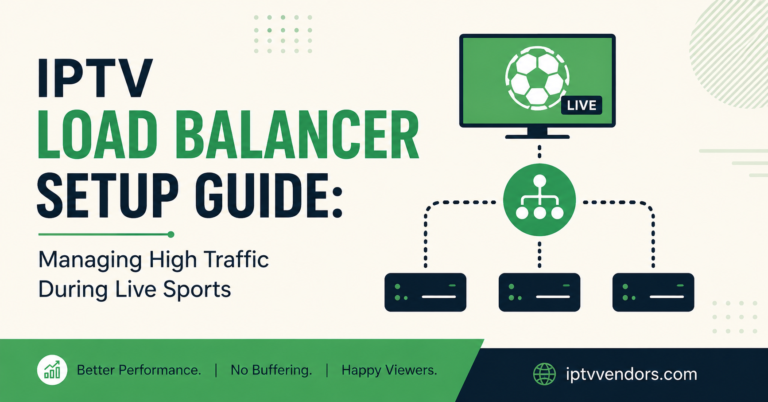
This is the part most providers hide. A lot of IPTV live sports streaming runs on a single source for everything — every channel, every region, every customer, pointed at one origin. It works beautifully on a quiet Tuesday. It falls apart on a Saturday at 5pm.
The problem is structural, not occasional. One source means one point of failure. When that source is overloaded or being updated, the channels go dark for a few minutes and there is nowhere for the traffic to go. No second machine catches it. We have seen this firsthand: the outages that generate the most complaints are not random — they cluster exactly around peak kickoff times and maintenance windows.
| Single-Source Setup | Distributed Setup |
|---|---|
| One origin handles all viewers | Load spread across multiple sources |
| Overloads during big matches | Absorbs traffic spikes |
| Update = total blackout | Update = traffic shifts elsewhere |
| Quality drops under load | Quality holds at peak |
| One failure affects everyone | Failures stay isolated |
The honest takeaway for any IPTV operator: the day you outgrow a single source is the day before your biggest match, not after the complaints arrive.
How Quality Drops Are Connected to Load (Not Just Your Wi-Fi)
The most common complaint we receive is not “no signal.” It is quality dropping and lagging. The picture goes soft, HD slides to something that looks like SD, and the audio drifts out of sync. Subscribers blame their TV. Usually it is the source straining.
Here is the chain in plain English:
- Too many viewers hit one source
- The source rations bandwidth to keep everyone barely connected
- To survive, the stream sheds quality — resolution drops first
- If load keeps climbing, frames start lagging
- Eventually the connection refuses and playback stops
Notice that buffering and quality loss are the same illness at different stages. A provider that solves the connection capacity problem solves the quality problem automatically. One that ignores it will keep telling you to “restart your router,” which fixes nothing when the bottleneck is on their end.
Pro Tip: Lag and quality drops that happen only during live sports — never on movies or general channels — are a load signature, not a device fault. Movies are watched at random times; live matches concentrate everyone into the same minute. The traffic pattern is the clue.
What Support Tickets Reveal About Why Customers Leave
After handling support across multiple brands, one lesson stands above the rest: customers do not leave because of one bad night. They leave because nobody answered them on that bad night.
This is the single most important insight for any IPTV reseller, and most ignore it. A reseller who replies fast during a match — even just to say “server’s updating, back in five minutes” — keeps the customer. The reseller who goes silent loses them, and worse, loses the referrals that customer would have brought. Good support does not just retain customers; it manufactures new ones. Satisfied subscribers recommend you without being asked.
The hard truth for a panel owner: your product is not really the channels. It is the response you give when the channels hiccup.
Pro Tip: The most profitable reseller move costs nothing — a saved reply template for “known downtime.” When a server is updating, a 20-second honest message (“brief maintenance, channels return shortly”) prevents more cancellations than any refund. Silence reads as a scam. Communication reads as a service.
The Reseller Mistake That Quietly Bleeds Customers
New resellers obsess over price. They hunt the cheapest credits, undercut everyone, and assume volume will save them. Then a big match arrives, the cheap source buckles, and a wave of refund requests wipes out a month of margin.
A mistake we see repeatedly: a reseller signs up dozens of customers in a week, never sets up a support channel, and treats the panel like a vending machine. The first outage exposes the gap. Customers message into a void, get angry, and churn. Meanwhile the reseller blames the source instead of the silence.
Here is the field lesson distilled:
- Pick reliability over the lowest credit price — one bad match costs more than you saved
- Set up a real support line before you sell a single subscription
- Pre-write your downtime and maintenance messages now, not during the panic
- Convert trial users by being present, not by discounting
- Treat every match day as a stress test of your support, not just your stream
A credit reseller who internalises this outgrows the ones chasing the bottom price every single time.
Maintenance Windows: The Downtime You Can Actually Control
Not all downtime is failure. Some of it is necessary. Servers get updated, and during that window channels can go quiet for a few minutes. This is normal infrastructure work — the difference between a professional IPTV operator and an amateur is whether the customer was warned.
The unforced error is updating a server during a match. We have seen panels run maintenance at peak time and trigger an avoidable flood of tickets. Schedule updates for low-traffic hours — late night, weekday mornings, anything but a Saturday evening fixture. And when maintenance is unavoidable, announce it before, not after.
| Unmanaged Downtime | Managed Downtime |
|---|---|
| Updates run at peak times | Updates scheduled off-peak |
| No warning to customers | Advance notice sent |
| Tickets flood in | Tickets stay low |
| Looks like a dead service | Looks like a maintained one |
| Customers churn | Customers wait calmly |
2026 Reality: What Reliable IPTV Live Sports Streaming Demands Now
Expectations have hardened. In 2026, viewers compare every IPTV live sports streaming experience to mainstream apps that almost never stutter. A few seconds of freeze at kickoff feels unacceptable now in a way it did not a few years ago. The tolerance is gone.
This raises the bar for every panel owner and IPTV business owner. The market rewards services that hold steady when traffic spikes and punishes those that wobble. The reseller who understands that service reliability is the product — not a bonus — is positioned to grow. The one still selling on price alone is selling on the one thing competitors can always beat.
For anyone building a serious IPTV distribution network, the priorities are clear: capacity for concurrent viewers, sensible maintenance scheduling, and a support response that treats downtime honestly. A provider that takes infrastructure seriously, like the team at britishseller.co.uk, gives UK IPTV resellers a foundation that survives the Saturday-evening surge instead of buckling under it.
Frequently Asked Questions
Why does my IPTV live sports streaming buffer only during big matches?
Because the connection, not your internet, is the bottleneck. During a major match, thousands of viewers hit the same source at once. If that source is overloaded, your device struggles to connect, and buffering is the visible result. It plays fine afterward because the traffic spike has passed and the load on the server has eased.
Is IPTV live sports streaming lag caused by my internet or the provider?
Usually the provider’s source. A simple test: if general channels and movies play smoothly but live sports lag at peak times, your internet is fine and the sports source is overloaded. Lag that appears only during concentrated match traffic is a load signature on the server side, not a fault in your home connection.
What should a reseller do when a server goes down mid-match?
Communicate immediately. A short, honest message — “brief maintenance, channels returning shortly” — prevents far more cancellations than silence ever will. Most customers forgive a few minutes of downtime if they know it is temporary. They do not forgive being ignored. For any reseller, fast support during an outage is the difference between keeping a customer and losing them.
Why does video quality drop during live sports instead of freezing?
It is the same overload at an earlier stage. When a source is strained, it first sheds resolution to keep everyone connected, so HD slips toward SD. If load keeps rising, lag and freezing follow. Quality drops are an early warning that the source is reaching capacity during peak sports traffic.
Can a VPN fix IPTV live sports streaming problems?
Sometimes, but not the ones described here. A VPN can help if your ISP is throttling specific traffic, but it cannot fix an overloaded source or a server that is being updated. If the problem is on the provider’s side, no VPN will create capacity that does not exist. The real fix is a provider built for concurrent load.
How do I choose a reliable IPTV reseller panel for sports?
Test it during a live match, not on a quiet afternoon. Anyone can stream well at 2pm on a Tuesday. Watch how the panel and source behave during a peak fixture, and check whether the provider communicates during maintenance. Reliability under real load and honest support are what separate a serious reseller panel from a disposable one.
Why do channels go offline for a few minutes sometimes?
Often it is scheduled maintenance — servers being updated to stay stable. This is normal infrastructure work. The issue is never the maintenance itself but whether it was announced and whether it happened at a sensible time. Off-peak updates with advance notice are routine; mid-match updates with no warning are a self-inflicted wound.
Action Checklist
For Subscribers:
- Test a non-sports channel during a freeze to confirm the source is the issue, not your internet
- Keep a backup viewing option ready for short maintenance windows
- Report quality drops to your provider early — they signal source overload
- Do not waste time restarting your router if only live sports lag
For Resellers:
- Choose source reliability over the cheapest credit price
- Set up a real support channel before selling a single subscription
- Pre-write downtime and maintenance messages in advance
- Reply fast during matches, even just to confirm a server is updating
- Treat every big fixture as a stress test of your support, not only your stream
For Sub-Resellers:
- Confirm your upstream panel owner communicates during outages before you commit
- Pass maintenance notices to your own customers immediately
- Track which matches generate the most tickets and prepare for those windows
- Build your reputation on response speed, since that is what earns referrals
The lesson underneath all of this is simple: in IPTV live sports streaming, the stream and the support are the same product. Capacity keeps the picture clean, and communication keeps the customer calm when capacity is briefly tested. Get both right and you do not just survive match day — you grow from it.