The Best IPTV Players in 2026: An Operator’s Guide
Here’s something most resellers won’t tell you: your panel can be rock solid, your credits topped up, your uplink servers redundant, and your customer will still call you at 11pm during a live match saying it keeps freezing.
The culprit? Nine times out of ten, it’s the IPTV player.
Not the stream. Not your provider. The player.
Choosing the best IPTV players isn’t a cosmetic decision. It’s infrastructure. The player determines how your stream is decoded, how HLS latency is handled, how quickly it reconnects after a dropout, and whether your customer’s experience matches what your panel is actually capable of delivering. A weak player eating into buffer memory on a mid-tier Android box is indistinguishable, to the end user, from a bad server.
This guide covers the best IPTV players in 2026 from an operator’s perspective, not a reviewer who ran three channels for a weekend, but from someone who’s had to diagnose buffering complaints at scale, across different device types, different ISP environments, and customers who range from technically sharp to completely clueless.
Let’s go through what actually works.
Why Player Selection Directly Impacts Reseller Churn
Before listing the best IPTV players, operators need to understand what’s actually at stake. Player-related buffering is one of the top three reasons customers don’t renew. The other two, price and content gaps, are harder to fix. Player issues are solvable, but only if you’re recommending the right software in the first place.
In 2026, ISP-level interference has become significantly more sophisticated. Deep packet inspection isn’t new, but the targeting precision has improved. Certain players handle stream re-requests and connection handoffs better than others under these conditions. DNS poisoning attempts that would stall one player entirely cause barely a hiccup in another, because of how they manage fallback and authentication token handling.
The wrong player recommendation doesn’t just hurt one customer. It becomes a support burden that kills your time and your reputation simultaneously.
Pro Tip: When onboarding new subscribers, always ask what device they’re using before recommending a player. A player that’s excellent on a Fire Stick can perform erratically on certain Android TV boxes due to hardware decoder differences, and that complaint will land in your inbox, not the player developer’s.
The Best IPTV Players for Fire TV and Android Devices
TiviMate sits at the top of this category and has done for a while. It’s not hype, it’s the best IPTV players for Android-based devices for a specific reason: its buffer management and EPG handling are built for stability, not just visual polish. The paid version unlocks multi-panel support, which means customers with secondary lines can run them cleanly without switching apps.
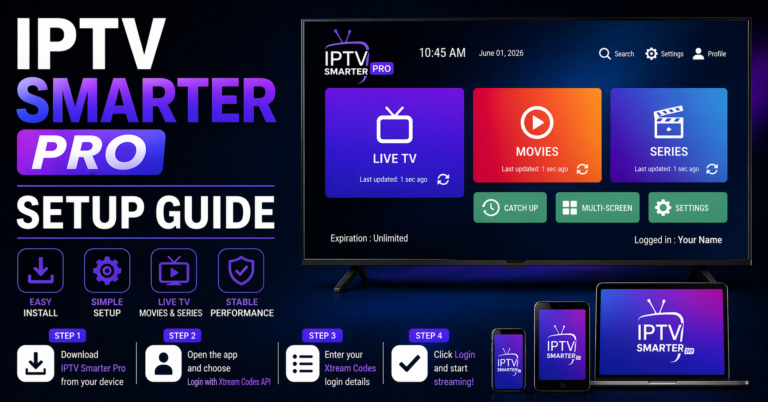
IPTV Smarters Pro remains heavily used across the UK IPTV reseller market because it natively supports Xtream Codes API, which is how most panels authenticate. For resellers running XtreamUI or similar backend systems, this creates a smoother onboarding experience. Customer enters a URL, username, password, done. No M3U editing, no confusion.
Smarters Lite exists as the stripped-down version for budget-device users. Useful, but don’t recommend it to anyone running more than one stream simultaneously.
| Player | Best for | Xtream API support | Multi-stream | Buffer handling |
|---|---|---|---|---|
| TiviMate | Android TV / Fire Stick | Yes | Yes (paid) | Excellent |
| IPTV Smarters Pro | All Android + iOS | Yes | Yes | Good |
| GSE Smart IPTV | iOS / iPadOS | Partial | Yes | Moderate |
| Kodi (IPTV Simple) | Advanced users | Via plugin | Yes | Variable |
| Perfect Player | Budget Android | M3U only | No | Average |
| OTT Navigator | Mid-range Android | Yes | Yes | Good |
| VLC | Cross-platform fallback | No | No | Basic |
GSE Smart IPTV: The iOS Problem Solver
iOS has always been the awkward device in IPTV reselling. Apple’s ecosystem restrictions mean fewer options, and most of the best IPTV players are Android-first. GSE Smart IPTV fills that gap with a functional, stable interface that handles both M3U and Xtream playlists, crucial for resellers who don’t want to maintain separate setup guides for Apple users.
It won’t win design awards and the EPG sync can be sluggish on large channel lists. But for a customer using an iPhone or iPad as their primary viewing device, it works, and working reliably is what earns renewals.
Where GSE Smart IPTV struggles: Hardware acceleration on older iPads can cause frame drops on high-bitrate streams. If a customer reports pixelation on HD channels specifically, hardware decoder settings are usually the first thing to check.
Pro Tip: Create a single-page setup PDF for each player you recommend, tailored to your specific panel’s login format. Generic tutorials lose customers at step three. Your support tickets drop by a measurable amount when onboarding material is accurate and specific.
Kodi: A Top Pick for Advanced Resellers, With a Caveat
Kodi with IPTV Simple Client is powerful. It’s flexible, it handles large channel lists well, and for customers who are technically competent, it’s the best IPTV players experience in terms of raw capability.
The caveat is equally significant: Kodi requires configuration. The average customer will not successfully set it up without guidance, and even with guidance, there’s a meaningful failure rate among non-technical users.
Where Kodi becomes genuinely useful for resellers is in a specific scenario: commercial or semi-commercial deployments. Customers running IPTV for small hospitality environments, shared households, or small offices tend to have someone technical on-site. For those accounts, Kodi’s multi-source support and local caching options make it the best IPTV players for managing high-volume concurrent streams from a single subscription.
What to watch in 2026: ISP-level blocking has started targeting Kodi addon traffic more aggressively than clean API calls. If your customers are running third-party addons alongside IPTV Simple, stream interference is more likely. Educate accordingly.
OTT Navigator: The Underrated Middle Ground
Resellers who’ve been operating long enough tend to develop a short list of players they trust without thinking about it. OTT Navigator quietly earns a place on that list. It supports Xtream Codes natively, renders EPG reliably, and its UI is clean enough that non-technical users don’t feel lost.
What separates OTT Navigator from the more obvious choices among the best IPTV players is its category organisation system. Customers with large channel packages, sports tiers, multi-language lists, can set up custom groups that persist across app restarts. That sounds minor until you’ve explained to a customer for the third time how to find their sports package inside a flat, unsorted 3,000-channel list.
Its reconnect handling after ISP interference or DNS-level interruption is also notably solid. In environments where AI-driven ISP blocking creates brief stream drop events, OTT Navigator’s auto-reconnect is faster than most alternatives.
Pro Tip: OTT Navigator’s backup playlist feature lets you configure a secondary M3U source. If you’re running customers on a primary panel that occasionally has maintenance windows, you can pre-load a backup line into the app silently. When the main stream drops, the failover is near-instant from the customer’s side.
Perfect Player and VLC: Situational Tools, Not Primary Recommendations
Perfect Player built its reputation on budget Android hardware. On a low-spec box running Android 7 or 8 with limited RAM, many of the premium players become sluggish or crash under EPG load. Perfect Player handles those constraints better. It’s not elegant, but on a $25 Android box, it’s probably the best IPTV players available for that hardware tier.
VLC gets mentioned because customers will always install it. It handles M3U streams and it’s free on every platform. What it lacks is any meaningful EPG support, reconnect intelligence, or stream-specific optimisation. Use it as a diagnostic tool, if a stream plays in VLC but not in another player, the issue is the player configuration, not your panel. That distinction alone saves debugging time.
What 2026 ISP Behaviour Means for Player Choice
The single biggest infrastructure shift affecting the best IPTV players right now is the evolution of ISP detection and throttling. In previous years, most blocking was port-based or domain-level. Operators would route around it by changing stream delivery ports or rotating domains.
In 2026, several major ISPs in key reseller markets have deployed AI-assisted traffic analysis that identifies HLS stream patterns, packet timing, request intervals, segment sizes, rather than targeting specific IPs or domains. This is harder to bypass at the UK IPTV reseller level because the detection happens at the stream protocol layer.
What this means practically:
- Players with built-in connection obfuscation or adaptive bitrate switching handle these environments better
- Players that make aggressive, predictable HLS segment requests get throttled faster
- Backup uplink server support at the panel level becomes essential, but only matters if the player can switch between stream sources without user intervention
TiviMate and OTT Navigator handle adaptive stream conditions better than most in this category. IPTV Smarters Pro has improved its reconnect behaviour in recent updates but still lags slightly in high-interference environments.
Pro Tip: If a customer reports buffering that only occurs in the evening (peak ISP hours) but not during the day, ISP throttling is almost certainly the issue, not your panel. Recommend a VPN trial to confirm. If buffering disappears on VPN, you’ve diagnosed it. The fix is usually a stream route change on the provider side, not a player swap.
Panel Credits, Reseller Margins, and Player Compatibility
This is a dimension that rarely gets discussed in player roundups, but it matters operationally. Not all best IPTV players expose the same connection information back to your panel. Some players open a single authenticated session and hold it. Others open and close sessions aggressively, which on some panel setups counts as multiple connection events, burning through credits or triggering connection limit flags.
If you’re reselling on a panel with strict simultaneous connection enforcement, test your recommended players against those limits before rolling them out to customers. A player that opens two connections per device will effectively halve your customer’s connection allowance without either of you realising it.
IPTV Smarters Pro and TiviMate both handle Xtream session management cleanly. Some lesser-known players, particularly older forks of open-source projects, are sloppy with this, and the result is a customer who swears they’re not sharing their account while your panel log shows six active connections.
Reseller Success Checklist: Player Deployment Done Right
This isn’t theory. These are execution steps.
- Audit your customer base by device type: Fire Stick, Android box, smart TV, iOS, PC. Different devices need different recommendations.
- Maintain a tested setup guide for each player you support, not a link to a YouTube tutorial, your own guide, specific to your panel URL format.
- Set player-specific reconnect behavior expectations, tell customers upfront how long reconnect takes so they don’t panic and call you.
- Test every player against your panel’s connection limit logic before recommending it at scale.
- Keep VLC installed internally as a diagnostic baseline, not for customers, for you.
- Monitor ISP throttling patterns by region, if multiple customers in the same area report buffering at the same times, the problem is upstream, not individual player config.
- Configure backup stream sources within your panel and verify that your recommended players can access them automatically.
- Review player updates quarterly, a player that handled your panel perfectly in Q1 may behave differently after a major update changes its connection management.
The best IPTV players in 2026 are the ones that stay out of the way when everything is working and recover quickly when it isn’t. Operator success depends on knowing which player fits which customer, not on finding one universal answer and applying it across your entire subscriber base.
Choose with context. Deploy with documentation. Support with specifics.