
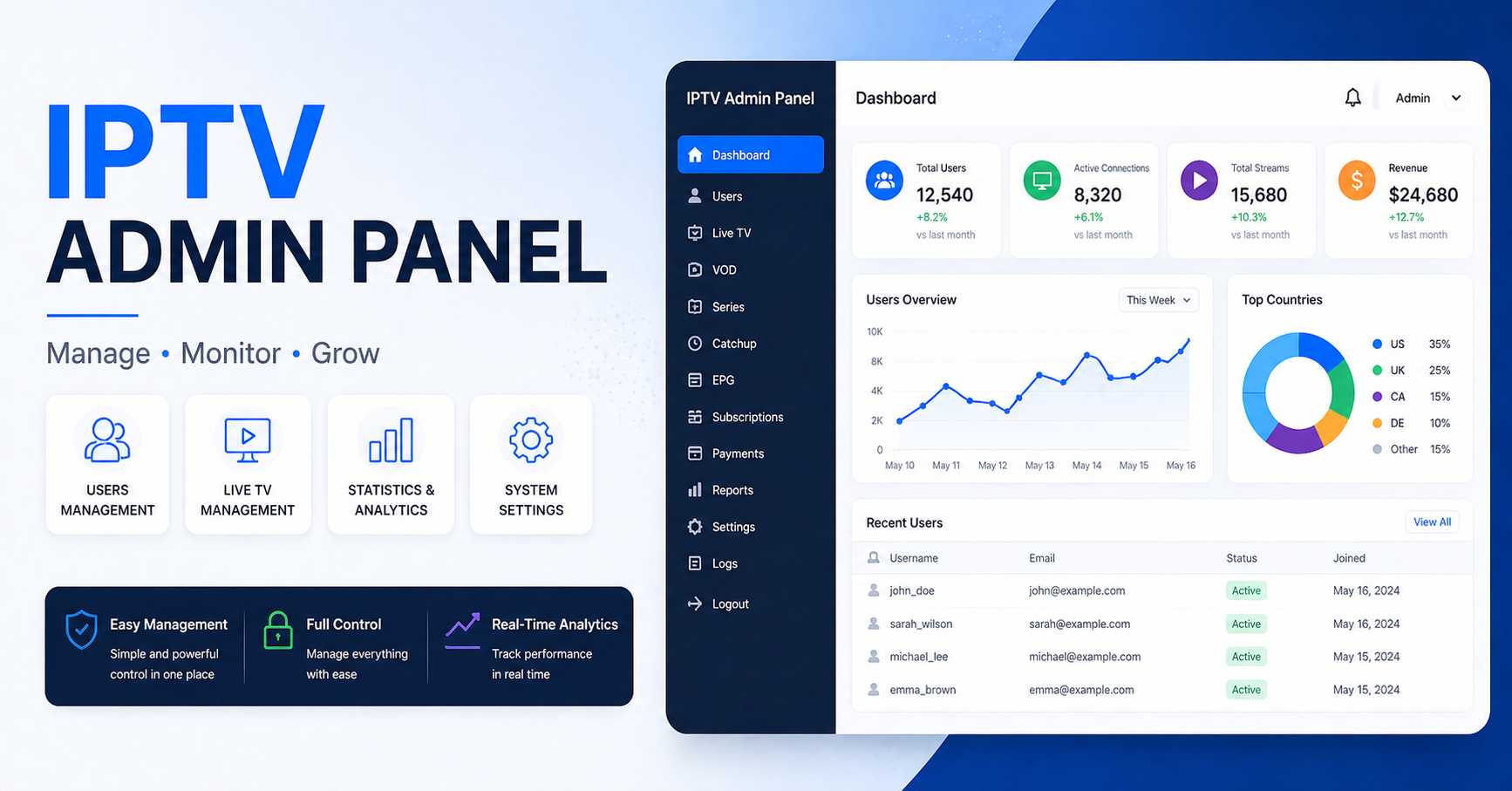
The IPTV Admin Panel: What Most UK Resellers Never Actually Check
Most resellers open their IPTV admin panel, see green lights, and assume everything is fine. That assumption has killed more businesses than bad servers ever did.
Green doesn’t mean stable. It means the panel hasn’t thrown an error yet. Understanding the difference between a functioning IPTV admin panel and a healthy one is the first real skill gap separating operators who scale from those who quietly disappear after three months.
This guide isn’t written for people browsing YouTube tutorials. It’s written for the UK IPTV reseller who already has a panel, already has clients, and is starting to realise that what they don’t know is costing them money, in refund requests, in churn, in missed upsells, and in downtime they blamed on the provider when the root cause was sitting in their own dashboard the entire time.
The IPTV admin panel is infrastructure. Treat it like one.
What Your IPTV Admin Panel Is Actually Tracking (And What You’re Ignoring)
Every serious panel built on Xtream Codes architecture or its successors logs a stream of operational data most resellers never open: active connection counts per line, simultaneous stream caps being hit, MAG device authentication timestamps, expired trial lines still consuming server bandwidth.
That last one deserves a pause. Expired trial connections that weren’t properly terminated continue pulling server-side resources in many panel configurations. If you’ve ever wondered why your concurrent stream count looks inflated relative to your paying customer base, check your expired line cleanup schedule inside the IPTV admin panel. Most operators set it to manual. Most operators never run it.
What to audit monthly inside your panel:
- Expired lines still flagged as “active”: clear these weekly, not monthly
- Sub-reseller credit balances sitting at zero: dormant resellers consuming DNS resolve overhead
- Trial lines created more than 14 days ago with zero stream history: dead weight
- Connections originating from data center IPs: almost always credential sharing or resale abuse
Pro Tip: Sort your active lines by “last connection” inside the IPTV admin panel and filter for anything showing zero streams in the past 10 days. That’s your real churn number, not the cancellation requests you’ve received. Real churn precedes the complaint by two weeks.
The Credit System Most Resellers Fundamentally Misunderstand
Credits inside an IPTV admin panel are not just a billing mechanic. They’re a risk distribution tool, and if you’re treating them purely as currency, you’re underusing one of the most powerful levers available to you.
Here’s the core misread: resellers think credits equal lines. Technically correct. Operationally incomplete.
The credit system inside a properly configured IPTV admin panel also controls expiry inheritance. When a sub-reseller creates a line from their credit pool, the line expiry they assign propagates downstream. If your master panel has a 12-month server agreement and your reseller assigns 14-month line durations, you have a liability gap, two months of promised service with no guaranteed infrastructure backing it.
Credit configuration discipline:
| Setting | Beginner mistake | Operator standard |
|---|---|---|
| Max expiry allowed | Set to unlimited | Capped at contract term minus 30 days |
| Credit top-up timing | When reseller complains | Automated threshold alert at 20% remaining |
| Trial line credit cost | 0 (free) | 0.5 to 1 credit minimum to deter abuse |
| Reseller downgrade permission | Enabled | Disabled, requires escalation |
The trial credit cost model is particularly underutilised. Charging a fraction of a credit for trial creation does two things: it eliminates spam trial requests from low-intent buyers, and it creates a natural quality filter, IPTV Panel resellers who won’t spend half a credit on a trial aren’t serious about converting that customer.
Load Handling: Where Panel Data Meets Infrastructure Reality
Here’s what 2026 IPTV infrastructure looks like at load: your panel is handling authentication requests, your CDN or load balancer is distributing HLS stream segments, your backup uplink is either warm or cold, and your ISP is potentially already flagging your traffic patterns.
Most IPTV admin panel interfaces show concurrent connections. Almost none show per-stream HLS latency natively, you need to pull that from your CDN or middleware layer. But your panel will show you connection spikes, and that data is the early warning system for load events before they become outage events.
The warm backup uplink problem:
A cold backup uplink, one that only activates when the primary fails, introduces a 30 to 90 second reconnection gap depending on your failover configuration. For live sports, that gap is catastrophic. A warm backup that’s actively receiving a small traffic share (even 5–10%) stays synchronised and cuts failover to under 8 seconds in most configurations.
Your IPTV admin panel won’t configure this for you. But monitoring the downstream effects, connection drop spikes, sudden MAG reboot clusters, is visible in panel logs if you know what timestamp correlation to run.
Pro Tip: Cross-reference your panel’s concurrent stream log with your provider’s maintenance window schedule. If you’re seeing micro-drops that don’t correlate with any scheduled downtime, your upstream is load-shedding and not telling you. That’s a contract conversation, not a patience exercise.
ISP Blocking in 2026: What’s Changed and Why Your Panel Needs to Respond
The enforcement landscape has shifted significantly. AI-driven deep packet inspection tools deployed by major ISPs no longer rely purely on destination IP analysis. They’re now profiling traffic rhythm, the consistent segment request intervals characteristic of HLS playback, and flagging streams that match known IPTV delivery patterns regardless of whether the destination IP has been previously reported.
What this means operationally: IP rotation alone no longer provides the protection it did in 2018–2020. Resellers managing their IPTV admin panel need to understand that connection routing and protocol obfuscation are now infrastructure requirements, not optional upgrades.
How blocking events appear inside your panel:
A geographic cluster of users showing simultaneous “stream not found” errors despite lines being active
MAG devices triggering abnormal re-authentication loops (3+ auths within 60 seconds)
Sudden drop in UK or EU connections specifically, while other regions remain stable
These aren’t random. They’re ISP-level interventions showing up as panel anomalies. DNS poisoning events produce a particularly identifiable pattern: authentication succeeds (the panel shows the line as connected), but stream delivery fails silently because the CDN endpoint has been poisoned at the resolver level.
Mitigation steps from the panel side:
Maintain at least two active stream server domains with different registrar paths
Ensure your IPTV admin panel allows per-line server assignment, so affected users can be migrated without full re-subscription
Keep a manual DNS override document ready for distribution to technical customers
Sub-Reseller Management: The Quiet Revenue Leak Nobody Audits
If you operate a tiered reseller structure, master panel supplying sub-resellers who supply end customers, your IPTV admin panel is simultaneously your most powerful management tool and your most underchecked liability surface.
The revenue leak isn’t fraud. It’s attrition by neglect.
Sub-resellers who stop logging into their panel dashboard almost always stop converting trials. They stop responding to their customers’ buffering complaints. They don’t renew. And they don’t tell you, they just go quiet, and you discover the credit balance at zero three months later when you’re reviewing accounts.
Pro Tip: Set a 21-day login inactivity alert in your IPTV admin panel for all sub-reseller accounts. A reseller who hasn’t logged in for three weeks is either inactive or managing clients from memory, both scenarios end in churn. A simple check-in message at day 21 recovers more accounts than any discount campaign.
Sub-reseller health indicators to track:
Login frequency (weekly actives vs monthly actives, healthy ratio is above 60% weekly)
Trial-to-paid conversion rate per reseller, benchmarks below 20% indicate a selling skills problem, not a product problem
Credit consumption velocity, sudden drops signal customer loss before you receive any formal notification
Average line duration sold, resellers consistently selling 1-month lines have unstable client bases
Cheap vs. Premium Infrastructure: What the Panel Numbers Tell You
The IPTV admin panel doesn’t know what infrastructure sits beneath it. But the data it produces will tell you whether that infrastructure is performing.
| Metric | Budget infrastructure | Premium infrastructure |
|---|---|---|
| Auth response time | 800ms to 2,000ms | Under 200ms |
| Stream start latency (HLS) | 6 to 12 seconds | 1.5 to 3 seconds |
| Failover recovery time | 90+ seconds | Under 10 seconds |
| EPG update reliability | Inconsistent, 6 to 12hr gaps | Under 2hr, timestamp-accurate |
| Uptime (monthly average) | 94 to 97% | 99.3%+ |
| Concurrent stream ceiling | Hard cap, no burst capacity | Burst-capable with load balancing |
The critical column is failover recovery. During a major live sports event, 90 seconds of black screen generates approximately 15–25% of your total monthly complaint volume in a single incident. Premium infrastructure doesn’t just improve the experience, it protects your support bandwidth.
When evaluating providers, ask directly: what is your documented failover SLA, and can you show panel-level logs from the last major incident? Any provider who can’t answer that question with specifics is operating infrastructure they don’t fully monitor.
Panel Configuration Errors That Quietly Drain Reseller Revenue
Not every revenue problem is external. Some of the most consistent damage to IPTV reseller margins comes from misconfigured IPTV admin panel settings that nobody reviews after initial setup.
Maximum connections per line: Default settings on many panel deployments allow 1 connection per line. If a family of four is on a shared subscription, they’ll exhaust that immediately. The support tickets that follow, “stream stops when someone else watches”, aren’t complaints about content quality. They’re configuration problems you can solve in 30 seconds inside the IPTV admin panel. Resellers who don’t understand this spend weeks trying to diagnose buffering that isn’t buffering.
Bouquet assignment errors: Lines assigned to the wrong bouquet silently deliver incomplete channel lists. A customer who subscribed for premium sports and receives a general entertainment bouquet doesn’t usually report the specific missing channels, they report “not working properly” and cancel. The IPTV admin panel bouquet audit takes less than an hour for most deployments. Most resellers have never run one.
MAG portal URL misconfiguration: MAG device users authenticating against an incorrect portal URL will experience partial authentication, the device connects, loads the portal, but streams fail. This appears in panel logs as successful authentication events paired with zero stream data. It’s easy to miss if you’re only looking at active connection counts.
Pro Tip: Run a full IPTV admin panel configuration audit every 90 days, not when problems surface. By the time buffering complaints reach you, the misconfiguration has already been running for weeks and multiple customers have already silently churned.
Churn Psychology: What Cancellations Inside the Panel Are Really Telling You
Resellers read churn as a product problem. Operators read churn as a communication problem. The distinction matters because the response is completely different.
When a customer’s line expires and isn’t renewed inside your IPTV admin panel, there are three possible explanations: price sensitivity, quality dissatisfaction, or friction in the renewal process itself. Most resellers assume quality. The data from multi-market IPTV operations consistently shows that renewal friction, no reminder, unclear payment path, WhatsApp message sent at the wrong time, accounts for nearly as much churn as genuine dissatisfaction.
What the panel can tell you: exactly which lines are expiring in the next 7 days. That’s your intervention window. An automated reminder workflow built around your panel’s expiry data, sent at 7 days, 3 days, and 24 hours before expiry, typically recovers 25–35% of at-risk renewals without a single discount offered.
The IPTV admin panel contains the data. Most resellers never connect it to a retention system.
Panel Success Checklist for IPTV Resellers
Run this against your current setup. No partial credit.
Infrastructure & Uptime
☐ Backup uplink is warm (actively receiving traffic share), not cold standby
☐ Failover tested within the last 30 days, documented recovery time on record
☐ At least two active stream delivery domains registered through different registrars
☐ CDN or middleware HLS latency monitored outside the panel dashboard
Panel Configuration
☐ Expired line cleanup scheduled weekly minimum
☐ Maximum connections per line reviewed and matched to subscription tier sold
☐ All active bouquet assignments audited in the last 90 days
☐ MAG portal URLs verified against current server configuration
☐ Sub-reseller maximum expiry capped below your infrastructure contract term
Sub-Reseller Oversight
☐ Login inactivity alerts set for 21-day threshold
☐ Trial-to-paid conversion rate tracked per reseller account
☐ Credit consumption velocity reviewed monthly
☐ Dormant reseller accounts identified and contacted
Churn & Retention
☐ 7-day expiry reminder workflow active
☐ Renewal friction audit completed (payment path, CTA clarity, response time)
☐ Real churn tracked via “last stream” timestamp, not cancellation requests
ISP & Security
☐ Geographic cluster errors reviewed monthly for blocking pattern identification
☐ DNS poisoning response protocol documented and distributed to team
☐ Per-line server migration capability tested and confirmed functional
Your IPTV admin panel is not a passive interface. It’s the operational nerve centre of your entire UK IPTV reseller business, and if the only time you open it is when something breaks, you’re managing by crisis rather than by data.
The operators who survive enforcement waves, server losses, and market shifts aren’t lucky. They’re reading their panels every day, acting on what they see, and building systems around the data that most resellers scroll past without a second look.