The App You Install Decides How Many Complaints You Field
Here’s something nobody publishing “Top 10 IPTV Apps” roundups will tell you: the IPTV player for Android your subscribers install has a direct, measurable impact on your support ticket volume. Not a marginal difference. A significant one.
We’ve operated reseller panels long enough to watch the same pattern repeat across hundreds of accounts. A reseller recommends a flashy-looking player with a cluttered interface. Within 48 hours, tickets flood in, buffering complaints, EPG not loading, favourites disappearing after reboot. The server is fine. The M3U line is fine. The player is the bottleneck.
An IPTV player for Android isn’t just a viewing app. It’s the front-end of your entire infrastructure. It determines how your EPG data renders, how efficiently the HLS stream is decoded, how gracefully the app recovers after a network hiccup, and, critically, whether your subscriber blames you or their own Wi-Fi when something stutters.
That distinction matters when you’re running a UK IPTV reseller operation at scale. Every false-positive buffering report costs time. Every “my channels disappeared” ticket could’ve been avoided with a better player recommendation from day one.
Pro Tip: Treat your IPTV player for Android recommendation as part of your onboarding funnel, not an afterthought. The player you push downstream shapes the entire support experience for every UK IPTV reseller beneath you.
Why TiviMate Keeps Winning the EPG Battle
If you’ve spent any real time managing subscriber expectations, you already know: EPG handling separates a usable IPTV player for Android from a frustrating one. And in 2026, TiviMate still holds that ground.
The reason isn’t complicated. TiviMate parses XMLTV data more reliably than most competitors. It caches programme data locally, so even when the EPG source is temporarily unreachable, your subscribers still see a populated guide. The layout is clean, scrollable, and, most importantly, it doesn’t collapse into a blank grid every time the app refreshes.
Compare that to players that re-fetch EPG on every launch, chewing through bandwidth and delivering a blank guide if there’s even a momentary DNS delay. Subscribers don’t understand DNS poisoning or EPG source latency. They see a blank screen and assume the service is broken.
For resellers, the knock-on effect is brutal. A blank EPG generates panic tickets. A well-cached one generates silence, and silence is what profitable operations sound like.
- TiviMate supports multiple playlists with independent EPG sources
- Catch-up playback works natively without third-party workarounds
- Channel grouping and custom favourites reduce navigation complaints
- Auto-update for EPG runs on a configurable schedule
Pro Tip: Set your EPG refresh interval to every 8 hours inside TiviMate. More frequent than that hammers your EPG server; less frequent and your programme data drifts out of sync by evening primetime.
Why an Outdated APK Is the Most Overlooked Cause of Buffering
Every IPTV troubleshooting guide on the internet follows the same script: check your internet speed, restart your router, clear the app cache, try a wired connection. All valid. All obvious. And all missing the single most common cause of playback failure we actually see on the ground.
Outdated player versions.
It sounds mundane, but the reality is that most subscribers using an IPTV player for Android never manually update their apps. Especially on Fire Sticks and off-brand Android boxes where Google Play auto-updates either don’t exist or are disabled by default. They install a player once, it works, and they forget about it for months.
Meanwhile, the developer pushes codec updates, patches HLS parsing bugs, fixes compatibility with newer Android firmware. The subscriber’s stale APK misses all of it. Six months later they’re reporting constant buffering on a stream that works perfectly for everyone else.
This isn’t a server problem. It isn’t an ISP throttling issue. It’s an app that’s three versions behind trying to decode a stream format it no longer handles properly.
Here’s how the symptom, the assumed cause, and the real cause usually line up:
| Symptom | Usual suspect blamed | Actual cause (often) |
|---|---|---|
| Buffering on HD channels only | Server overload | Outdated codec in old APK |
| EPG blank on launch | EPG source down | Broken XMLTV parser in legacy version |
| App crashes after 20 minutes | Device overheating | Memory leak fixed in newer release |
| Audio out of sync | Stream encoding | HLS timestamp bug patched 3 versions ago |
Pro Tip: Include the exact current version number and a direct APK download link in every setup guide you send subscribers. Don’t assume they’ll find the update themselves, they won’t.
Smarters vs. the Field: A Support Ticket Reality Check
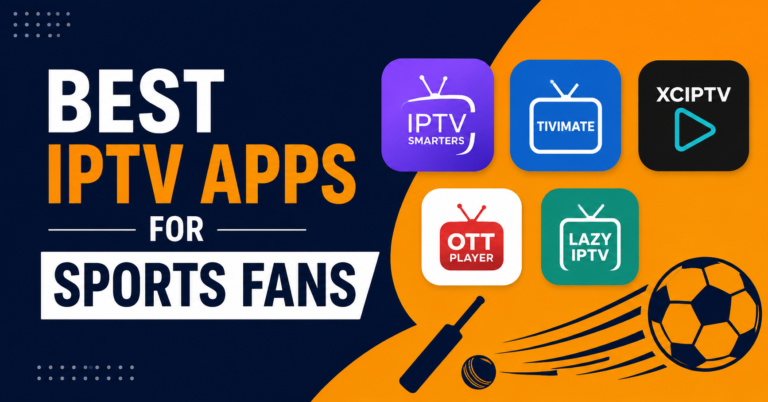
IPTV Smarters is probably the most widely recommended IPTV player for Android across reseller communities. It’s free, it’s familiar, and every panel tutorial from 2019 onwards defaults to it.
It also generates more support tickets than any other player in our operation. That’s not opinion, it’s what the ticket logs show, month after month.
The issues aren’t necessarily bugs. Smarters works. But its interface creates confusion at scale. Subscribers struggle with playlist management. The EPG implementation is basic compared to TiviMate. Login credential errors throw vague messages that send subscribers straight to your inbox instead of helping them self-diagnose.
When you’re running a small operation with thirty subscribers, this is manageable. When you’re managing a reseller tree with three hundred end-users, every unnecessary ticket is a drag on your time and your margins.
The calculus is straightforward:
- Smarters: Lower barrier to entry, higher ongoing support cost
- TiviMate: Slightly steeper initial setup, dramatically lower support volume
- OTT Navigator: Middle ground, solid for technical users, confusing for casual viewers
None of this means Smarters is a bad IPTV player for Android. It means that player selection is a business decision, not just a technical one. The app you recommend determines the operational overhead you absorb.
Pro Tip: If you must support Smarters users, create a short video walkthrough covering the three most common confusion points, playlist login, EPG activation, and favourite channel setup. It’ll cut your repeat tickets by roughly a third.
Sideloading in 2026: The New Normal for Android IPTV
The landscape for distributing an IPTV player for Android has shifted significantly through 2025 and into 2026. Apps that were previously available on the Google Play Store have been quietly pulled or restricted. The reasons vary, policy enforcement waves, intellectual property complaints, regional geo-restrictions on app availability.
The result is the same: sideloading has become the default installation method for most serious IPTV players on Android-based devices.
For resellers, this changes the support workflow entirely. You can no longer tell a subscriber to “just search for it on the Play Store.” You now need to provide direct APK links, walk users through enabling installation from unknown sources, and, on newer Android versions, handle per-app installation permissions that confuse even technically comfortable users.
Fire Stick users face an additional layer. Amazon’s ecosystem doesn’t support APK installation natively, so the process involves either Downloader, file manager workarounds, or ADB commands that most household subscribers will never attempt without hand-holding.
- Always host your recommended APKs on a trusted CDN or your own domain
- Include SHA256 checksums so resellers can verify file integrity
- Update your setup guides the same week a new APK version drops
- Test every new version on at least two device types before pushing it downstream
The sideloading shift also introduces a security dimension. Subscribers searching for an IPTV player for Android on random APK mirror sites risk installing modified packages carrying adware or credential harvesters. Your job as a IPTV Panel reseller is to be the trusted source.
Load Balancing and Player Compatibility: The Hidden Connection
Most conversations about load balancing focus entirely on the server side, backup uplink servers, geographic CDN distribution, failover protocols. All critical. But there’s a client-side dimension that rarely gets discussed.
Not every IPTV player for Android handles server-side load balancing the same way. When your infrastructure redirects a stream request from an overloaded node to a backup server, the player needs to follow that redirect seamlessly. Some players do. Some drop the stream and throw an error.
This becomes especially visible during peak hours, evenings, weekends, major sporting events, when your load balancer is most active. If the IPTV player for Android your subscribers use doesn’t handle HTTP 302 redirects or adaptive bitrate switching gracefully, they’ll experience drops that have nothing to do with your server capacity.
TiviMate and OTT Navigator generally handle redirects well. Older or budget players often don’t, because their HTTP clients are basic wrappers that expect a static stream URL and choke when it changes mid-session.
Here’s how player behaviour maps to load balancer compatibility:
| Player behaviour | Load balancer friendly | Common result |
|---|---|---|
| Follows 302 redirects silently | Yes | Seamless failover |
| Retries original URL on redirect | No | Stream drops, user reports “server down” |
| Supports adaptive bitrate | Yes | Auto-adjusts to available bandwidth |
| Fixed bitrate only | No | Buffering when bandwidth fluctuates |
Pro Tip: Test your recommended IPTV player for Android against your actual failover setup. Simulate a node switch during a live stream and watch what the player does. Five minutes of testing saves weeks of misdirected troubleshooting.
ISP Blocking in 2026 and What Your Player Can’t Fix
Let’s be direct about something: no IPTV player for Android, regardless of how well-built it is, can bypass ISP-level blocking on its own. This is an infrastructure problem, not an app problem. But the player you choose does influence how your subscribers experience blocking, and how quickly you can diagnose it.
AI-driven deep packet inspection has become significantly more sophisticated through 2025 and 2026. Major ISPs are no longer just blocking known domains. They’re identifying IPTV traffic patterns at the protocol level, sustained high-bitrate UDP or TCP streams to non-whitelisted IPs, repeated DNS queries to known panel domains, even HLS segment request patterns that match IPTV fingerprints.
When this happens, a well-built IPTV player for Android will show clear error states: connection timeout, server unreachable, stream unavailable. A poorly built one will just spin a loading wheel indefinitely, giving neither the subscriber nor the reseller any actionable diagnostic information.
For resellers, the practical response isn’t at the player level. It’s at the infrastructure level:
- Deploy DNS-over-HTTPS to prevent DNS poisoning and query interception
- Use backup uplink servers on alternate IP ranges
- Rotate CDN endpoints periodically to avoid pattern-based blocking
- Educate subscribers on using encrypted DNS settings at the device level
The player is the last mile. It renders what your infrastructure delivers. If the delivery pipeline is compromised by ISP interference, the best IPTV player for Android in the world will still show a black screen.
Standardising Your Player Recommendation for New Subscribers
Every reseller who’s scaled beyond a handful of users learns this lesson eventually: you either standardise your IPTV player for Android recommendation, or you drown in support chaos.
The guided recommendation approach works because it eliminates variables. When every subscriber under your panel is using the same player, configured the same way, with the same EPG source and the same playlist format, troubleshooting becomes systematic instead of guesswork.
Here’s what a structured onboarding flow looks like in practice:
- Send the subscriber a direct APK link for your recommended player (currently TiviMate for most operators)
- Include a step-by-step sideloading guide tailored to their device type
- Pre-configure the M3U or Xtream Codes login details and share them securely
- Provide a screenshot walkthrough showing EPG setup, channel group configuration, and favourite list creation
- Set clear expectations: “If you use a different player, we can’t guarantee full support”
That last point matters. It’s not about being restrictive, it’s about managing operational bandwidth. You can’t troubleshoot fifty different IPTV player for Android apps across three hundred subscribers. Standardisation is how reseller operations stay profitable.
Pro Tip: Create a single-page PDF setup guide for your recommended player. Update it every time the app releases a new version. Distribute it automatically to every new subscriber at the point of purchase. This one asset reduces first-week support tickets by more than half.
How Player Choice Quietly Drives Subscriber Churn
Here’s a dimension of IPTV player for Android selection that purely technical articles miss entirely: churn economics.
When a subscriber has a bad experience with their player, clunky EPG, frequent crashes, confusing interface, they don’t usually blame the app. They blame the service. They assume the IPTV provider is rubbish. And they churn.
That churned subscriber represents lost panel credits. If you bought their subscription line at wholesale and they leave within the first month, you’ve absorbed the cost with zero margin recovery. Multiply that across dozens of subscribers choosing bad players on their own, and you’re watching revenue leak through a problem that was entirely preventable.
The connection between player quality and subscriber retention is direct. A smooth, responsive IPTV player for Android with reliable EPG, fast channel switching, and stable playback keeps subscribers engaged. An unstable one pushes them toward competitors, or worse, toward asking for refunds.
- Track which players your churned subscribers were using
- Compare retention rates between TiviMate users and Smarters users
- Factor player-related churn into your wholesale credit purchasing decisions
This is customer churn psychology applied to IPTV operations. The player isn’t just a viewing tool. It’s the single biggest touchpoint between your service and the subscriber’s daily experience. Get it wrong, and no amount of server infrastructure will save the relationship.
Frequently Asked Questions
What is the best IPTV player for Android in 2026?
TiviMate remains the strongest option for most users in 2026 due to its superior EPG caching, multi-playlist support, and reliable HLS stream handling. It reduces support overhead for resellers and delivers a smoother viewing experience for households compared to free alternatives that often lack timely updates and advanced guide features.
Do I need to sideload an IPTV player for Android now?
In most cases, yes. Through 2025 and 2026, many dedicated IPTV players were removed from the Google Play Store. Sideloading via direct APK files has become the standard installation method, especially on Fire Stick and off-brand Android boxes. Always source APKs from your reseller or the developer’s official site to avoid tampered files.
Why does my IPTV player for Android keep buffering?
The most overlooked cause is running an outdated app version. Older APKs miss critical codec patches and HLS parsing fixes that newer releases include. Before blaming your server or ISP, check whether your player is current. Other factors include ISP-level throttling, Wi-Fi congestion, and insufficient device RAM.
Can my ISP detect which IPTV player for Android I’m using?
ISPs typically cannot identify the specific app, but they can detect IPTV traffic patterns using deep packet inspection, sustained high-bitrate streams, repeated DNS queries to known panel domains, and HLS segment request behaviour. Using DNS-over-HTTPS and encrypted connections at the device level reduces exposure.
How often should I update my IPTV player for Android?
Check for updates at least every two weeks. Since most IPTV players are sideloaded and don’t auto-update, you must manually verify the current version against the developer’s latest release. Resellers should push update notifications to subscribers whenever a new APK version drops to prevent avoidable playback issues.
Is IPTV Smarters still a good IPTV player for Android?
Smarters is functional but generates higher support overhead compared to alternatives like TiviMate. Its EPG implementation is basic, error messages are vague, and playlist management confuses less technical users. For resellers managing large subscriber bases, the increased ticket volume from Smarters users makes it a costly default recommendation.
What should resellers include in their IPTV player for Android setup guide?
A strong guide includes a direct APK download link with version number, device-specific sideloading instructions, M3U or Xtream Codes login details, EPG configuration steps with screenshots, and a channel favourites walkthrough. Providing this upfront slashes first-week support tickets and sets subscriber expectations from day one.
Does the choice of IPTV player for Android affect stream quality?
Absolutely. Players differ in how they handle adaptive bitrate switching, HTTP redirects from load balancers, and codec support for HD or 4K streams. A player that doesn’t follow server-side redirects will drop streams during failover events, creating the illusion of server problems when the issue is entirely client-side.
Your IPTV Player for Android Success Checklist
- Standardise on one recommended player across your entire reseller tree, TiviMate is the current operator consensus for lowest support overhead
- Build a versioned PDF setup guide and update it within 48 hours of every new APK release
- Host trusted APK files on your own domain or CDN, never rely on third-party mirror sites
- Configure EPG refresh intervals to every 8 hours to balance data freshness against server load
- Test your recommended player against your load balancer’s failover behaviour before pushing it to subscribers
- Track churn rates segmented by player type, this data directly informs your recommendation strategy
- Deploy DNS-over-HTTPS guidance as part of your subscriber onboarding to reduce ISP-related playback complaints
- Set clear support boundaries: full assistance for your recommended player, limited support for alternatives
- Audit your subscriber base quarterly for outdated APK versions and push update reminders proactively
- Visit britishreseller.com for UK IPTV reseller panel infrastructure, credit packages, and operational support built around the workflows described in this guide