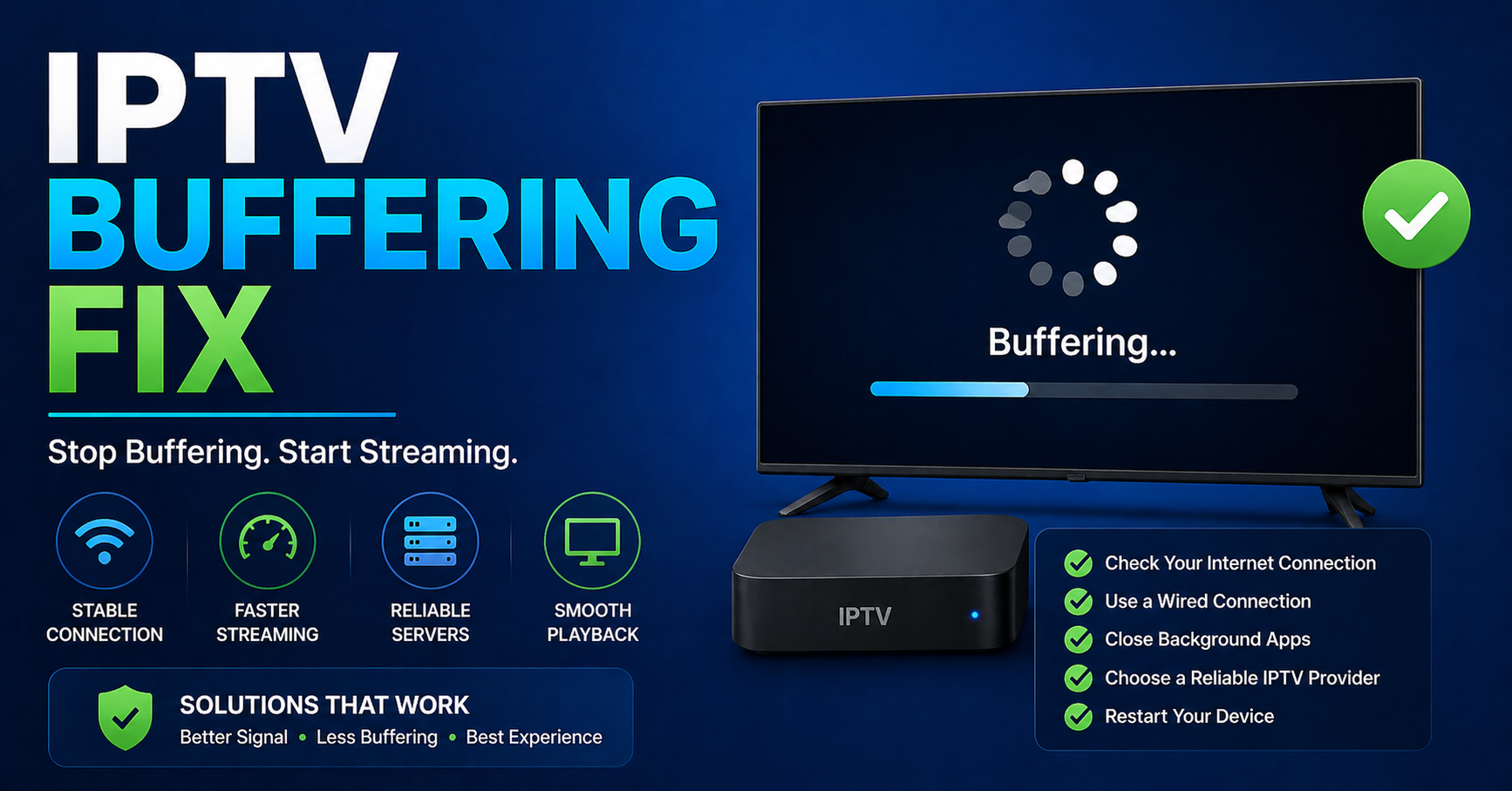
The Real IPTV Buffering Fix: Why Streams Freeze and How to Stop It in 2026
Here’s the uncomfortable truth nobody in the reseller space wants to say out loud: most buffering complaints have nothing to do with the stream itself. The stream is fine. The problem lives somewhere between the panel, the end-user’s router, and a server farm that was never built to handle the load it’s currently carrying.
I’ve seen UK IPTV resellers lose 40% of their subscriber base in a single weekend, not because of a ban, not because of a rights enforcement sweep, but because they didn’t anticipate a major sporting event doubling their concurrent connections. One congested uplink. Two hundred angry customers. Dozens of chargebacks. That’s what buffering actually costs you.
If you’re reading this chasing a quick fix, a setting to toggle, a DNS to swap, some of that is here. But the real IPTV buffering fix isn’t a one-line solution. It’s a series of infrastructure and configuration decisions made before your subscribers even press play.
The 2026 landscape has added new complexity. AI-driven ISP throttling now operates at packet inspection depth that didn’t exist two years ago. What used to pass undetected through standard UDP tunnelling is getting flagged within seconds on major UK and European networks. That changes everything about how a well-run panel should be architected.
Here’s where it gets specific.
The Real Causes Behind IPTV Buffering in 2026
Most UK IPTV reseller guides list “slow internet” as cause number one. That’s reductive to the point of being useless. Here’s what’s actually generating buffering tickets in active panels right now:
- Uplink saturation at the server level: your provider’s CDN node is maxed out during peak hours
- HLS latency spikes: HTTP Live Streaming segments aren’t being delivered inside the buffer window
- DNS poisoning responses: ISPs injecting false DNS records for known IPTV domains, causing connection timeouts disguised as buffering
- Single-point panel architecture: no failover, no secondary uplink, one node doing everything
- Client-side decoder lag: cheap Android boxes with underpowered processors struggling to decode HD or 4K streams in real time
Each of these demands a different fix. Treating them as one problem is why most troubleshooting guides fail.
Pro Tip: When a subscriber reports buffering, ask them to test the same channel on a different device before you touch anything on the panel side. If the buffer disappears on a second device, the problem is hardware or app, not your infrastructure. This single question cuts your support workload by 30%.
IPTV Buffering Fix #1: Uplink Server Redundancy
If your panel is running on a single uplink connection, you are one datacenter incident away from a mass churn event. This isn’t theoretical. This is what kills reseller businesses in their second year when they’ve grown past 200 active lines but haven’t scaled their infrastructure thinking alongside their subscriber count.
The correct architecture involves at minimum:
- A primary uplink server handling normal load
- A hot standby backup uplink that activates automatically on primary failure
- Geographic distribution of at least two nodes if you’re serving UK and EU markets simultaneously
Backup uplink servers aren’t a luxury tier option anymore. In 2026, with AI-assisted ISP enforcement tools actively hunting panel traffic patterns, a single-node setup doesn’t just risk buffering, it risks your entire operation going dark without warning.
When evaluating panel providers, ask directly: how many uplink paths does the infrastructure use, and what’s the failover time if the primary drops? Any answer that doesn’t include automatic failover under 60 seconds is a red flag.
Load Balancing: The IPTV Buffering Fix Nobody Talks About
Load balancing sits between your panel credits and your subscriber experience in a way that most resellers don’t fully understand until something breaks badly.
Here’s the basic dynamic: when a sporting event goes live and 300 of your 400 subscribers hit the same channel simultaneously, your panel has to distribute those streams across available server capacity. If there’s no intelligent load balancing in place, they all hammer the same node. Node saturates. Everyone buffers. You spend the next four hours reading angry WhatsApp messages.
What intelligent load balancing actually looks like:
| Feature | Basic setup | Load-balanced setup |
|---|---|---|
| Concurrent stream handling | Single node bottleneck | Distributed across multiple nodes |
| Peak event performance | Frequent buffering | Stable with minor latency |
| Failover on node drop | Manual restart required | Automatic rerouting |
| HLS segment delivery | Variable, timeout-prone | Consistent within buffer window |
| ISP blocking resilience | Single target, easily blocked | Multiple endpoints, harder to fingerprint |
| Panel credit ceiling | Frequently oversold | Guaranteed concurrency |
| Support response | 24 to 48 hours | 4 to 8 hours |
The difference isn’t marginal. Resellers running load-balanced infrastructure report 60–70% fewer buffering complaints during high-traffic windows compared to single-node equivalents.
How AI-Driven ISP Blocking Creates Buffering That Looks Like a Signal Problem
This is the section that didn’t exist in 2024 guides because the technology wasn’t widely deployed yet.
Several major European ISPs now use machine learning models to identify IPTV panel traffic patterns in real time. These systems don’t just block known domains, they analyse stream request cadence, packet timing, and connection behaviour to fingerprint active IPTV sessions even when they’re running over HTTPS.
The result: a subscriber sits down to watch a premium sports stream, the channel loads fine for 90 seconds, then starts buffering heavily. They restart the app. It works for another two minutes. Then buffers again. This cycle, load, play briefly, buffer, repeat, is the specific signature of AI-throttling interference, not a server problem.
The IPTV buffering fix for AI-ISP interference isn’t straightforward:
- Rotating stream endpoints regularly (monthly minimum) reduces fingerprinting accuracy
- VPN recommendations to subscribers on known throttling networks helps, but adds support complexity
- HTTPS-only delivery with non-standard ports provides some obfuscation
- Panel providers using DNS-over-HTTPS for resolution resist DNS poisoning injections
Pro Tip: If buffering complaints cluster around subscribers on a specific ISP, particularly during evening hours between 7–10pm, you’re almost certainly looking at AI-throttling, not infrastructure failure. Segment your support logs by ISP. Patterns emerge within a week of tracking.
IPTV Buffering Fix #2: Client-Side Steps Resellers Should Be Prescribing
The majority of your end subscribers are not technical. They don’t know what HLS means. They don’t know their Android box is running a processor from 2019 on a bloated firmware build. They know one thing: it’s buffering, and they’re paying you for it not to.
Your support workflow needs to account for client-side issues systematically, not reactively:
Device-Level IPTV Buffering Fix Steps:
- Clear app cache on IPTV player before assuming server fault: stale segment cache causes pseudo-buffering
- Switch DNS on the device to 1.1.1.1 or 9.9.9.9: default ISP DNS is frequently the target of poisoning attacks
- Disable VPN at router level if one is active: VPN overhead on budget routers creates consistent HLS delivery lag
- Check decoder settings: force software decoding off on capable devices; hardware decoding dramatically reduces buffering on HD streams
- Test wired vs wireless: 5GHz WiFi has enough bandwidth, 2.4GHz on a congested channel absolutely does not
A well-documented troubleshooting PDF you can send to subscribers cuts your support hours significantly. It also positions you as a professional operation, not a guy with a Telegram account.
Panel Credit Architecture and Its Hidden Role in Buffering
This connection gets missed by almost everyone outside of serious panel operators. The relationship between panel credit management and stream stability isn’t obvious until you understand how Xtream Codes-style panels allocate concurrent connections.
When a reseller over-sells credits, activating more lines than the panel infrastructure is designed to support, the system doesn’t cleanly refuse connections. Instead, it degrades gracefully, which in practice means sustained buffering across a percentage of active streams rather than clean connection refusals.
The result looks like a server problem. It’s an architecture problem.
Warning signs you’ve hit credit saturation:
- Buffering complaints spike without any corresponding server-side incident
- The same channels buffer for some users but play cleanly for others at the same time
- Sporadic buffering that doesn’t follow any consistent geographic or ISP pattern
The fix here isn’t technical, it’s commercial. Audit your active lines. Understand the concurrent connection ceiling your panel provider actually guarantees versus what they advertise. Build in headroom. UK IPTV Panel Resellers who operate at 80% of their ceiling have dramatically better stream stability than those running at 100%.
Pro Tip: Treat your panel credit capacity like a restaurant’s seating limit. The kitchen doesn’t collapse when you’re at 80% capacity. It falls apart when you’ve squeezed in 40% more covers than the kitchen was designed for and someone complains the food is cold.
IPTV Buffering Fix #3: EPG Load and Its Effect on Stream Performance
Electronic Programme Guide data is consistently underestimated as a buffering factor. Here’s why it matters.
Every time a subscriber opens their IPTV app, it pulls EPG data to populate channel guides. On poorly configured panels, this EPG pull happens repeatedly, sometimes on every app launch, sometimes every 30 minutes in the background. On a panel with 500+ active subscribers, that’s a constant background drain on server resources that competes directly with stream delivery.
Symptoms of EPG-driven resource conflict:
- Buffering is worse in the first 60 seconds after a subscriber opens the app
- Issues concentrate in the early evening when more users open the app simultaneously
- Channels load fine in the first minute of a session, then buffer once background processes kick in
The fix: Confirm with your panel provider that EPG refresh intervals are set at 12–24 hours minimum, not per-session. For larger operations, dedicated EPG servers separate from stream servers eliminate this competition entirely.
Reseller Reputation Management During Buffering Events
Nobody writes about this. They should.
When your panel goes through a rough 48 hours, whether it’s ISP interference, a provider-side incident, or a load event during a major match, how you communicate with subscribers determines whether you retain them or lose them permanently.
Resellers who respond to buffering complaints with silence or vague “we’re looking into it” messages churn at 3–4x the rate of resellers who proactively communicate. You don’t need to explain Xtream Codes architecture to a subscriber. You need to:
Acknowledge the issue within 2 hours of it being reported at scale
Give a realistic resolution timeline (even if it’s “we expect this resolved by midnight”)
Follow up when it’s fixed
Offer a credit extension on affected accounts, even one day of extension costs you nothing and retains a subscriber for another month
The IPTV buffering fix for customer retention isn’t a server configuration. It’s a communication protocol.
Comparing Budget vs Premium Panel Infrastructure: What the Price Difference Actually Buys
This is the question every new reseller asks and almost nobody answers honestly.
| Factor | Budget provider | Premium provider |
|---|---|---|
| Uplink redundancy | Single uplink, manual failover | Multi-uplink, auto failover under 60s |
| Load balancing | None or basic round-robin | Intelligent, load-aware routing |
| Anti-freeze tech | Basic rebuffering | Adaptive bitrate plus pre-caching |
| ISP blocking response | Days to reroute | Hours or real-time rerouting |
| EPG architecture | Shared with stream servers | Dedicated EPG infrastructure |
| Panel credit ceiling | Frequently oversold | Guaranteed concurrency |
| Support response | 24 to 48 hours | 4 to 8 hours |
Budget infrastructure isn’t always wrong for starting out. But operating it past 100 active subscribers without understanding its ceilings is where resellers begin losing money on churn that a better-equipped panel would have prevented.
IPTV Buffering Fix Checklist: What to Confirm Before Your Next Ticket
This is the section you print out. Or screenshot. Or paste into your operations notes.
Infrastructure Level:
☐ Confirm your panel provider offers backup uplink servers with automatic failover
☐ Verify load balancing is active and documented in your provider agreement
☐ Check concurrent connection ceiling against your active line count, stay under 80%
☐ Confirm EPG refresh is set to 12–24 hour intervals, not per-session
ISP & DNS Level:
☐ Monitor buffering complaints by ISP, cluster detection reveals AI-throttling vs server issues
☐ Rotate stream endpoints at minimum monthly
☐ Ensure your panel uses DNS-over-HTTPS for stream resolution
Client-Side Protocol:
☐ Build and distribute a subscriber troubleshooting guide covering cache, DNS, decoder settings
☐ Establish wired vs wireless as a first-line diagnostic question
☐ Set device minimum specs for subscribers, document what hardware doesn’t meet stream requirements
Communication Protocol:
☐ Define your internal response SLA for buffering incidents (target: 2 hours)
☐ Prepare templated subscriber communications for major incidents
☐ Establish a credit extension policy for sustained outages
Ongoing Monitoring:
☐ Review buffering complaint logs weekly, pattern recognition beats reactive firefighting
☐ Track competitor downtime reports, shared infrastructure issues affect multiple resellers simultaneously
☐ Reassess your panel provider’s infrastructure commitments every 6 months
Every IPTV buffering fix listed above has been field-tested through actual panel operations, not assembled from generic streaming guides. The UK IPTV resellers who treat buffering as an infrastructure and process problem, not a tech support ticket, are the ones still operating at scale when others have exited.