IPTV for Kids in 2026: What Parents Need and What Resellers Should Be Offering
There’s a moment every parent dreads. You’ve just set up a new streaming service, the kids are settled on the sofa, and thirty seconds in, something completely inappropriate flashes across the screen. It happens more than people admit, and in the IPTV world, where curated playlists can mix thousands of channels without any native content gate, that risk is amplified considerably.
IPTV for kids isn’t just a niche request anymore. It’s becoming one of the most searched household use cases for IPTV services across the UK and Europe, and resellers who ignore this are walking past a significant revenue segment.
This guide covers both sides: what families need to know before subscribing, and what resellers need to offer to capture and retain this audience long-term.
Why IPTV for Kids Is the Fastest Growing Household Category
Walk into any IPTV Panel reseller forum and you’ll see threads dominated by sports streams, EPG fixes, and buffering complaints. What you won’t see, but absolutely should, is discussion about the family segment.
Families don’t churn the way single subscribers do. Once parents find a service that works safely for their children, they stay. They refer their siblings, their neighbours, their school WhatsApp groups. The lifetime value of a family subscriber is measurably higher than a single sports-focused subscriber who’ll vanish the moment one match buffers.
The search behaviour tells the same story. Queries around IPTV for kids have risen sharply through 2025 into 2026, driven partly by cost-of-living pressure pushing households away from premium cable bundles, and partly by parents realising that mainstream streaming platforms are raising subscription prices while simultaneously reducing children’s content libraries.
IPTV fills that gap, but only if the infrastructure behind it is set up with families genuinely in mind.
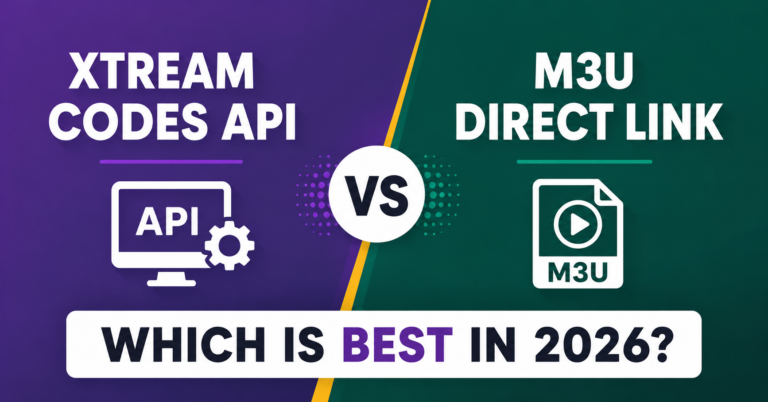
Pro Tip: Don’t just label a package “family-friendly.” Build a dedicated kids playlist with a separate M3U and market that as its own product. Parents pay a premium for anything that reduces their mental load.
What “Safe” Actually Means When Streaming IPTV for Kids
The word “safe” gets thrown around loosely. Let’s be precise.
When parents search for IPTV for kids, they’re looking for three things, not one:
- Content safety: no adult channels, no late-night programming, no explicit thumbnails in EPGs
- Technical stability: no buffering mid-episode, no random channel switches, no black screens
- Account isolation: children shouldn’t be able to browse the full channel list or access VOD libraries without restriction
Most IPTV panels handle none of these natively. That’s the gap resellers can fill through smart packaging and configuration.
Content safety starts at the playlist level. A kids-specific M3U should contain only verified children’s channels, cartoons, educational content, family films, with no cross-contamination from sports or entertainment packages.
Technical stability is infrastructure-dependent. Kids don’t tolerate buffering. Parents definitely don’t tolerate the fallout. This means resellers offering IPTV for kids need servers with consistent HLS latency below 4 seconds and reliable load balancing, not the cheapest available panel credits stacked on an overloaded server.
Account isolation requires device-side configuration. Parental PIN locks on MAG boxes, profiles on Android-based players, or dedicated device restrictions on Amazon Firestick all play a role.
Building a Kids-Specific Playlist: What Resellers Get Wrong
| What Most Resellers Do | What You Should Do |
|---|---|
| Add a “kids” label to a standard package | Build a completely separate M3U for children’s content |
| Include 500+ channels with no filtering | Curate 30 to 60 verified channels, quality over quantity |
| Use the same server as the main package | Dedicate a low-contention server segment for family streams |
| No EPG for kids channels | Ensure full EPG coverage so parents can plan ahead |
| Same pricing as adult packages | Price slightly lower. Family buyers are value-conscious. |
The playlist architecture matters more than people realise. When an EPG thumbnail for an adult channel appears in a kids app because someone copy-pasted the wrong M3U line, that’s a support ticket, a refund request, and potentially a very bad review.
How ISP Blocking Affects IPTV for Kids in 2026
AI-driven ISP blocking has matured dramatically. In 2026, deep packet inspection (DPI) tools deployed by major UK internet service providers can identify IPTV traffic patterns faster than ever, including streams routed through residential IPs.
Families are disproportionately affected by this for a simple reason: children’s viewing patterns are highly predictable. Saturday mornings, weekday after-school windows, weekend evenings. Those spikes in concurrent stream requests at identical times from the same subnet are a fingerprint that modern DPI systems increasingly flag.
This means IPTV for kids setups need the same ISP-resilience infrastructure that sports packages demand:
- Backup uplink servers that activate automatically on primary connection failure
- DNS rotation to bypass DNS poisoning during enforcement windows
- Geo-distributed server nodes to reduce single-point-of-failure risk
Pro Tip: Set up a secondary server URL in every kids profile from day one. When the primary drops, and it will, children get uninterrupted cartoons and parents don’t even know it happened. That’s the kind of invisible reliability that earns five-star reviews.
Parental Controls That Actually Work With IPTV
Most IPTV apps don’t have native parental control systems. That’s the honest truth. What does exist can be configured at the device and network level, but parents need to know where to look, and resellers need to be ready to explain this.
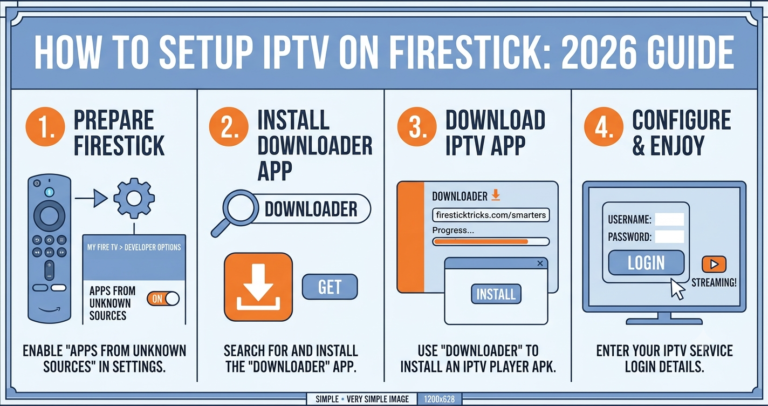
On Amazon Firestick: set up a separate profile with Amazon Kids enabled. Route the IPTV app through the restricted profile with PIN protection. The child sees only their designated content; the adult profile stays untouched.
On Android TV boxes: app lockers like Kids Place or dedicated launcher replacements can restrict access to a single IPTV app loaded with the kids-only M3U. Combined with a router-level content filter (many modern routers support DNS-based filtering through services like CleanBrowsing), this creates a layered safety net.
On MAG Boxes: channel group restrictions and PIN-locked menus exist in the portal settings. Resellers should provide a short configuration guide, even a basic PDF, when selling IPTV for kids packages. That one-page document reduces support load and increases perceived value.
The Psychology of the Parent Subscriber: Why Churn Happens
Resellers often think churn is about buffering. With family subscribers on IPTV for kids plans, it’s almost never about buffering alone. It’s about trust erosion.
Trust erodes incrementally:
- Wrong content appears once: the parent monitors more closely
- Wrong content appears twice: the parent starts looking at alternatives
- Wrong content appears a third time: the parent cancels, tells their network, and is gone permanently
The acquisition cost of a family subscriber is high because of the reassurance cycle involved. They ask more questions before buying. They require more setup support. But once they trust the service, the retention curve is dramatically better than any other subscriber type.
Resellers who build IPTV for kids as a structured product, not a category label, see noticeably lower monthly churn in this segment.
Pro Tip: Create a “New Family Setup” WhatsApp template. Send it proactively on day one. Cover the channel list, how to access the EPG, and who to contact if anything doesn’t look right. Proactive contact is worth ten reactive support responses.
Pricing IPTV for Kids Without Undercutting Your Margins
Family packages present an interesting pricing challenge. Parents are value-conscious but not necessarily price-sensitive on safety. They’ll pay a fair price for something they trust.
The mistake is competing on price. The right approach is competing on structure.
A kids-dedicated IPTV line priced at £6 to £8/month is not competing with adult sports packages at £10 to £15. It’s competing with the Netflix Junior tier and the Disney+ family plan, which both charge considerably more for less flexibility.
Frame IPTV for kids as a curated, stable, family-first service with parental guidance built in. That framing, delivered clearly on your storefront, justifies a slightly premium position without needing to justify it on technical specs most parents won’t understand.
What parents understand: safety, simplicity, reliability. Build your pricing pitch around those three things.
Server Infrastructure for Family Streams: Non-Negotiable Minimums
Children’s content has different technical characteristics than live sports. Lower bitrate requirements, more predictable viewing windows, longer session durations. But that doesn’t mean the infrastructure can be an afterthought.
Non-negotiable minimums for any reseller selling IPTV for kids:
- HLS latency under 4 seconds consistently
- Minimum 99.5% uptime on children’s channel segments
- Automatic failover to backup uplink within 60 seconds of primary failure
- EPG refresh every 12 hours minimum (kids’ schedules change daily)
- Panel monitoring alerts for any segment showing more than 3% error rate
Load balancing matters here too. Weekend morning peaks, when children are home and watching simultaneously, can stress undersized server setups. If you’re running a shared server node, ensure the kids segment isn’t competing with concurrent premium sports streams for bandwidth headroom.
Frequently Asked Questions
What is IPTV for kids and how is it different from a standard package?
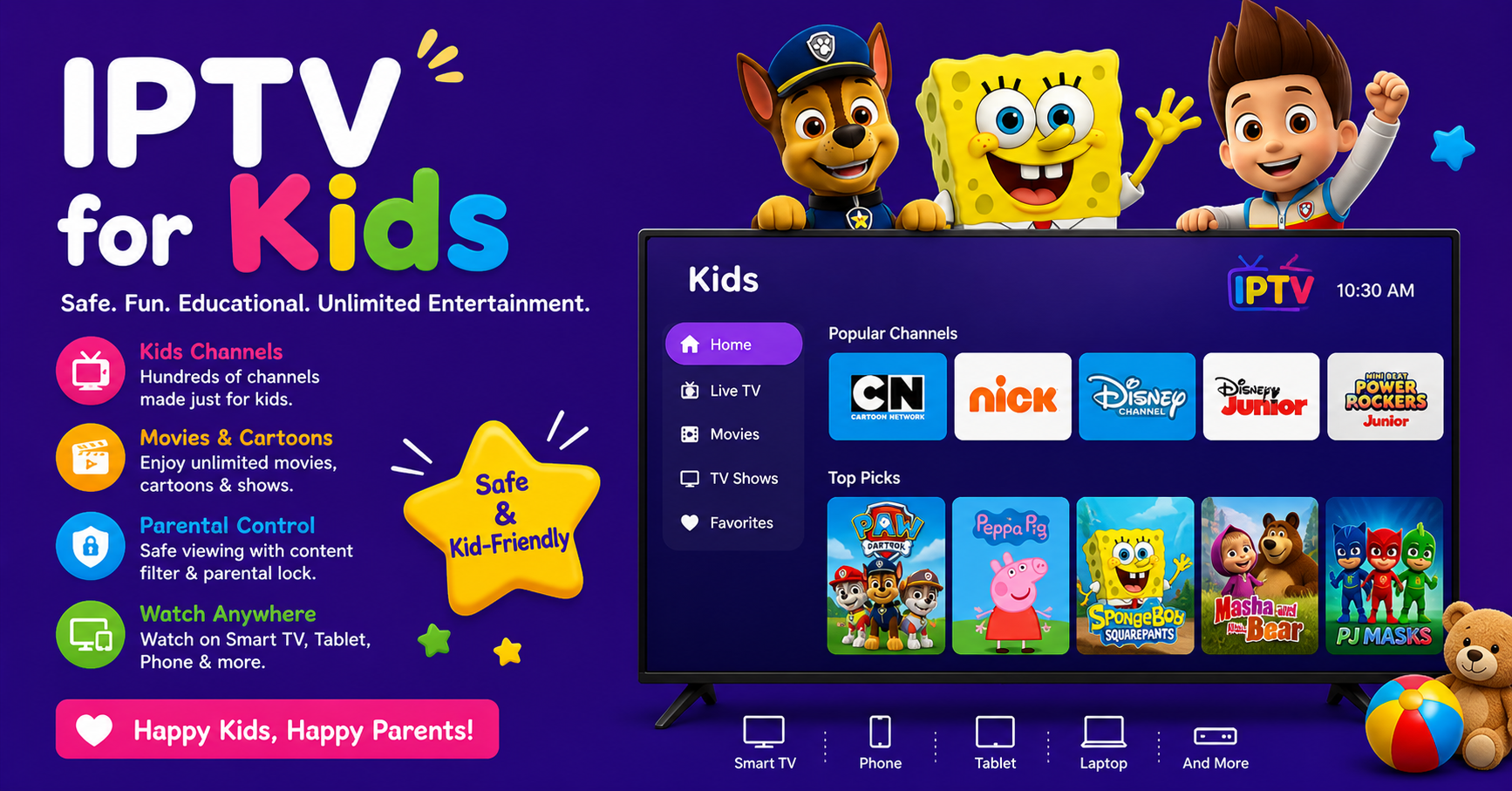
IPTV for kids is a curated IPTV subscription specifically configured with children’s channels, educational content, and family programming, with adult content excluded at the playlist level. Unlike standard packages containing thousands of mixed channels, a proper IPTV for kids setup uses a separate M3U file containing only age-appropriate channels, often with dedicated EPG data and a child-safe interface configuration.
Is IPTV for kids safe to use on a shared household connection?
It can be, provided you configure device-level restrictions properly. The IPTV app carrying children’s content should be isolated to a restricted device profile, on Firestick or Android TV, so children cannot navigate outside the designated app. Additionally, router-level DNS filtering adds a secondary safety layer regardless of which device or app is in use.
How do I stop my child from accessing adult channels on an IPTV service?
The most effective approach combines three layers: a kids-only M3U with no adult channels included, a device profile lock (via Amazon Kids or an Android app locker), and a network-level DNS filter on your router. No single method is foolproof alone. The combination is what makes IPTV for kids genuinely secure.
Can I set up IPTV for kids on a MAG Box?
Yes. Most MAG box portals support channel group restrictions and PIN-locked menus through the portal configuration settings. Ask your reseller to enable a kids-only channel group on your account, and set a PIN through the MAG settings menu to prevent children from switching groups. Combined with the right playlist, this gives reasonable content control without requiring a separate device.
As a reseller, how do I market IPTV for kids effectively?
Focus on trust signals rather than technical specs. Highlight the curated playlist, the separate account configuration, and any setup guidance you provide. Parents respond to language around safety, stability, and simplicity. A dedicated landing page for your kids package, separate from your main sales page, also performs significantly better in search, as it targets a specific intent.
Why does IPTV for kids sometimes buffer more than expected?
Buffering in kids IPTV setups is usually a server allocation issue, not a content issue. Children’s channels should sit on a low-contention server segment, not shared with heavy sports streams. If your current provider routes all content through the same server node, peak-time congestion will affect children’s channels just as it affects everything else. Ask your provider about dedicated segment allocation.
What happens to IPTV for kids streams when ISPs implement blocking?
AI-driven ISP blocking and DNS poisoning affect all IPTV traffic, including kids channels. The solution is backup uplink servers and DNS rotation, which reputable providers configure automatically. When choosing IPTV for kids for your household, ask the IPTV reseller Panel directly about their failover infrastructure. Any provider without a clear answer is running infrastructure that will fail your family at the worst time.
Is there a specific device recommended for IPTV for kids?
Amazon Firestick combined with a dedicated child profile is arguably the most parent-friendly setup for IPTV for kids in 2026. The Amazon Kids feature provides a strong first layer of restriction, and the IPTV app sits cleanly within a locked profile. Android TV boxes with app lockers are a close second, particularly for households wanting more configuration flexibility.
Reseller Success Checklist: Launching IPTV for Kids Properly
- Build a separate M3U playlist containing only verified children’s and family channels. No exceptions.
- Allocate a dedicated or low-contention server segment for kids package lines
- Configure backup uplink failover with a maximum 60-second switchover time
- Set up EPG refresh cycles at 12-hour intervals minimum for accurate children’s programming guides
- Create a one-page setup PDF covering device configuration, PIN lock setup, and support contacts
- Build a dedicated landing page for your IPTV for kids product, separate from your main storefront
- Write a WhatsApp welcome message template and send it within one hour of every new family activation
- Monitor your kids server segment independently. Set alerts at 3% error rate threshold.
- Price the kids package around parental trust, not channel count
- Review the playlist quarterly and remove any channels that have shifted content categories
For resellers ready to build a properly structured family offering, including panel management, playlist architecture, and support workflows, the operational guides at British Seller’s IPTV reseller knowledge base cover the infrastructure side in considerably more depth.