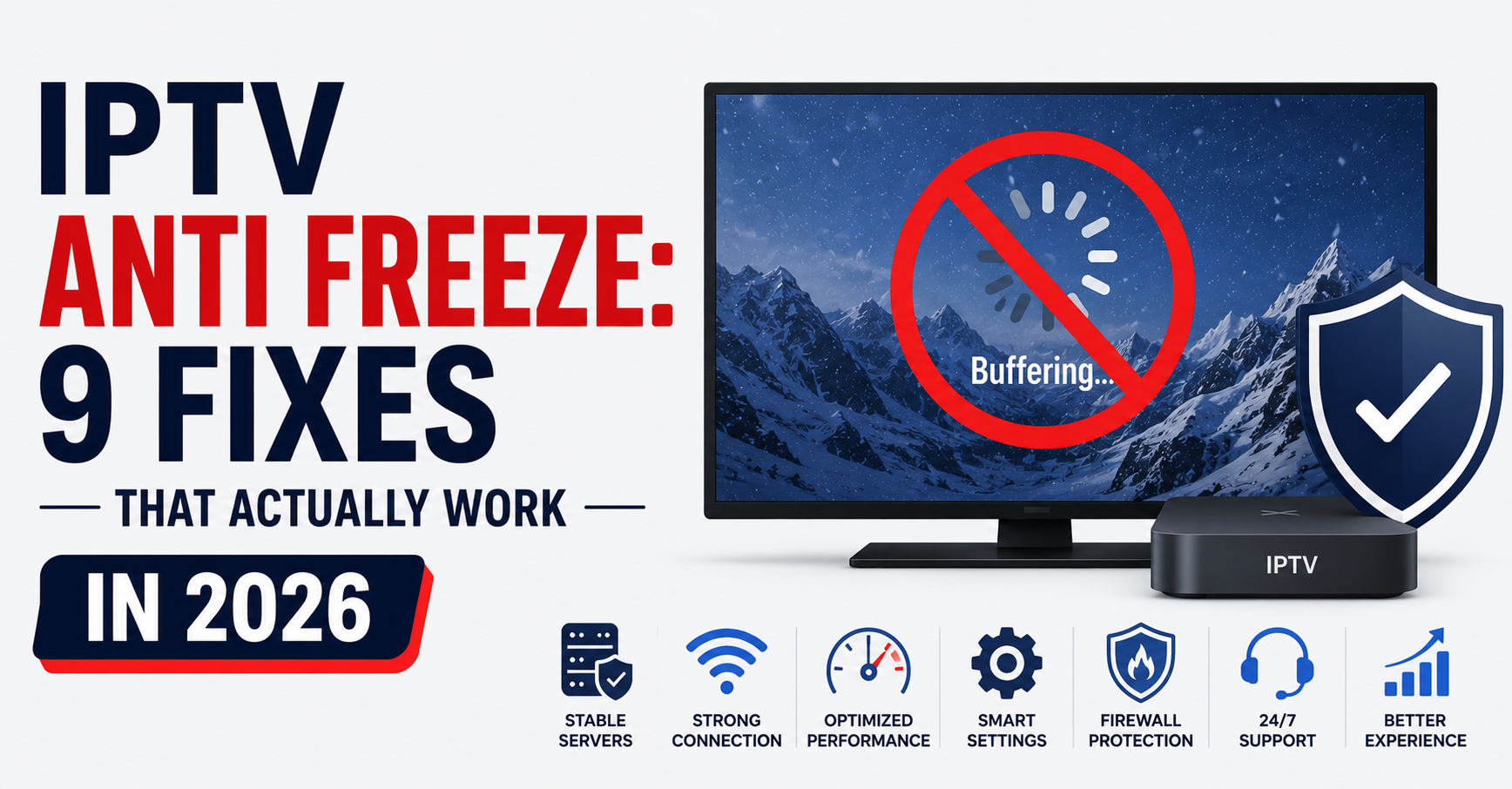
Nobody talks about the moment a reseller’s phone starts buzzing on a Saturday night. Premier league kick-off, thirty subscribers deep, and every single one of them is watching their screen stutter like a broken projector. You scramble through your panel. You toggle settings. You restart connections. Nothing works. That right there is the moment most resellers realize they never understood IPTV anti freeze — they just assumed it would handle itself.
It won’t. It never does.
IPTV anti freeze isn’t a single button or a magic codec toggle buried inside a player app. It’s an ecosystem-level problem that touches your server infrastructure, your middleware configuration, your CDN routing, and even the way your subscribers’ home networks handle packet loss. And yet, most of the advice floating around forums treats it like a five-second fix. Adjust one setting in TiviMate, they say. Switch your buffer size, they say. Meanwhile, your churn rate climbs and your Telegram group fills with angry voice notes.
This article is built differently. Every section covers a distinct layer of the IPTV anti freeze puzzle — from the server-side architecture that causes freezing in the first place, down to the last-mile subscriber tweaks that actually make a measurable difference. If you resell panels, manage infrastructure, or just want your family’s streams running without interruption, this is the field manual you’ve been missing.
What IPTV Anti Freeze Actually Means at the Protocol Level
Most people throw around the term IPTV anti freeze without understanding what’s happening beneath the interface. At its core, freezing occurs when the video player’s buffer runs dry before the next data segment arrives. The player has nothing left to decode, so the frame locks, audio cuts, and your subscriber thinks the whole service is broken.
In HLS and MPEG-TS delivery — the two protocols powering virtually every IPTV panel in 2026 — streams are chopped into small segments, typically two to six seconds long. Your subscriber’s player requests each segment sequentially. If a segment arrives late, corrupted, or not at all, the playback engine stalls. That stall is what everyone calls “freezing.”
IPTV anti freeze mechanisms work by pre-loading additional segments into a local buffer so the player has a cushion. Think of it as runway. The longer the runway, the more turbulence the stream can absorb without crashing. But runway costs memory, introduces latency, and if your source feed itself is unstable, no amount of local buffering will save you.
Pro Tip: A buffer size beyond 10 seconds on live sports streams creates noticeable delay. Subscribers end up hearing their neighbour celebrate a goal before they see it. For live content, target 3–5 seconds of buffer with stable segment delivery rather than inflating the buffer to mask a bad source.
Why Freezing Happens Even With “Good” Internet
Here’s where UK IPTV resellers get confused. A subscriber reports freezing. You ask their speed. They say 80 Mbps. You assume the problem is on their end. It almost never is — not in the way you think.
Raw bandwidth is irrelevant if the route between your server and their ISP is congested. A subscriber in Manchester pulling from a server in Amsterdam might technically have 80 Mbps download, but the peering link between their ISP and your datacenter could be throttled to a fraction of that during peak hours. IPTV anti freeze tools can’t compensate for a route that’s dropping 15% of packets at the third hop.
Then there’s DNS poisoning. In 2026, major UK and EU ISPs have moved beyond simple URL blocking. They’re actively poisoning DNS responses for known IPTV panel domains, which forces subscribers onto broken routes or dead endpoints. The stream doesn’t technically “fail” — it just never arrives fast enough to maintain continuous playback. From the subscriber’s perspective, they see freezing. From a network analysis perspective, segments are arriving 400–800ms late because the DNS resolution itself was sabotaged.
| Freezing Cause | Where It Originates | IPTV Anti Freeze Fix |
|---|---|---|
| Buffer underrun | Player/device | Increase buffer to 3–5 seconds |
| Packet loss on route | ISP peering | Switch CDN node or use VPN bypass |
| DNS poisoning | ISP enforcement | Private DNS or DoH configuration |
| Server overload | Panel provider | Spread load across backup uplinks |
| HLS segment delay | Origin server | Reduce segment duration to 2 seconds |
| Wi-Fi interference | Subscriber LAN | Ethernet connection or 5GHz band |
The Server-Side IPTV Anti Freeze Architecture Nobody Discusses
Resellers fixate on player settings. Operators fixate on servers. The truth lives somewhere between, but most freezing starts upstream — long before the stream reaches your subscriber’s device.
A properly configured IPTV anti freeze architecture requires redundant uplink servers. Your primary origin server pulls the source feed, transcodes it if necessary, and distributes segments to edge nodes. If that origin server hiccups — and it will, whether from CPU spikes, bandwidth saturation, or upstream source instability — your edge nodes have nothing to serve. Every subscriber on every reseller panel downstream freezes simultaneously.
Backup uplink servers solve this. They independently pull the same source feed, maintain their own segment cache, and sit idle until a health-check detects the primary has dropped below threshold. The failover should be automatic and sub-second. If your panel provider can’t describe their failover architecture in detail, they don’t have one, and your IPTV anti freeze claims to subscribers are hollow promises.
Pro Tip: Ask your panel provider what happens when their main ingest server goes down during a major sporting event. If the answer involves “we restart it manually,” start shopping for a new provider. Automatic failover isn’t a luxury — it’s the minimum for any reseller who wants to keep subscribers past month one.
Load Balancing: The IPTV Anti Freeze Layer That Separates Amateurs From Operators
You can have the fastest servers on the planet and still deliver a freezing mess if you’re funnelling 400 concurrent connections through a single node. Load balancing isn’t optional — it’s the structural spine of any IPTV anti freeze strategy that works at scale.
Round-robin DNS is the cheapest approach and also the worst. It distributes connections evenly regardless of server health or current load. A server running at 94% CPU gets the same share of new connections as one sitting idle at 12%. The result? Subscribers connecting to the overloaded node experience freezing while others stream perfectly. Your support channel fills up. You can’t diagnose it because the problem is intermittent and load-dependent.
Weighted load balancing — where your proxy layer routes connections based on real-time server metrics — is what IPTV anti freeze infrastructure actually demands. Tools like Nginx with upstream health checks, or HAProxy with active probing, allow you to pull a degraded node out of rotation before subscribers notice anything. Combine this with geographic routing so subscribers in the UK hit UK-based edge nodes rather than bouncing to Frankfurt, and you’ve eliminated two of the top three causes of peak-hour freezing.
- Implement health-check intervals of 5 seconds or less on every upstream node
- Set a failure threshold of 2 consecutive missed checks before removing a node
- Use geographic DNS steering to match subscribers with their nearest edge server
- Monitor per-node connection counts in real-time — don’t rely on averages
- Keep at least 30% headroom capacity on every node during predicted peak hours
Player-Side IPTV Anti Freeze Settings That Actually Move the Needle
Now we get to the part most people start with — and that’s exactly the problem. Adjusting player settings without fixing the upstream architecture is like putting premium tyres on a car with a cracked engine block. But assuming your infrastructure is solid, player-side IPTV anti freeze configuration does make a real difference for the subscriber experience.
TiviMate, OttNavigator, IPTV Smarters Pro, and most Xtream-compatible players offer some version of buffer control. The setting names vary — “buffer size,” “buffer length,” “loading buffer” — but they all control the same thing: how many seconds of content the player pre-loads before it starts decoding.
For live channels, 3 to 5 seconds is the sweet spot. Below 3, you’re vulnerable to any micro-interruption in segment delivery. Above 6, you introduce perceptible delay that makes live viewing frustrating, particularly for sports.
For VOD content, you can push the buffer to 10–15 seconds safely because latency doesn’t matter — nobody cares if a film starts two seconds “late.” This larger buffer gives the player more cushion against mid-stream fluctuations and dramatically reduces freeze events during movies and series.
Pro Tip: If you’re distributing your own branded APK, hard-code sensible IPTV anti freeze defaults into the player configuration before you ship it. Most subscribers will never open settings. The defaults you choose determine whether their first experience is smooth or stuttery — and first impressions drive retention harder than anything else in this business.
DNS Configuration as an IPTV Anti Freeze Weapon
This is the most underutilized IPTV anti freeze tool in a reseller’s arsenal, and it costs absolutely nothing to implement. Your subscribers’ default DNS servers — assigned automatically by their ISP — are often the single biggest source of stream disruption in 2026.
ISPs in the UK and EU have aggressively expanded DNS-level enforcement. When a subscriber’s device queries a domain associated with IPTV panel servers, the ISP’s DNS resolver can return a poisoned response — either a dead IP, a block page, or simply a delayed answer that forces a timeout. The subscriber’s player waits, retries, sometimes connects to the wrong endpoint entirely, and the result looks identical to buffering and freezing.
Switching subscribers to encrypted DNS — DNS over HTTPS or DNS over TLS — routes those queries away from ISP resolvers entirely. Cloudflare’s 1.1.1.1 with DoH, Google’s 8.8.8.8 with DoT, or self-hosted resolvers like Pi-hole with upstream encryption all accomplish this. The subscriber’s ISP never sees the DNS query, can’t poison the response, and the stream connects to the correct server on the first attempt.
- Guide subscribers to enable Private DNS in Android settings or configure DoH in their router firmware
- Include DNS configuration instructions in your onboarding materials — not as an afterthought but as step one
- Test multiple DNS providers quarterly, because ISPs update their blocking lists and some resolvers get caught in the crossfire
- For Firestick users, sideload a DNS changer app since Fire OS doesn’t expose DNS settings natively
The Churn Psychology Behind Freezing — Why Subscribers Leave Before Complaining
Here’s something that doesn’t show up in any technical manual but defines the commercial reality of IPTV anti freeze: most subscribers who experience freezing don’t complain. They just leave.
The psychology is straightforward. Your subscriber paid a small monthly fee. They’re not invested enough to troubleshoot. They opened Telegram, saw someone advertising a “freeze-free” service for the same price, and switched. You lost that subscriber not because your service was permanently broken, but because it froze twice during one evening, and your competitor’s marketing hit them at exactly the right moment.
This is why IPTV anti freeze isn’t just a technical problem — it’s a retention economics problem. Every freeze event has a cost measured in subscriber lifetime value. A reseller running 200 active lines at an average margin of a few pounds per month per subscriber loses meaningful revenue to churn that’s entirely preventable with proper infrastructure and proactive configuration.
The operators who retain subscribers at scale do something counterintuitive: they reach out after known disruption events. If your monitoring shows a node went degraded for twelve minutes on a Tuesday evening, message affected subscribers before they message you. Acknowledge it. Explain briefly. Offer a credit if appropriate. That single act of transparency converts a churn trigger into a trust-building moment.
Pro Tip: Build a simple monitoring dashboard that alerts you when any edge node exceeds 85% CPU or drops below 95% segment delivery rate. The goal isn’t perfection — it’s awareness. Knowing about a problem before your subscribers do is the real IPTV anti freeze strategy that separates growing panels from dying ones.
IPTV Anti Freeze for Household Subscribers: The Last-Mile Fixes
Not every freezing problem is your fault. Sometimes the subscriber’s home network is the bottleneck, and your job as a reseller is to arm them with the knowledge to fix it — because they’ll blame you regardless.
Wi-Fi is the number one last-mile killer of stream stability. A subscriber streaming over 2.4GHz Wi-Fi in a flat with twelve competing networks is going to experience micro-drops that no amount of server-side IPTV anti freeze engineering can overcome. Those drops are invisible on a speed test — which always measures peak throughput — but devastating to a real-time stream that needs consistent, uninterrupted delivery of small data segments every two seconds.
The fix is boringly simple: use ethernet. A wired connection to the streaming device eliminates Wi-Fi variability entirely. For subscribers who can’t run a cable, a powerline adapter or a 5GHz-only Wi-Fi connection with the router in the same room is the next best option.
Beyond connectivity, device capability matters. Older Firestick models, first-generation MAG boxes, and budget Android boxes with 1GB RAM struggle to maintain stable decode-and-buffer cycles under load. The processor falls behind, the buffer drains, and the stream freezes — not because the data isn’t arriving, but because the hardware can’t process it fast enough.
- Recommend ethernet or powerline adapters in your subscriber onboarding guide
- Identify which device models your subscribers use and flag known problematic hardware
- Provide a simple speed and jitter test link (not just download speed — jitter is what kills streams)
- Suggest closing background apps on low-resource devices before streaming
Scaling Your IPTV Anti Freeze Strategy as Your Panel Grows
What works at 50 subscribers collapses at 500. IPTV anti freeze configuration that felt bulletproof when you had a handful of lines becomes a liability when concurrent connections spike. Scaling requires rethinking every layer — not just adding more of the same.
At the 50-line stage, a single decent server with adequate bandwidth handles everything. You probably never think about load distribution because there’s no load to distribute. Your IPTV anti freeze approach is player settings and maybe a DNS recommendation.
At 200 lines, you need at least two edge nodes with health-checked load balancing. You need a backup uplink server pulling an independent source feed. You need monitoring that tells you, in real time, which channels are degrading before subscribers notice.
At 500 and beyond, you need geographic distribution — UK nodes for UK subscribers, EU nodes for EU subscribers — plus automated scaling that spins up additional capacity during predictable peak windows. Your IPTV anti freeze architecture at this stage isn’t a setting or a configuration. It’s an operational discipline that touches procurement, capacity planning, and supplier relationships.
| Scale | Subscribers | IPTV Anti Freeze Priority |
|---|---|---|
| Starter | 1–50 | Player settings, DNS, basic server choice |
| Growing | 50–200 | Dual edge nodes, health checks, monitoring |
| Established | 200–500 | Geographic routing, automated failover, backup uplinks |
| Operator | 500+ | Multi-region CDN, capacity planning, real-time alerting |
Frequently Asked Questions
What exactly is IPTV anti freeze and how does it work?
IPTV anti freeze refers to a combination of buffering, infrastructure, and network configurations designed to prevent stream interruptions. It works by ensuring enough pre-loaded data sits in the player’s buffer to absorb delays in segment delivery. Effective IPTV anti freeze isn’t a single setting — it spans server architecture, CDN routing, DNS configuration, and device-level player adjustments working together.
Why does my IPTV still freeze even with fast internet?
Raw download speed doesn’t guarantee smooth streaming. Freezing typically originates from packet loss between your ISP and the streaming server, DNS-level interference, or congested peering routes during peak hours. A connection testing at 100 Mbps can still drop packets on the specific route to your IPTV server, causing buffer underruns that fast bandwidth alone cannot fix.
Can changing DNS settings really reduce IPTV freezing?
Yes, significantly. ISPs in the UK and EU increasingly use DNS poisoning to disrupt connections to known IPTV server domains. Switching to encrypted DNS providers — using DNS over HTTPS or DNS over TLS — prevents your ISP from intercepting and manipulating those queries. This alone eliminates a common source of connection failures that manifest as stream freezing.
What buffer size should I set for IPTV anti freeze on live channels?
For live content, set the buffer between 3 and 5 seconds. This provides enough cushion to absorb minor delivery delays without introducing noticeable latency. Going higher than 6 seconds creates a visible lag on live sports and events, which frustrates subscribers. For on-demand content, you can safely increase the buffer to 10–15 seconds without drawback.
How do I know if freezing is caused by my panel provider’s servers or by the subscriber’s setup?
Check whether the freezing affects multiple subscribers simultaneously or just one. If multiple users on different ISPs and devices report issues on the same channels at the same time, the problem is upstream — your provider’s servers or source feed. If it’s isolated to one subscriber, the issue is likely their network, device, or local DNS configuration.
Is IPTV anti freeze different for Firestick versus MAG box users?
The principle is identical, but implementation differs. Firestick users typically rely on apps like TiviMate or IPTV Smarters where buffer settings are adjusted within the app. MAG boxes use portal-based streaming with more limited user-facing controls — most buffering behaviour is set at the portal or middleware level. Firestick also requires sideloaded DNS tools since Fire OS doesn’t expose DNS settings natively.
How many backup servers does a reseller need for reliable IPTV anti freeze?
At minimum, one backup uplink server pulling an independent source feed, plus two edge nodes with automated health-check failover. This setup ensures that a single server failure doesn’t cascade into subscriber-wide freezing. As you scale beyond 200 subscribers, add geographic edge nodes and maintain 30% headroom capacity across all nodes during peak hours.
Will a VPN improve IPTV anti freeze performance?
It depends on the cause of freezing. If your ISP is throttling IPTV traffic or poisoning DNS responses, a VPN bypasses both issues by encrypting all traffic and routing it through an unblocked path. However, a VPN adds latency and can reduce throughput if the VPN server itself is congested. Use it as a diagnostic tool first — if streams improve on VPN, the issue is ISP-side interference.
IPTV Anti Freeze Success Checklist for Resellers
- Audit your panel provider’s server architecture — confirm they run backup uplink servers with automatic failover, not manual restarts.
- Implement weighted load balancing across at least two edge nodes with health-check intervals under 5 seconds.
- Set default IPTV anti freeze buffer to 3–5 seconds for live channels and 10–15 seconds for VOD in any branded player or APK you distribute.
- Add DNS configuration as step one in your subscriber onboarding — provide clear instructions for enabling DoH or DoT on routers, Android devices, and Firesticks.
- Build a real-time monitoring dashboard tracking CPU load, segment delivery rate, and concurrent connections per node — set alerts at 85% thresholds.
- Create a post-disruption communication template so you can proactively message affected subscribers within minutes of any detected degradation.
- Recommend ethernet or powerline adapters to every subscriber during setup — make it part of the standard onboarding script, not an afterthought.
- Test your stream routing quarterly from multiple ISPs and geographic locations to catch new DNS poisoning or peering degradation before subscribers report it.
- Maintain at least 30% headroom capacity on every server node, scaling up before predictable peak events rather than reacting after the fact.
- Start building your UK IPTV reseller panel with a provider that takes infrastructure seriously — explore options at britishseller.co.uk to compare panel credit packages built for operators who refuse to tolerate freezing.