Getting an IPTV subscription for live sports right comes down to three things: how the provider handles peak time load, whether the channel package genuinely covers the fixtures you follow, and how transparent the company is about who they are. Most disappointment with sports streaming through IPTV has nothing to do with the technology itself and everything to do with picking a provider without checking those basics first. This guide walks through what actually matters, what to ask before you pay, and how subscriber and UK IPTV Panel reseller experiences differ.
Why Live Sports Puts IPTV Under More Pressure Than Ordinary Viewing
Live sport is the toughest test any streaming setup faces. A match day audience all logs on within the same twenty minute window, everyone wants the same stream at the same time, and any dropped frame or buffering wheel happens in front of you, live, with no way to catch up seamlessly the way you might rewind a film. That’s a very different load pattern to someone watching a boxset on a Tuesday evening.
This is why an IPTV subscription for live sports needs to be judged differently to a general entertainment package. A provider can look perfectly solid for on demand content and still struggle badly the moment thousands of viewers hit the same server cluster during a big kickoff. If you’re specifically after sports coverage, the questions you ask before buying should focus on peak load performance, not just channel count.
What Actually Determines Stream Quality During Live Matches
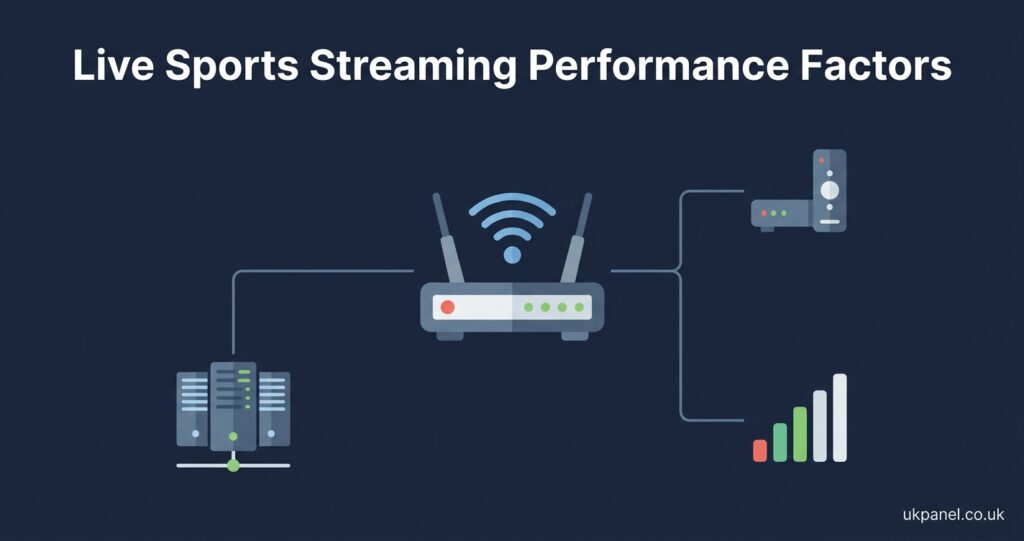
Three technical factors matter more than most marketing pages let on.
Server capacity and routing come first. Providers that spread viewers across multiple regional servers tend to hold up better than those running everyone through a single point. You won’t see this listed anywhere, which is exactly why asking directly is worth doing.
Your own connection speed and stability matter just as much as anything on the provider’s end. A wired connection to your router beats WiFi for anything approaching 4K, and anything under roughly 15 to 25 Mbps sustained will struggle with high bitrate live sport even if the provider’s infrastructure is fine.
Device and app choice plays a role too. Some players handle adaptive bitrate switching more gracefully than others, meaning they’ll quietly drop to a lower resolution during congestion rather than freezing outright. If buffering keeps happening at the same point in a match, it’s worth testing a different app on the same device before assuming the subscription itself is at fault.
Pro tip: Before committing to a package, test playback during an actual live event rather than during quiet, off peak hours. A stream that looks flawless at 2pm on a Tuesday tells you very little about how it will hold up during a Saturday evening rush.
Package Structure: What to Actually Check Before Paying
Sports coverage inside IPTV packages is rarely uniform, and the marketing copy on a provider’s homepage often doesn’t tell you much about which specific channels or regions are genuinely included. Rather than trusting a headline number, it’s worth working through a short list of practical checks.
Ask whether the package includes an electronic programme guide (EPG) you can actually browse, since without one, finding what’s on and when becomes guesswork. Check whether catch up or replay is offered for events you might miss live, and if so, for how many days. Confirm whether pay-per-view style events sit inside the standard subscription or come as an additional cost, because this varies a lot between providers and can catch people out. Ask how many simultaneous connections your plan allows, since sports viewing is often a household activity rather than a solo one.
None of these questions require technical knowledge to ask, but the answers reveal a lot about how the provider actually operates day to day.
| Question to Ask | Why It Matters |
|---|---|
| Is there a working EPG? | Determines how easily you can find and follow fixtures |
| Are PPV style events included? | Avoids surprise costs on top of the base subscription |
| How many devices can connect at once? | Affects whether the household can watch together or separately |
| What happens during peak time congestion? | Reveals how honestly the provider discusses limitations |
Legitimacy and What It Actually Signals
IPTV is a delivery method, not a content category in itself. The technology simply transmits television over an internet connection rather than through a satellite dish or cable box. Whether a particular service is operating legitimately depends on whether the underlying content is being distributed with proper rights and permission, which is not something you can verify just by looking at a slick website or a working payment gateway.
A professional looking checkout page or a company that accepts card payments isn’t proof of anything on its own. What’s worth checking instead is whether the business publishes real company information, has terms of service and refund conditions you can actually read, and responds to support queries in a way that suggests an ongoing operation rather than a disposable account. None of this guarantees content rights are properly licensed, but a provider that’s transparent about who runs the business is generally easier to hold accountable than one that isn’t.

Subscriber View Versus Reseller View
Most people reading about an IPTV subscription for live sports are simply looking for a way to watch fixtures at home, but it’s worth understanding how the reseller side of this market works too, since a lot of the packages on offer come through independent resellers rather than directly from the underlying provider.
As a subscriber, your priorities are straightforward: reliable playback during live events, clear pricing with no unexpected recurring charges, and support that responds when something breaks mid match. You’re not managing anyone else’s access, just your own.
As a reseller, the picture is different. You’re responsible for how your customers experience the service, which means understanding panel controls, credit systems, and how quickly you can escalate a fault to whoever supplies your feed. Sports heavy customer bases can be demanding because problems show up live and immediately, so a reseller dealing in this niche needs a support escalation path that actually works during peak hours, not just during quiet periods.
Pro tip: If you’re evaluating a reseller panel specifically to serve sports focused customers, ask the supplier what their own peak time failure rate has looked like recently rather than accepting a generic reliability claim.
Common Mistakes People Make When Choosing for Sports
A few patterns come up repeatedly with people who end up disappointed by an IPTV subscription bought specifically for sports viewing.
Judging quality from a single quiet test rather than an actual live event is probably the most common one, since off peak performance tells you almost nothing about how a service copes under real load. Assuming a bigger channel count automatically means better sports coverage is another, when in practice the relevant question is whether the specific fixtures and regions you care about are actually included, not how large the overall number looks.
Skipping the refund and cancellation terms until after a problem occurs is a mistake that’s easy to avoid just by reading the terms before paying rather than after. And treating price as the only differentiator, without considering support responsiveness or infrastructure honesty, tends to backfire specifically during high demand moments, which is exactly when sports viewers notice problems most.
Pro tip: Read the refund policy before you pay, not after something goes wrong. A provider offering a genuine short cooling off period, rather than vague promises, is generally easier to deal with if the service doesn’t meet expectations.
Setting Up for the Best Experience
Once you’ve picked a subscription, a handful of practical steps make a real difference to what you experience during live sport. Using a wired ethernet connection where possible removes a common source of instability that WiFi introduces, particularly in households with several devices competing for bandwidth. Checking app updates before a big fixture matters too, since outdated player apps occasionally handle adaptive streaming worse than current versions. If your household regularly wants to watch different things on different devices, confirm your connection limit in advance rather than finding out mid match.
The installation guide covers device specific setup steps in more detail, and it’s worth working through that once rather than troubleshooting live during an event you actually wanted to watch.
Choosing an IPTV Subscription for Live Sports: The Practical Summary
There isn’t a single “best” answer here, because what matters most depends on which fixtures you follow, how many people in your household watch together, and how much tolerance you have for occasional hiccups during genuinely high demand moments. What consistently separates a good experience from a frustrating one is preparation: testing during a real live event rather than a quiet afternoon, reading the refund terms in advance, and choosing a provider that’s straightforward about their business rather than one that only makes big promises.
Visible FAQ Section
Does a higher channel count mean better sports coverage?
Not necessarily. A large overall channel number doesn’t tell you whether the specific fixtures, leagues or regions you actually want are included. It’s more useful to check the specific coverage than to compare total numbers between providers.
Why does my stream buffer only during big matches?
This usually points to peak time congestion, either on the provider’s server side or on your own connection during a period when many other households nearby are also streaming. Testing during an actual live event, rather than off peak, is the only reliable way to judge this.
Is IPTV itself illegal?
IPTV is a delivery technology, not a content type. Whether a specific service is operating legitimately depends on content rights and distribution permission, which varies by provider and isn’t something a professional looking website can confirm on its own.
Do I need a wired connection for smooth sports streaming?
It isn’t strictly required, but a stable wired connection to your router generally handles the sustained bitrate demands of live sport more reliably than WiFi, especially in busier households.
What should I check before buying a sports focused IPTV subscription?
Confirm whether an EPG is included, whether pay per view style events sit inside the base price, how many simultaneous connections are allowed, and what the refund policy actually says.
Is there a difference between buying directly and buying through a reseller?
Not necessarily in terms of the underlying service, since resellers typically distribute access from the same infrastructure. The difference tends to be in support responsiveness and how the reseller handles escalations if something goes wrong.
Conclusion
An IPTV subscription for live sports lives or dies on how it performs during the exact moments you actually care about, not during a quiet Tuesday afternoon test. The technology itself is straightforward, but provider quality varies enormously in how they handle peak demand, how honestly they describe their coverage, and how they respond when something goes wrong mid match. There’s no shortcut that replaces testing during a real fixture, reading the refund terms before you pay, and asking direct questions about congestion and support. If you’re weighing up options, start by working through the what is an IPTV reseller panel guide if you’re considering the IPTV Panel reseller side, or the IPTV login and setup guide if you’re simply trying to get watching as smoothly as possible.
Decision Checklist
- Test playback during an actual live event, not an off peak time slot
- Confirm whether an EPG and catch up are genuinely included
- Check if pay per view style events sit inside the base price or cost extra
- Ask how many simultaneous device connections your plan allows
- Read the refund and cancellation policy before paying
- Confirm the provider publishes real, checkable business information
- Use a wired connection where possible for sustained live match streaming
- Ask directly how the provider handles peak time congestion