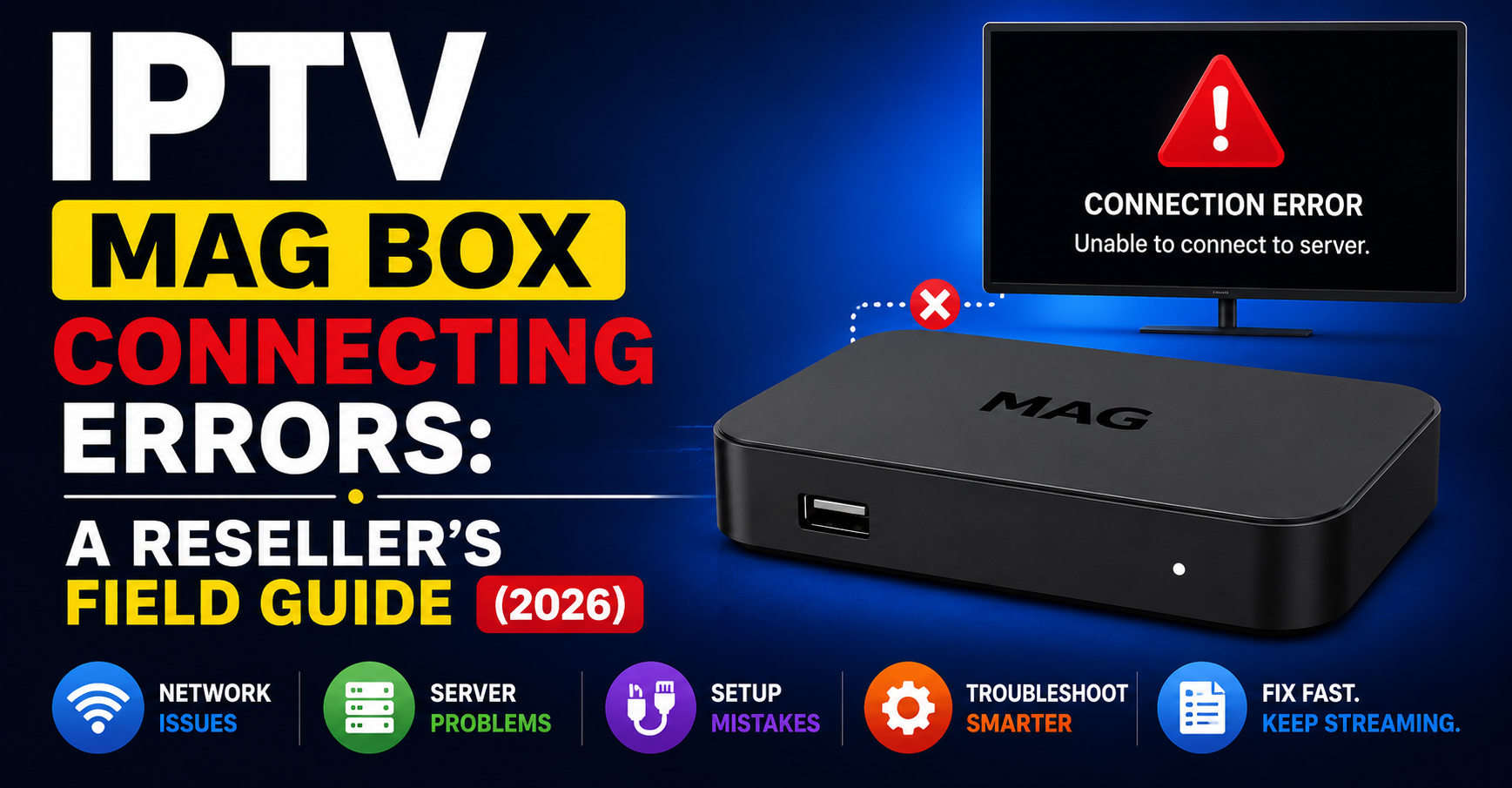
Somewhere right now, a reseller is staring at a WhatsApp message from an angry customer. The MAG box won’t load. The screen’s stuck. The portal just spins. And the reseller has no idea whether it’s a typo, a dead server, or something their ISP just decided to do at 2am on a Saturday.
IPTV MAG Box connecting errors are responsible for more cancelled subscriptions than bad channel quality ever was. The irony? Most of them are fixable in under three minutes, if you know what you’re actually looking at.
This isn’t a troubleshooting article written by someone who Googled “MAG box error.” This is built from years of running UK IPTV reseller panels, swapping uplinks at midnight, and fielding the same panicked messages from dozens of sub-resellers at once. If you sell IPTV or manage a reseller network, this is the field manual you keep bookmarked.
The Portal URL: Where 60% of IPTV MAG Box Connecting Errors Start and End
Let’s not overthink this. The single most common cause of IPTV MAG Box connecting errors is a wrong portal URL. Not a server crash. Not DNS poisoning. A typo.
MAG devices connect to your IPTV service through a portal address entered manually into the device settings. One wrong character, a missing colon, http instead of https, a trailing space, and the box returns a connection error that looks catastrophic but is actually just a spelling mistake.
Here’s what makes this worse for IPTV resellers: your customer won’t tell you they re-entered the portal. They’ll tell you “it just stopped working.” So you start checking servers, pinging DNS, escalating to your provider, burning 30 minutes on a problem that needed five seconds.
Pro Tip: Send every new customer a pre-formatted portal URL they can copy-paste directly. Never let them type it manually. This alone cuts your IPTV MAG Box connecting errors by more than half.
Why MAC Address Mismatches Go Unnoticed Until It’s Too Late
After the portal URL, the next ghost in the machine is MAC authentication failure. Every MAG box has a unique MAC address tied to the subscription in your panel. If that address doesn’t match, or if someone entered it with a lowercase where uppercase was needed, the server rejects the handshake silently.
What the customer sees: “Portal loading error” or a blank screen. What actually happened: the panel said “I don’t recognise this device.”
This creates a particular headache during device replacements. Customer gets a new MAG box, assumes their old subscription carries over, and hits a wall. The reseller then gets blamed for “selling a dead sub.”
- Always verify the MAC address character-by-character before activating
- Use your panel’s device search to confirm the MAC is registered and active
- If a customer swaps hardware, update the MAC in your panel before they even plug the new box in
IPTV MAG Box connecting errors caused by MAC mismatches are entirely preventable. The problem isn’t technical, it’s procedural.
DNS Configuration Failures That Masquerade as Server Downtime
Here’s where things get more interesting, and where beginner resellers start losing their footing. When a MAG box can’t resolve the portal URL through DNS, it throws a connection error that looks identical to a dead server. But the server’s fine. The DNS just can’t find it.
This happens for a few reasons:
| Cause | What happens | Quick fix |
|---|---|---|
| ISP default DNS filtering | Portal domain gets silently blocked | Switch MAG to 8.8.8.8 or 1.1.1.1 |
| DNS cache poisoning | Old IP cached, server already moved | Flush DNS or reboot router |
| Provider changed server IP | Portal URL points to dead address | Request updated portal from provider |
IPTV MAG Box connecting errors tied to DNS are deceptive because the customer’s internet works perfectly for everything else. Netflix loads. YouTube streams. But the MAG box sits there spinning because the portal domain can’t resolve.
Pro Tip: If you manage a reseller network, publish a setup guide that instructs customers to set manual DNS on their router, not just the MAG box. This protects every device on the network and prevents DNS-level IPTV MAG Box connecting errors across the board.
When Your Uplink Server Goes Down and Every Customer Calls at Once
Single-point IPTV MAG Box connecting errors are annoying. Mass outages are business-threatening. When your provider’s uplink server drops, every MAG box on your panel loses connection simultaneously, and your WhatsApp explodes.
This is where the gap between casual resellers and serious operators becomes obvious. A casual reseller panics, messages their provider, and waits. A serious operator has a backup portal already configured and switches within minutes.
The uplink server is the backbone that feeds your panel. If it dies, no amount of customer-side troubleshooting will help. The MAG box is trying to reach a server that simply isn’t responding.
What you should have ready before this happens:
- A secondary portal URL from your provider pointing to a backup uplink
- A broadcast message template for your reseller network explaining the switch
- A panel that supports multi-server failover so the switch is seamless
Most providers worth working with offer at least two uplink paths. If yours doesn’t, that’s not a provider, that’s a liability.
Pro Tip: Test your backup portal monthly. Don’t wait for a crisis to discover your failover is also dead. Real operators run connection tests on backup uplinks every 30 days.
ISP-Level Blocking: The 2026 Problem That’s Getting Worse
Let’s talk about the elephant. ISPs across the UK and EU have moved from passive filtering to active, AI-driven traffic analysis. In 2026, the blocking isn’t just about blacklisting domains anymore. Deep packet inspection identifies IPTV streaming signatures, and some ISPs now throttle or block the portal handshake itself.
What this means for MAG box users: the portal URL is correct, the MAC is fine, DNS resolves properly, but the connection still fails. The ISP is intercepting the request before it reaches your server.
IPTV MAG Box connecting errors caused by ISP interference are the hardest to diagnose because everything on your end checks out. The customer swears they’ve changed nothing. Your server logs show no incoming request at all.
Signs that an ISP is blocking the connection:
- The same MAG box works on mobile hotspot but not home broadband
- Connection fails at specific times (ISPs often run DPI scans during peak hours)
- Multiple customers on the same ISP report IPTV MAG Box connecting errors simultaneously
The countermeasure? A backup portal on a different domain, ideally on a server with a clean IP range the ISP hasn’t flagged yet. Some operators also route through encrypted tunnels, though this adds latency.
HLS Latency and Buffering vs. Actual Connection Failures: Know the Difference
Not every frozen screen is an IPTV MAG Box connecting error. UK IPTV Panel Resellers frequently conflate buffering with connection failure, and the fixes are completely different.
A connection error means the MAG box can’t reach the server at all. No handshake, no data, no channels load. Buffering means the connection exists but the stream quality is degraded, usually because of HLS latency, insufficient bandwidth, or server-side load.
Why this distinction matters for your bottom line:
- If you treat buffering like a connection error, you’ll waste time checking portals and MAC addresses while your customer’s router is the real problem
If you treat a connection error like buffering, you’ll tell the customer to “restart the router” while their portal URL is actually pointing to a decommissioned server - A quick diagnostic: can the MAG box load the portal menu at all? If yes, it’s not a connection error, it’s a stream delivery issue. If the portal itself won’t load, you’re dealing with an IPTV MAG Box connecting error at the handshake level.
Pro Tip: Build a simple one-page diagnostic your customers can follow before they message you. Step one: does the portal menu load? This single question eliminates half your support tickets by separating connection problems from streaming problems immediately.
When the “Technical” Error Is Actually Just an Unpaid Credit Balance
This one stings because it’s embarrassing. A reseller’s customer reports IPTV MAG Box connecting errors, the reseller starts troubleshooting DNS and servers, and it turns out the subscription simply expired because the reseller forgot to top up panel credits.
When credits run out, the panel deactivates subscriptions silently. The MAG box tries to authenticate, the panel says “no active sub for this MAC,” and the device throws a portal error. From the customer’s perspective, it looks like a technical failure. From your side, it’s an accounting failure.
Set up credit balance alerts in your panel, most panels support email or Telegram notifications
Keep a rolling 7-day credit buffer so you’re never caught at zero
If you manage sub-resellers, require them to maintain minimum credit thresholds before activating new customers
IPTV MAG Box connecting errors caused by expired credits are the most avoidable and the most damaging to your reputation. A customer who thinks your service “went down” won’t care that you just forgot to recharge.
Why Legacy MAG Firmware Keeps Causing Problems
MAG 250s and 254s are still floating around in customer homes, and they’re a ticking time bomb for connection errors. Older firmware versions don’t support modern TLS handshakes, can’t parse updated portal protocols, and sometimes fail silently with no error message at all.
If a customer is running a MAG box with firmware from 2019 or earlier, IPTV MAG Box connecting errors are almost guaranteed at some point. The middleware (usually Ministra or Stalker) needs to match the portal server’s expected version. A mismatch means the box connects but can’t authenticate, or authenticates but crashes when loading channels.
Here’s how issues break down by device age:
| Device age | Common issue | Recommended action |
|---|---|---|
| MAG 250/254 (pre-2020 firmware) | TLS failure, middleware mismatch | Upgrade firmware or replace device |
| MAG 322/324 | Occasional portal timeout | Update to latest stable firmware |
| MAG 424/524 | Rare connection issues | Standard troubleshooting usually resolves |
Before you tell a customer to buy a new device, try a firmware update first. But be honest with your reseller network: legacy hardware is a liability, and supporting it eats your margins in support time.
Building a Standard Diagnostic Checklist for Your Reseller Network
If you manage multiple sub-resellers, you already know the pain of every single one escalating every single issue directly to you. The solution isn’t better infrastructure, it’s a standard checklist that handles 80% of IPTV MAG Box connecting errors before they ever reach your inbox.
Here’s the actual checklist we use, stripped down, no fluff:
- Verify the portal URL: copy-paste from the original activation message, character by character
- Confirm MAC address: check it matches the panel entry exactly, including format
- Test DNS: switch to 8.8.8.8 or 1.1.1.1, reboot the MAG box
- Check subscription status: is the sub active? Are credits topped up?
- Try a different internet source: mobile hotspot rules out ISP blocking
- Check firmware version: update if it’s more than 18 months old
- Try the backup portal: if available, switch and test
If all seven steps fail, then escalate. Not before.
Pro Tip: Print this checklist. Literally. Send it as a PDF to every reseller in your network. The ones who use it will cut their support requests by 70%. The ones who don’t will keep burning your time, and that tells you something about who to invest in.
Frequently Asked Questions
What is the most common cause of IPTV MAG Box connecting errors?
The most common cause is an incorrectly entered portal URL. A single mistyped character, missing prefix, or trailing space prevents the MAG box from reaching the server. Copy-pasting the portal address instead of typing it manually eliminates this issue almost entirely. Always verify the URL format matches exactly what your provider sent during activation.
Can a VPN fix IPTV MAG Box connecting errors?
A VPN can help if the issue is ISP-level blocking or throttling. By encrypting traffic, it prevents deep packet inspection from identifying the IPTV handshake. However, VPNs add latency and can cause buffering on lower-bandwidth connections. They’re a workaround, not a permanent solution, a backup portal on a clean domain is more sustainable long-term.
Why does my MAG box work on mobile data but not home broadband?
This almost always points to ISP interference. Your broadband provider may be filtering or blocking the portal domain, while mobile networks use different DNS and routing infrastructure. Switch your router’s DNS to a public resolver and test again. If it works, your ISP was the bottleneck.
How do I know if my MAG box firmware is outdated?
Navigate to the system information or about section in your MAG box settings. Compare the firmware version and build date against the latest available on the manufacturer’s support page. If your firmware is older than 18 months, updating it should be a priority, especially if you’re experiencing unexplained connection failures.
Do panel credit expirations cause IPTV MAG Box connecting errors?
Yes. When a reseller’s panel credits run out, active subscriptions get deactivated automatically. The MAG box then fails to authenticate and displays a portal error. The fix is purely administrative, top up credits and reactivate the subscription. Setting up balance alerts prevents this from catching you off-guard.
Is it possible for DNS poisoning to cause MAG box connection failures?
Absolutely. If your DNS cache holds a stale or poisoned entry for the portal domain, the MAG box will try to connect to the wrong IP address. Flushing your router’s DNS cache or switching to a secure public DNS resolver fixes this immediately. Persistent DNS issues may require configuring DNS at the router level rather than on individual devices.
How many backup portals should an IPTV reseller maintain?
At minimum, one backup portal on a separate domain and server IP. Serious operators maintain two, one as an immediate failover and a second as a cold standby. Test each backup monthly to confirm it’s live. A backup portal you’ve never tested is the same as having no backup at all.
Can IPTV MAG Box connecting errors damage my reseller reputation permanently?
Repeated unresolved connection failures absolutely erode trust. Customers don’t distinguish between a server issue and a typo, they just know the service isn’t working. Having a documented diagnostic process and responding quickly is what separates resellers who retain customers from those who bleed them. Speed of resolution matters more than perfection of uptime.
Your IPTV MAG Box Connecting Errors Survival Checklist
This is what separates resellers who scale from resellers who drown in support tickets. Execute these, don’t just read them.
- Create a pre-formatted portal URL document for every new activation, eliminate manual typing entirely
- Build a MAC address verification step into your onboarding process before the customer even plugs in the device
- Set your panel’s credit balance alerts to trigger at a 7-day buffer, never run dry
- Configure manual DNS (8.8.8.8 / 1.1.1.1) at the router level in your customer setup guide, not just on the MAG box
- Maintain at least one backup portal on a separate domain and test it on the first of every month
- Distribute your diagnostic checklist to every sub-reseller, make it mandatory before escalation
- Audit your reseller network quarterly for customers still running MAG 250/254 firmware from before 2020, flag them for upgrades
- Monitor ISP blocking patterns across your customer base, if three or more customers on the same provider report failures simultaneously, it’s not coincidence
- Separate connection errors from buffering complaints in your support workflow, they require completely different fixes
- Visit British Reseller for updated UK IPTV reseller infrastructure guides and panel management resources
Stop reacting to IPTV MAG Box connecting errors. Start preventing them. The resellers who build systems around prevention don’t just survive, they scale without the chaos.