Pulse 4K IPTV Review: What the Marketing Pages Won’t Tell You
A subscriber in Manchester messaged me last winter, furious. He’d paid twelve months upfront, got crisp 4K for exactly thirty days, then the streams went dark and nobody answered his WhatsApp. His provider? Not Pulse, as it happens — but the pattern is so common in this corner of the market that when people ask me for a straight Pulse 4K IPTV review, I don’t start with channel counts. I start with that thirty-day cliff, because it’s the single most predictive signal of whether a service is built to last or built to churn.
I’ve spent the better part of a decade keeping UK IPTV reseller panels alive through enforcement waves, ISP throttling, and the brutal traffic spikes that come with a Champions League knockout night. So this isn’t a rewrite of a sales page. It’s an assessment of Pulse 4K IPTV through the lens of someone who knows where these operations tend to crack.
What Pulse 4K IPTV Actually Claims
Strip away the adjectives and the public-facing pitch is fairly standard for a mid-tier provider. The service advertises somewhere between 25,000 and 55,000 live channels depending on which page you land on — a discrepancy worth noting on its own — plus a VOD library that’s quoted anywhere from 100,000 to 150,000 titles. It markets HD and 4K streaming powered by “anti-freeze load balancing” servers and a global CDN, with claimed compatibility across Firestick, MAG boxes, Android, iOS, Smart TVs, and PC.
The headline reliability figure floating around is 99% uptime, and at least one long-form reviewer who claims months of hands-on use reported rarely experiencing buffering even during peak sports broadcasts.
That’s the optimistic read. Now let me complicate it.
Pro Tip: When a provider quotes wildly different channel counts across its own landing pages — 25k here, 55k there — it usually means several resellers are pushing the same brand with different inventory. The number you actually receive depends entirely on which reseller’s server you land on, not the brand name on the checkout page.
The Reseller Problem Hiding Behind the Brand
Here’s the thing most buyers don’t understand about a name like Pulse 4K IPTV: it isn’t necessarily one company. Like a great many IPTV brands, services of this type rely on resellers, and quality can vary significantly depending on the reseller’s server load and maintenance. Two people can buy “Pulse 4K” the same week, pay the same price, and have completely different experiences — one smooth, one stuttering — simply because they’re provisioned on different upstream lines.
This is the part the marketing genuinely cannot account for, and it’s why a single five-star review tells you almost nothing.
A mistake we see repeatedly: buyers treat the brand as a guarantee of infrastructure. It isn’t. The brand is a storefront. The infrastructure is whichever server cluster the reseller rents that month, and those get oversold constantly.
| What the page promises | What actually determines your experience |
|---|---|
| “99% uptime” | Your specific reseller’s server load |
| “25,000+ channels” | The inventory on that line |
| “24/7 support” | Whether your reseller answers after payment |
| “Anti-freeze CDN” | Local ISP routing and peering |
What the Complaints Reveal
I always read the negative reviews before the positive ones, because angry customers tell you where the failure points are. The Trustpilot picture for the pulse4k.live domain is rough. Multiple reviewers describe paying for long subscriptions, getting cut off after roughly thirty days, and receiving no response to messages — with several flatly calling it a scam. One described the service being down for days with no reply from support.
Now — and this matters — that’s reviews tied to one specific domain. It may not represent every reseller flying the Pulse banner. But the pattern is textbook, and after reviewing hundreds of support tickets across the industry, I can tell you what it almost always means.
The thirty-day cutoff isn’t random. It’s the lifespan of a single payment cycle on an oversold line. The reseller collects a year upfront, provisions you on credits that renew monthly, and when their own upstream supplier cuts them off or they simply stop topping up, your subscription dies — but their money is already spent.
Quick checklist before paying any IPTV provider a year upfront:
- Buy the shortest plan first, never the annual
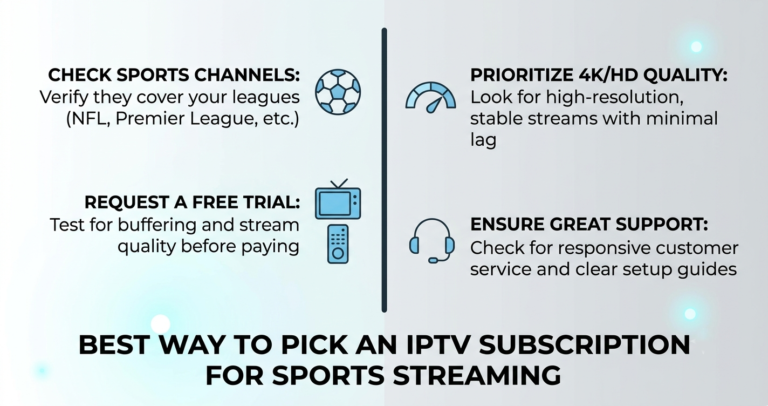
- Test during a peak window — a Saturday 3pm kickoff, not a quiet Tuesday
- Send a support message before you pay and time the reply
- Check reviews against the exact domain you’re buying from
- Confirm there’s a refund window in writing, not just on a banner
Streaming Quality and the Bandwidth Reality
When Pulse 4K IPTV works, the streaming experience appears genuinely competent. It’s noted for reliable uptime and consistent stream stability — but optimal performance requires robust internet connectivity to handle the bandwidth demands of 4K content. That caveat gets buried, and it shouldn’t.
Real 4K needs headroom. For 4K streaming, 25–50 Mbps is the realistic requirement, and pushing genuine UHD across an unstable line will buffer regardless of how good the source server is.
During a major sports event one season, we watched a perfectly healthy server get blamed for “buffering” when the actual culprit was customers on 2.4GHz Wi-Fi sitting two rooms from the router. The provider takes the hit for what is really a last-metre problem.
Pro Tip: Before you judge any 4K stream, hardwire one device via Ethernet and test that. If Ethernet is smooth and Wi-Fi isn’t, the provider is fine — your home network is the bottleneck. This one test resolves the majority of “buffering” complaints I see.
Step-by-step: pressure-testing Pulse 4K IPTV on a trial
- Activate on the shortest plan or trial available
- Hardwire your main TV box or use 5GHz Wi-Fi only
- Open three different 4K channels back to back and watch for tune-in delay
- Run a live sports channel during an actual fixture, not off-peak
- Scrub through a VOD title to test seek speed
- Fire a support question mid-test and clock the response
If it survives all six, the line under your account is a good one. If it stumbles on step four, walk away before committing real money.
How It Stacks Up Against the Field
In the broader 2026 landscape, Pulse 4K IPTV sits squarely in the mid-tier. Among current services, Pulse 4K and SkyHub4K are positioned for cutting-edge 4K UHD content, while options like IPTVUnlock and LunoTV lean toward affordability and channel diversity. Reviewers comparing it to larger platforms point out that its catalogue, while sizeable, is modest next to services advertising 40,000+ channels and 170,000+ titles, and that long-term reliability stays uncertain when you depend solely on marketing promises.
That’s the honest position: capable when provisioned well, unremarkable in a crowded field, and only as trustworthy as the specific reseller behind your account.
For UK buyers especially, this is why infrastructure transparency matters more than channel-count bragging. A provider that’s upfront about its server setup and stands behind its uptime — the kind of operator-grade reliability you’d expect from an established UK panel like British Seller — is worth more than a flashy number that evaporates after a month.
The Support Question That Decides Everything
After years of this, I’ve reduced provider evaluation to one near-perfect predictor: response time before purchase. A service that answers a pre-sale question in minutes will usually answer a post-sale problem too. A recurring complaint about Pulse-type services is slow or non-responsive support once payment clears — a risk common across mid-tier IPTV.
One reseller I worked with lost a quarter of his customer base in a single month, and it wasn’t his streams — they were fine. It was that he’d stopped replying to tickets within 24 hours. Silence churns customers faster than buffering ever will.
Pro Tip: Message support a deliberately mildly-technical question — ask which app they recommend for your specific device model. A real operation answers specifically. A churn machine sends a copy-paste link or nothing at all.
Frequently Asked Questions
Is Pulse 4K IPTV legit or a scam?
It depends entirely on which reseller you buy from. Some reviews tied to specific Pulse domains report being cut off after thirty days with no support, while others report months of stable use. The brand isn’t a single guarantee — vet the exact seller and start with a short plan rather than paying a year upfront.
How much internet speed do I need for Pulse 4K IPTV?
For reliable 4K streaming you’ll want 25–50 Mbps, with 5GHz Wi-Fi or, ideally, a wired Ethernet connection. HD content runs comfortably on 15 Mbps or more. Most buffering blamed on the provider actually traces back to weak home Wi-Fi rather than the streaming servers themselves.
Does Pulse 4K IPTV offer a free trial?
Trial availability varies by reseller. Some offer short trials or 36-hour test windows; others mention no trial prominently at all. Always request a trial before committing, and use it to test during a peak time like a weekend sports fixture rather than a quiet weekday evening.
What devices does Pulse 4K IPTV work on?
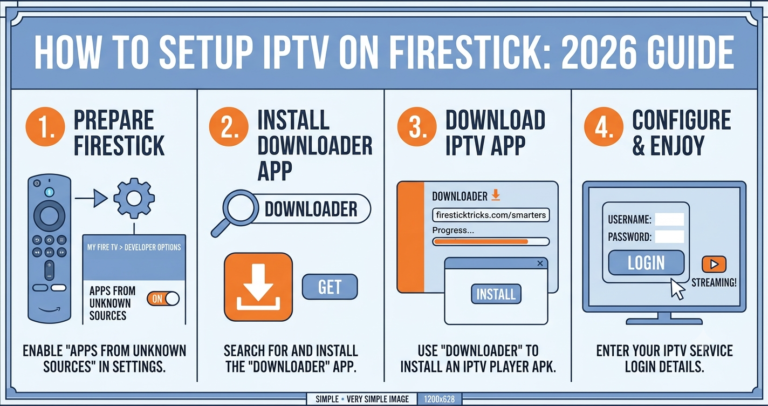
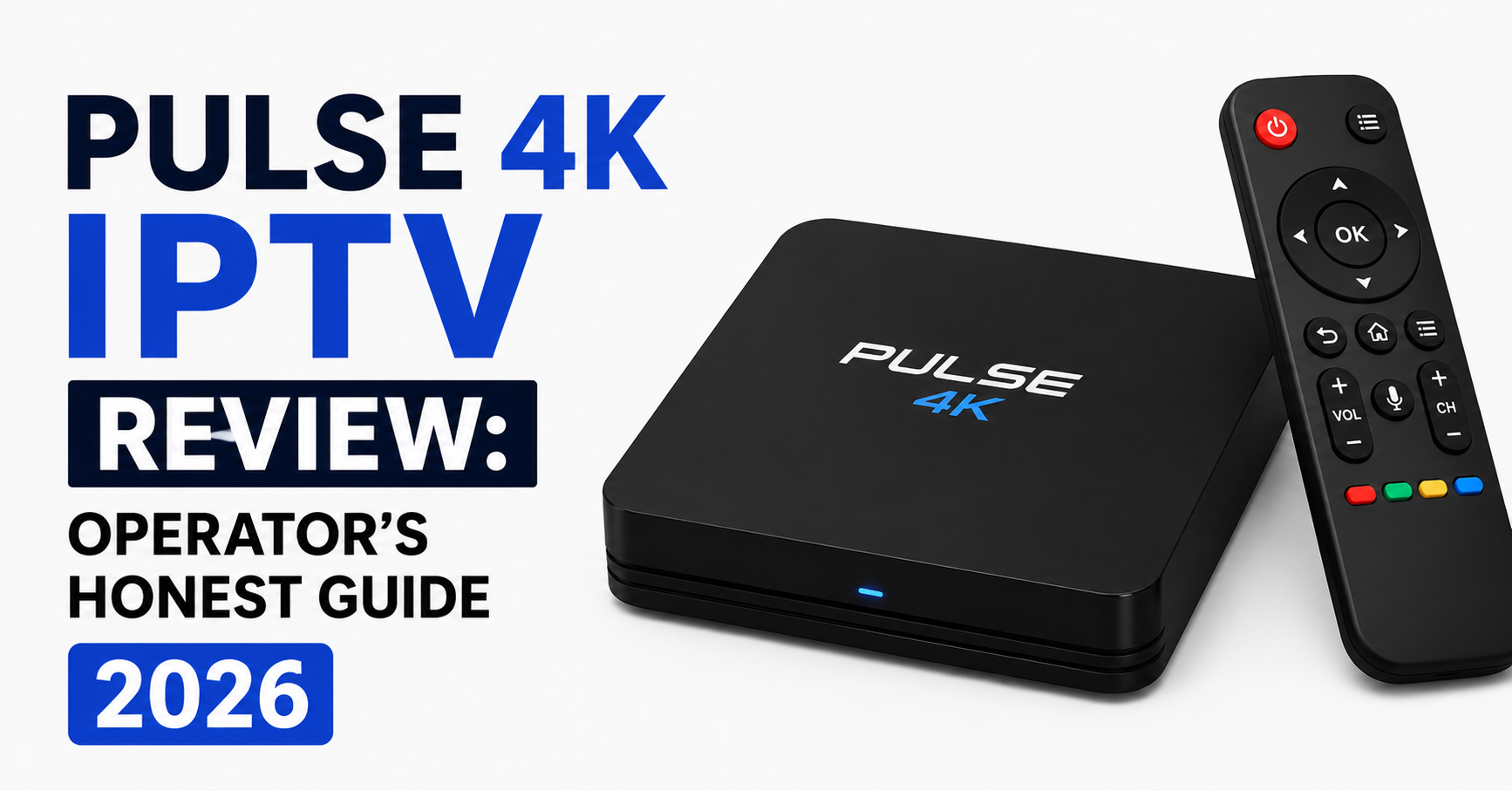
It advertises support for Firestick, MAG boxes, Android devices, iOS, Smart TVs, and PC — essentially any IPTV-capable hardware. Setup is manual app installation, which is standard for the category. There’s no proprietary box; you load a player app and enter your credentials.
Why do two people get different results from the same Pulse 4K IPTV plan?
Because the brand operates through multiple resellers running separate servers. Your stream quality depends on your reseller’s server load and maintenance, not the logo on the checkout page. An oversold line buffers; a well-maintained one doesn’t — same brand, different reality.
Should resellers consider stocking a brand like Pulse 4K IPTV?
Be cautious. A brand with inconsistent reviews and channel counts that differ across its own pages signals fragmented upstream supply. As a reseller, your reputation rides on uptime you don’t control. Prioritise suppliers with transparent infrastructure and credit stability over recognisable names with mixed track records.
What’s the biggest red flag when buying Pulse 4K IPTV?
Pressure to pay annually upfront combined with slow pre-sale support. The thirty-day cutoff pattern in negative reviews almost always follows a large upfront payment on an oversold line. If they won’t sell you a month first, treat that as a warning, not a convenience.
Is Pulse 4K IPTV good for sports in the UK?
It can be, when provisioned on a healthy server, since stability during live events is its claimed strength. But test it during an actual fixture before trusting it for a big match. Peak-traffic performance is where mid-tier services most often reveal their real limits.
Your Execution Checklist
Subscribers:
- Buy one month before any annual commitment
- Test 4K on Ethernet or 5GHz during a live event
- Time the support reply before you pay
- Match reviews to the exact purchase domain
- Get the refund window confirmed in writing
Resellers:
- Audit upstream server load before adopting any brand
- Avoid suppliers whose channel counts contradict themselves
- Keep ticket response under 24 hours, always
- Hold credit buffers so customers never hit a payment-cycle cutoff
- Track churn against support speed, not just stream quality
Sub-resellers:
- Verify your supplier’s supplier — know the chain you sit in
- Resell short plans first to build trust before pushing annuals
- Don’t promise uptime figures you can’t independently confirm
- Keep a fallback line ready before you ever need it
That’s the field-level take on Pulse 4K IPTV — capable when the server under your account is healthy, risky when it isn’t, and ultimately only as good as the UK IPTV reseller behind the brand. Test small, watch the support clock, and never pay a year for a promise you haven’t pressure-tested. This Pulse 4K IPTV review reflects publicly available information and operator experience as of 2026; verify current terms with any seller directly before purchase.