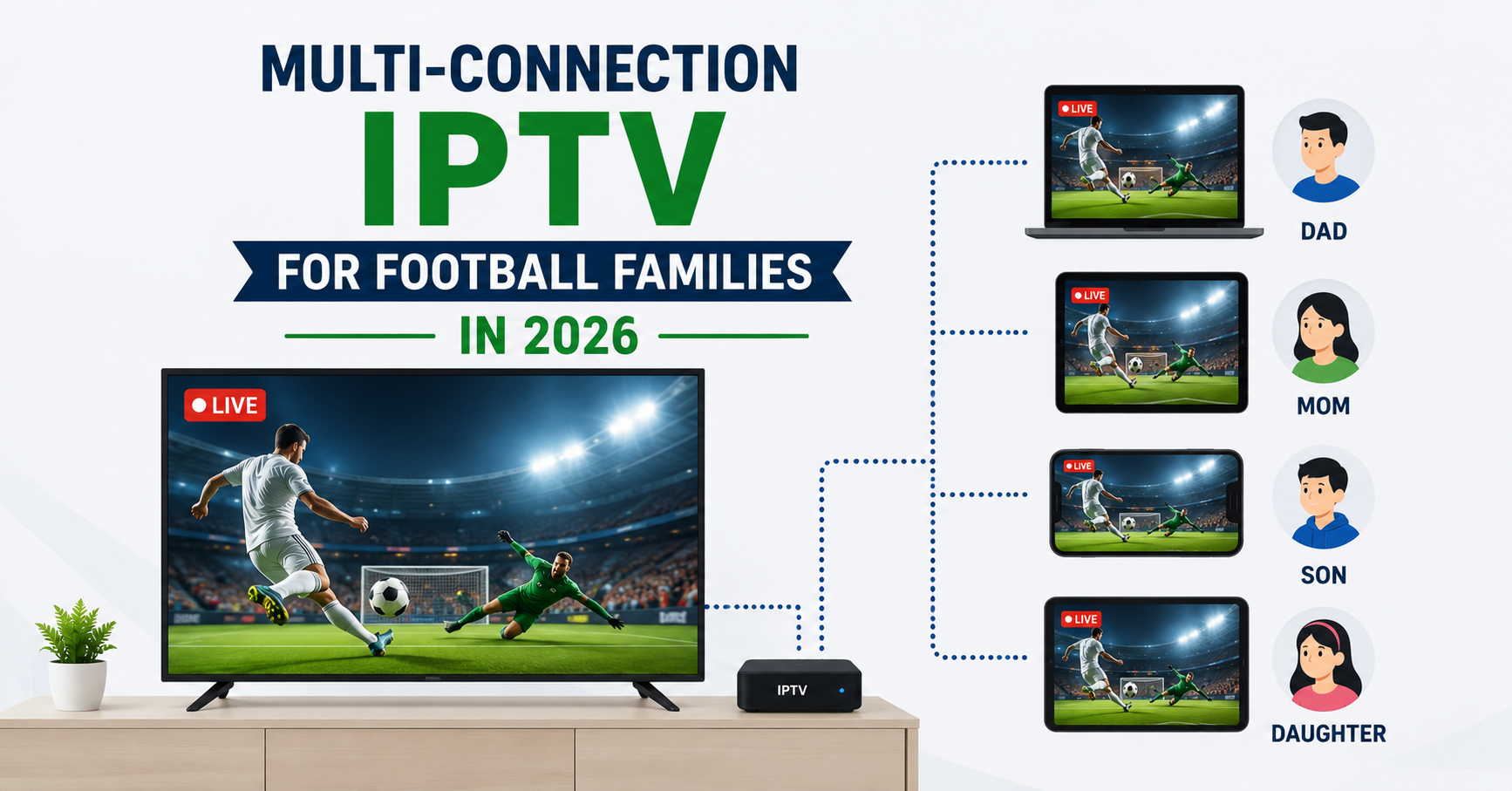
Last December I watched a reseller lose eleven customers in a single weekend, and not one of them complained about picture quality. They complained because Dad was watching the late kickoff in the living room, the kids tried to load a cartoon upstairs, and the whole thing collapsed into a frozen screen for everybody. One stream. One household. Four people fighting over it.
That is the problem Multi-Connection IPTV exists to solve, and most families don’t understand they have it until a Saturday like that one ruins the mood.
So here is the short version before anything else. A multi connection IPTV plan lets more than one device stream from the same account at the same time. If your home has people watching football in one room while someone else wants something different in another, you need at least two connections, often three or four. The likely cause of your freezing and buffering during big matches is not a slow internet line. It is usually a single connection account being stretched across devices it was never meant to serve. The fix is matching your connection count to how your household actually watches.
Everything below explains about Multi-Connection IPTV why that happens, how many connections you genuinely need, and where people waste money buying more than they’ll ever use.
What a Connection Actually Is
People assume a connection means a device. It doesn’t, quite. A connection is one active stream pulling from the server at a given moment. Your Firestick sitting idle on the home screen uses nothing. The second it starts playing a channel, it claims one connection.
This distinction matters because households overestimate their needs. You might own six screens. You rarely watch on six at once. The realistic question is how many streams run simultaneously on a typical evening, not how many gadgets sit in cupboards.
Pro Tip:
Count your peak moment, not your average. For most football families that peak is Saturday at 3pm or a midweek Champions League night. If three screens run then, buy three connections and ignore the quieter days.
The Football Household Math
Football changes the calculation entirely. A drama-watching family staggers their viewing, one show at a time, mostly evenings. A football family clusters around fixtures that all happen at once.
Consider a normal Saturday in an English speaking home during the 2026 season:
| Room | Who | Watching |
|---|---|---|
| Living room | Father | 3pm Premier League fixture |
| Bedroom | Teenager | A different match on a tablet |
| Kitchen | Mother | News or a film |
| Spare room | Younger child | Cartoons |
That is four simultaneous streams. A single connection account serves one of them and locks everyone else out. This is the exact scenario that generates angry messages to resellers every weekend, and it has nothing to do with the service being poor.
Why Single Connection Accounts Freeze, Not Just Block
Here is something rarely explained well. When a second device logs into a single connection account, the server doesn’t always cleanly refuse it. Sometimes both devices fight for the same slot, handing the stream back and forth. The result is not a clear error message. It is intermittent freezing on both screens that looks exactly like a bad connection or a weak server.
After reviewing hundreds of support tickets across UK IPTV reseller panels, this is the single most misdiagnosed issue we see. Customers blame buffering. The real culprit is two devices sharing one connection. No amount of router rebooting fixes a math problem.
How Many Connections Do You Genuinely Need
Most families fall into a clean pattern. Match yourself honestly:
- One connection: a single person, or a couple who always watch together.
- Two connections: a couple with different tastes, or one parent plus one child.
- Three connections: a typical football family with kids who want their own screens.
- Four or five connections: large households, or homes where weekend fixtures pull everyone in at once.
Going beyond five is rare for a normal home. Past that point you are usually looking at a small reseller setup rather than a family, which is a different conversation.
The Reseller Angle Worth Understanding
If you’ve ever wondered how multi connection plans get sold, it runs through resellers. An IPTV reseller buys panel credits, and each credit typically maps to a line with a set connection count. The reseller panel lets that operator create accounts with one, two, or more connections depending on what the customer needs.
A good IPTV reseller asks about your household before selling. A lazy one sells everyone the cheapest single connection and then drowns in complaints. We’ve watched panel owners burn through their reputation this way. The sub reseller who actually asks “how many rooms watch football at once” keeps customers for years, because connection count is the quiet thing that decides whether a family stays or leaves.
Pro Tip:
If you’re buying from a reseller, tell them your peak viewing scenario in plain words. A competent IPTV operator will recommend the right connection count. If they dodge the question and push the cheapest plan, that tells you how they’ll handle your support later.
The Infrastructure Most Families Never See
Multi connection IPTV puts more load on the server side than people imagine. Four simultaneous streams from one home is four times the bandwidth the provider must deliver reliably, and during a major fixture every household is peaking at the same minute.
This is where cheap infrastructure shows its cracks.
| Cheap setup | Properly built setup |
|---|---|
| Single server source | Load balanced across servers |
| No failover | Automatic failover during spikes |
| Struggles on match days | Holds steady at peak traffic |
| Frozen streams at 3pm | Stable multi connection delivery |
During a major sports event we noticed something consistent: providers running on a single uplink choke precisely when demand peaks, while those using load balancing and backup uplinks stay smooth. Multi connection only works if the backend can carry the weight when every family in the country presses play together.
The Mistake of Over Buying
The opposite error costs money quietly. Some families panic and buy five connections when they realistically use two. You pay for capacity that sits idle every single night except the rare full house occasion.
A reseller once told us his most profitable customers were the ones he talked down to fewer connections, because they trusted him afterward and renewed without question. Buy for your real peak, not your imagined worst case.
Bandwidth Still Matters Underneath It All
Connections solve the account problem. They do not solve a weak internet line. Each HD football stream needs a steady chunk of bandwidth, and four at once needs four times that. If your home line is marginal, adding connections just lets four streams buffer instead of one.
A rough guide for English speaking homes on 2026 connections: an HD stream wants a stable line with headroom for everything else the house does. Run a speed test during the evening, not at 9am when the street is asleep. Match your connection count to a line that can actually carry it.
Frequently Asked Questions
Does multi connection IPTV mean I can share my account with friends in other houses?
Technically the connections would allow it, but it’s a poor idea. Sharing across separate homes spreads your streams thin and often violates the provider’s terms. Multi connection IPTV is designed for one household with multiple screens, not for splitting a subscription between addresses. Buy for your home, keep it in your home.
How many connections does a football family really need?
Most football households land on three connections. That covers the main television, a second screen for a different match, and a child’s device, all running during a Saturday afternoon. Larger families with several keen viewers move to four. Honestly assess your busiest fixture moment and buy for that peak.
Will more connections fix my buffering during big matches?
Not on its own. Multi connection IPTV stops devices fighting over one slot, but buffering during big matches usually points to the provider’s infrastructure or your home bandwidth. If the backend lacks load balancing and failover, even a multi connection plan freezes when everyone streams at once. Connection count and server quality both matter.
What happens if I exceed my connection limit?
The extra device is usually blocked or, worse, both devices freeze as they compete for the same slot. This intermittent freezing is commonly mistaken for a faulty service. If streams stutter whenever a second screen starts, you have hit your connection ceiling and need a higher count.
Is multi connection IPTV more expensive?
It costs more than a single connection but far less than several separate subscriptions. One multi connection account serving three screens is cheaper and simpler than buying three single accounts. For households watching different football at once, it’s the most economical route. Reputable resellers like those listed at britishseller.co.uk price connection tiers transparently.
Can a reseller set up custom connection counts for me?
Yes. An IPTV reseller working through a proper UK IPTV reseller panel can create an account with whatever connection count suits your home. This flexibility is one reason buying through a knowledgeable IPTV operator beats grabbing a fixed off the shelf plan. Ask the panel owner to match connections to your peak viewing.
Do idle devices use up my connections?
No. A device only claims a connection while it is actively streaming. Your second television sitting on the home screen consumes nothing. This is why your real number is about simultaneous playback, not total devices owned. Count what runs at the same time during your busiest match day.
Conclusion
Multi connection IPTV is not a luxury upsell. For a football family it is the difference between a peaceful Saturday and four people glaring at a frozen screen. The whole thing comes down to one honest count: how many screens run at your busiest match moment. Match your connection number to that peak, make sure your provider runs real infrastructure underneath, and check your home line can carry the load. Get those three right and the arguments stop.
Quick Execution Checklists
For subscribers:
- Count simultaneous streams at your busiest fixture, not total devices.
- Buy a connection count that matches that peak number.
- Run an evening speed test before assuming you need more connections.
- If streams freeze when a second screen starts, you’ve hit your connection limit.
For resellers:
- Ask every customer about peak household viewing before selling.
- Map panel credits to the right connection tier per customer.
- Recommend down to fewer connections when the customer over estimates.
- Run load balanced infrastructure with failover for match day spikes.
For sub resellers:
- Confirm connection counts with your panel owner before reselling.
- Sell connection tiers honestly rather than defaulting to the cheapest.
- Flag bandwidth as a separate issue from connection count to customers.
- Track which connection tiers generate the fewest support tickets.
The lesson buried in all of this is simple: most “bad IPTV” complaints aren’t about quality at all, they’re about a household quietly outgrowing a single connection. Get the count right first, and nine out of ten problems never start.