If you’re comparing an IPTV subscription for sports streaming, the honest answer is that no provider can promise zero buffering or guaranteed access to a specific game, so the real job is judging how transparent, stable and well-supported a service is before you pay. That means checking device compatibility, connection speed requirements, refund terms, and how the provider handles peak-time demand, rather than chasing the flashiest channel count. The rest of this guide breaks down exactly what to compare.
What “Sports Streaming” Actually Demands From an IPTV Service
Sports puts more strain on a streaming service than almost anything else. Everyone tunes in at the same time, the content can’t be paused and rewatched later without losing the point, and even a few seconds of buffering during a key moment ruins the experience. That’s different from on-demand films or box sets, where a short pause barely registers.
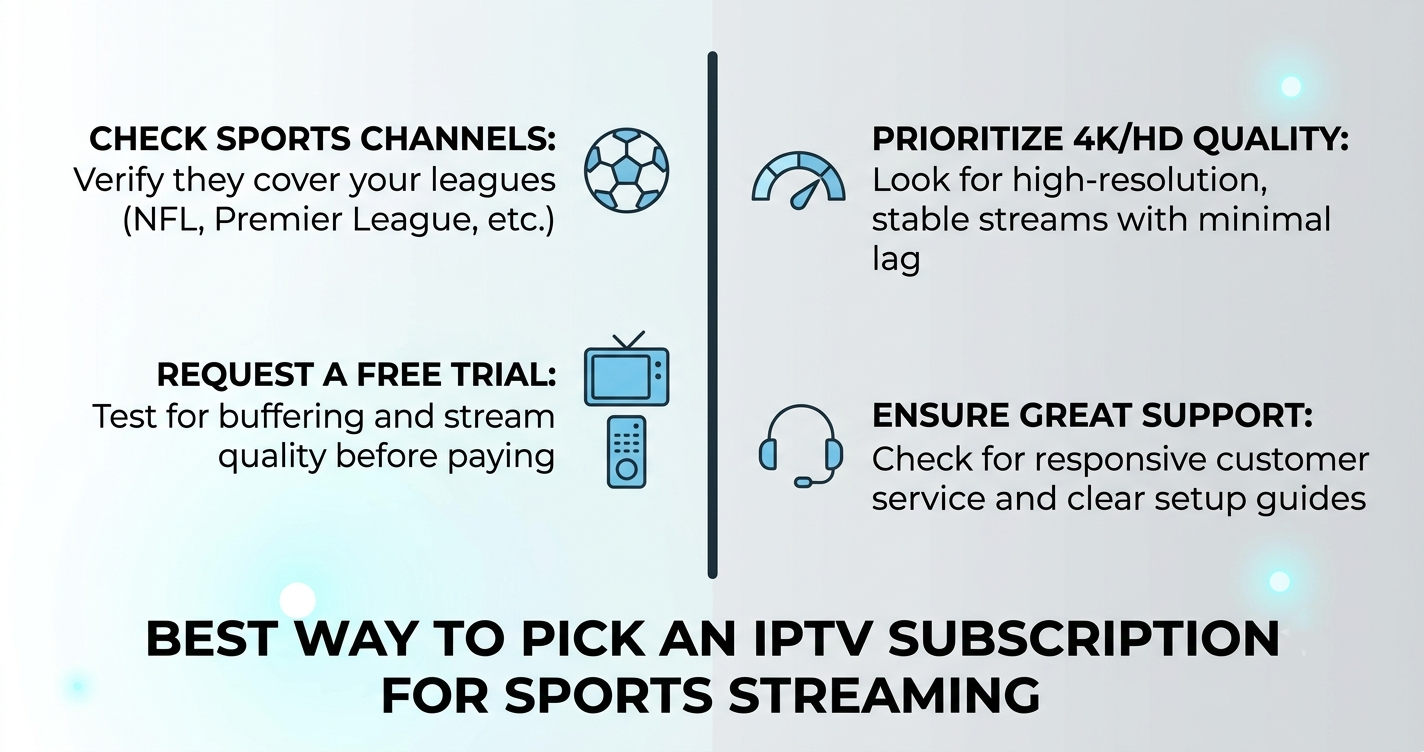
This matters for how you evaluate an IPTV subscription for sports streaming. You’re not just checking whether a provider has a long channel list. You’re checking whether their infrastructure can handle simultaneous peak-time load, whether their support team is reachable if something goes wrong mid-event, and whether the service is upfront about what you’re actually getting.
Bandwidth and Device Requirements Come First
Before comparing providers, look at your own setup. Live sports in HD or 4K needs a stable, fast connection — a wired connection or strong Wi-Fi signal will always perform more consistently than a weak or shared connection during busy periods. If several people in the household are streaming at once, or if your router is old, buffering issues may have nothing to do with the provider at all.
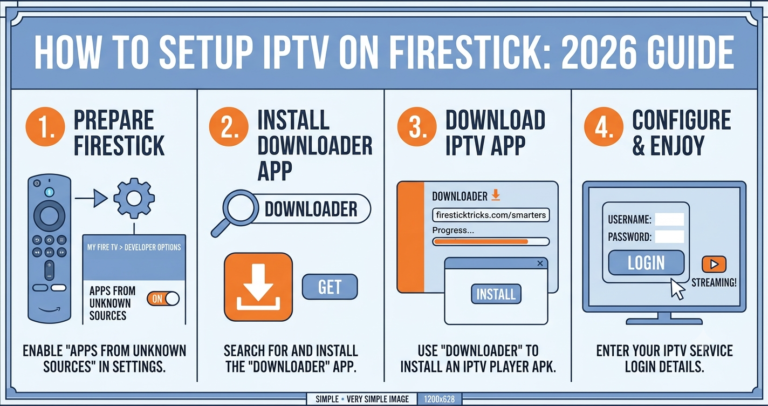
Device compatibility also matters more for sports than for casual viewing, because many people want the option to switch between a Smart TV, a phone, and a tablet depending on where they are. Check whether a service supports the apps and devices you already own — Firestick, Android boxes, Smart TV apps, or IPTV player apps like IPTV Smarters Pro — before assuming a subscription will work the way you expect.
Pro tip: Test your own connection speed at the times you’d actually be watching, not first thing in the morning. Evening peak hours are when both your home network and the provider’s servers are under the most strain.
Good Signs and Warning Signs When Comparing Providers
Not every claim on a provider’s website tells you much. Some signals are genuinely useful; others are marketing filler that any service could write.
| Good sign | Warning sign |
|---|---|
| Clear refund or trial terms in writing | Vague or missing refund policy |
| Named business details or contact information | No verifiable company information |
| Realistic language about buffering during peak load | Claims of guaranteed zero buffering |
| Responsive support before you’ve even paid | Support that disappears after purchase |
No provider can honestly promise uninterrupted streaming at all times, because that depends on factors outside their control too — your internet connection, your device, and general network congestion during high-demand events. Be cautious of any service that presents this as a guarantee rather than a goal.
Pro tip: Message a provider’s support channel with a specific technical question before you buy, such as which apps they support or how refunds are processed. How they respond tells you more than anything on the sales page.
Questions Worth Asking Before You Subscribe
A useful way to compare options is to think about what you’d ask a provider directly, rather than just reading their homepage.
| Question to ask | Why it matters |
|---|---|
| What happens if the service buffers during a live event? | Shows whether they have a real support or credit process |
| Can I try before committing to a full plan? | Reduces risk if the service doesn’t suit your setup |
| How many devices can I use at once? | Affects whether the whole household can watch separately |
| What’s your cancellation or refund process? | Tells you how the provider treats dissatisfied customers |
These aren’t trick questions. A provider that answers clearly and specifically is usually easier to deal with later if something goes wrong.
Pro tip: Keep a record of any written answers a provider gives you before purchase, including trial terms or refund promises. It’s useful if you need to reference it later.
IPTV Is a Delivery Method, Not a Guarantee of Legality
It’s worth being clear about something often glossed over: IPTV itself is just a technology for delivering television over the internet. It’s the same underlying method used by many legitimate broadcasters and streaming platforms. Whether a specific service is operating legitimately depends on whether it has proper rights and permission to distribute the content it offers, not on how professional its website looks or how it processes payment.
This is genuinely difficult for an ordinary customer to verify from the outside. A polished website, working payment system, or registered company name doesn’t by itself confirm that a provider holds the correct distribution rights for everything in its channel list. If you want more clarity on this, it’s reasonable to ask a provider directly about their content licensing and read any terms they publish, rather than assuming professionalism equals legitimacy.
How an Illustrative Provider Like Skip This Fits the Comparison
To make this concrete: imagine you’re comparing a provider called Skip This against others on your shortlist. You’d apply exactly the same checks described above — does it have clear terms, a working trial, responsive support, and realistic claims about performance — rather than assuming it’s better or worse simply because of its name or marketing. No provider, including one presented as a well-known option, should be taken as automatically the safest or most reliable choice without checking these basics yourself.
For UK Subscribers: What Actually Affects Your Experience
If you’re subscribing for personal use rather than reselling, a few practical things make the biggest difference to day-to-day reliability with UK IPTV services:
- Your own connection speed and router quality during peak evening hours
- Whether the app you’re using is actively maintained and updated
- How the provider communicates about known outages or maintenance
- Whether pricing is transparent with no hidden renewal terms
None of these are dramatic, but together they explain most of the difference between a smooth experience and a frustrating one.
For Resellers: Supporting Customers Through Sports Season
If you’re running or considering an IPTV reseller UK business, sports content brings a specific operational challenge: support requests spike sharply around big events, and customers are far less patient about buffering during a live match than during a film. An IPTV Panel reseller dashboard that shows you account status and connection details in real time makes it much easier to diagnose whether an issue is on your end, the customer’s end, or the upstream provider’s end.
It’s worth setting expectations with customers upfront rather than after a problem occurs. Being clear that occasional buffering can happen, and explaining what you can and can’t control, tends to reduce complaints and refund requests later. Documentation matters too — customers who’ve been shown basic setup guidance before their first live event generate far fewer support tickets than those left to figure it out alone.
Pro tip: Keep a simple log of recurring customer complaints by device type. If Firestick users report more buffering than Smart TV users, that’s a pattern worth investigating rather than dismissing as bad luck.
Common Mistakes When Choosing a Sports-Focused Subscription
A few patterns come up repeatedly when people pick the wrong service for their needs:
- Choosing based purely on channel count without checking device compatibility first
- Ignoring refund terms until after a problem happens
- Assuming a professional-looking website confirms legitimate content rights
- Not testing during actual peak hours before committing to a longer plan
Avoiding these doesn’t guarantee a perfect experience, but it removes most of the avoidable disappointment.
Where to Find More Detail Before You Commit
If you’re still weighing options, it helps to read general background on how these services are structured before comparing specific providers. Our guide to how IPTV reseller panels work explains the IPTV Panel reseller side in more depth, and the installation guide covers device setup if you want to check compatibility before subscribing. You can also read more background articles on the blog.
Visible FAQ
Does a higher-priced IPTV subscription mean better sports streaming quality?
Not necessarily. Price alone doesn’t confirm server capacity, licensing, or support quality. It’s better to check trial terms, refund policy, and how the provider communicates than to assume price reflects reliability.
Can any IPTV provider guarantee no buffering during live sports?
No. Streaming quality depends on multiple factors including your own connection, device, and general network conditions during high-demand periods, so no provider can honestly guarantee uninterrupted playback at all times.
What internet speed do I need for sports streaming in HD or 4K?
Speed requirements vary by provider and stream quality, so it’s best to check the specific recommendation on the service you’re considering, and to test your own connection during the times you’ll actually be watching.
Is IPTV itself legal?
IPTV is a legitimate delivery technology used by many licensed broadcasters. Whether a specific service is legitimate depends on whether it holds proper rights to the content it distributes, which isn’t something a customer can always verify from the outside.
How can I tell if an IPTV provider’s support is reliable before subscribing?
Message their support channel with a specific question before paying. A clear, prompt, and specific answer is a reasonable indicator of how they’ll handle issues after you’ve subscribed.
Should resellers set different expectations for sports customers?
Yes. Sports customers tend to be less tolerant of buffering and more likely to contact support during live events, so clear upfront communication about what can and can’t be controlled tends to reduce complaints.
Conclusion
Choosing an IPTV subscription for sports streaming comes down to checking the things that actually predict reliability: your own connection and device setup, a provider’s honesty about performance limits, clear refund terms, and support that responds before you’ve even paid. No service, illustrative or otherwise, can honestly promise flawless streaming every time, and being wary of anyone who claims that is a reasonable filter on its own. If you’re still comparing options, start with a trial, ask direct questions, and read the provider’s own terms rather than relying on marketing copy. That’s a more reliable path than chasing the longest channel list.
Decision Checklist
- Test your own internet connection speed during actual peak viewing hours
- Confirm the service supports your specific device or app before subscribing
- Ask about refund and cancellation terms in writing before paying
- Message support with a specific question to gauge response quality
- Check whether the provider makes realistic claims rather than guarantees
- Look for verifiable business or contact details, not just a polished website
- Ask directly about content rights if you want more clarity on legitimacy