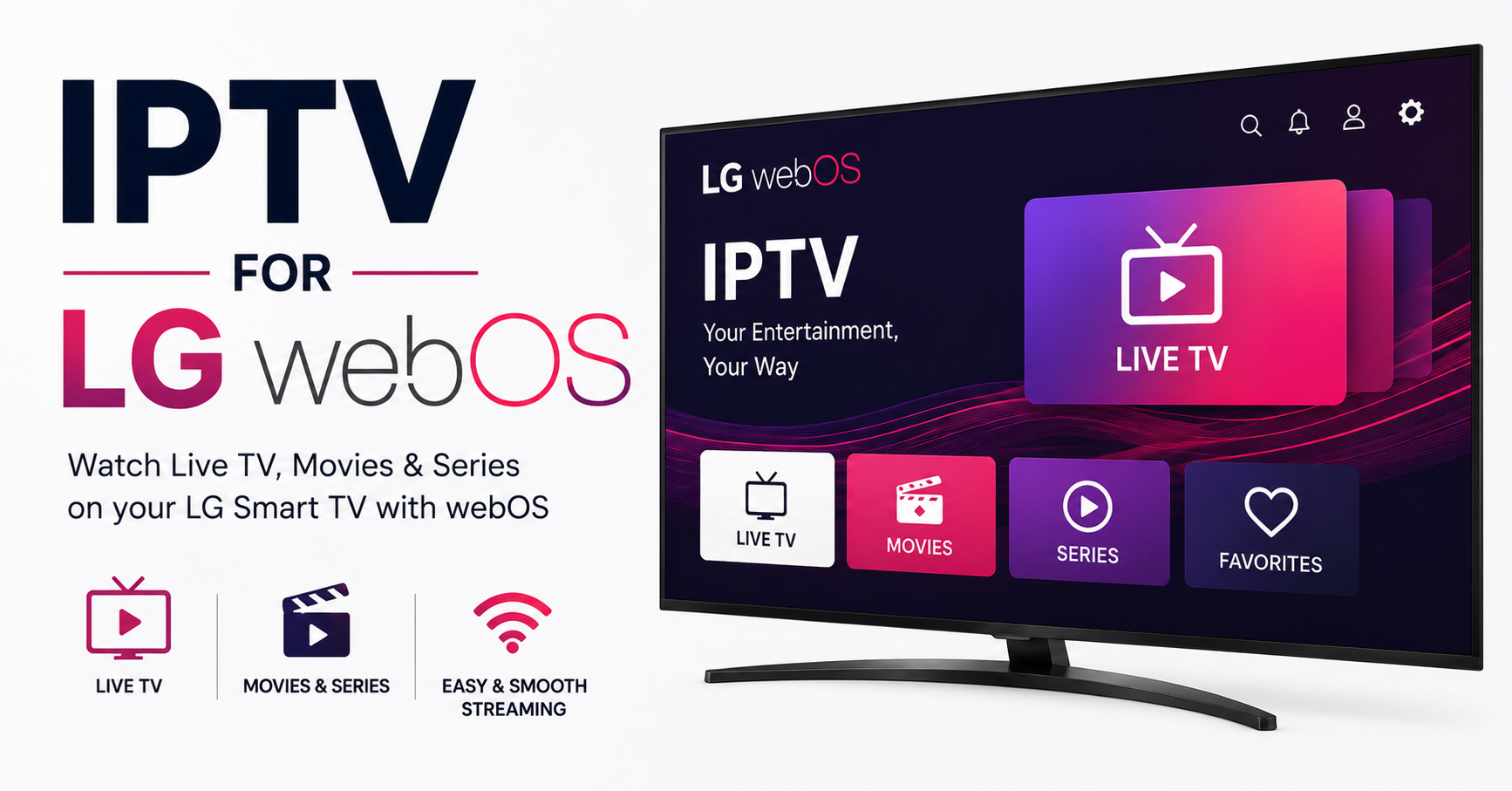
LG’s webOS platform sits on more living room screens than most people realise. And yet, half the resellers I’ve spoken to in the last twelve months treat it like an afterthought — an app install and a prayer. That’s the gap. If you’re running IPTV for LG webOS as a reseller or subscribing for your household, there’s a meaningful difference between “it works” and “it works without a single complaint at 8pm on a Saturday.” This article is the difference.
Let me be direct. IPTV for LG webOS isn’t just about slapping an M3U link into a player. The operating system has quirks — app sandboxing, limited sideloading, firmware-level DNS handling — that change how you deploy, troubleshoot, and retain customers on this platform. If you’ve been copy-pasting your Android setup process onto LG screens, you’ve already lost subscribers and you might not even know why.
We’re going to break this down from the firmware up. No filler. No recycled advice from 2021 forums. Just what actually matters if you want IPTV for LG webOS to perform at a level that stops churn dead.
What Makes LG webOS a Different Beast for IPTV Delivery
Most IPTV guides lump all smart TVs into one bucket. That’s a mistake. LG webOS runs a modified Linux kernel with its own app lifecycle, memory management, and network stack. For IPTV for LG webOS, this creates three specific realities you won’t face on Android-based sets.
First, app availability is restricted. The LG Content Store curates aggressively. You won’t find the same open APK ecosystem that Firestick or Android TV offers. That means your IPTV for LG webOS deployment depends on a narrower set of approved players — or creative workarounds that carry their own risks.
Second, background process handling on webOS is strict. The OS kills idle apps faster than Android, which means EPG refresh cycles and keep-alive pings behave differently. If your UK IPTV reseller panel sends a connection heartbeat expecting Android-style tolerance, you’ll see phantom “server offline” reports from LG users that don’t actually reflect server health.
Third, DNS resolution on LG webOS defaults to the router’s assigned DNS or LG’s own fallback servers. You can’t change DNS at the app level the way you can on Android. This has massive implications for ISP blocking and geo-restriction — two things every reseller deals with daily.
Pro Tip: If your LG webOS subscribers report intermittent channel failures while Android users on the same server are fine, the issue is almost always DNS-level filtering hitting the TV’s default resolver. Fix this at the router, not the app.
Choosing the Right Player App for IPTV for LG webOS
This is where most household subscribers get stuck and where resellers lose their first wave of customers. The app you recommend for IPTV for LG webOS directly determines picture quality ceiling, EPG reliability, and the volume of support tickets you’ll handle.
There are broadly three categories of player apps available on webOS:
| Factor | Native LG Store Apps | Sideloaded Players | Web-Based IPTV Portals |
|---|---|---|---|
| Installation Ease | Simple, one-click | Requires developer mode | URL entry only |
| Firmware Update Risk | Low — store-verified | Medium — may break on update | Low |
| EPG Support | Varies by app | Usually full Xtream support | Limited or custom |
| Performance on Older webOS | Generally stable | Unpredictable | Depends on browser engine |
| Reseller Branding Options | None | Some customisation | Full white-label possible |
For resellers building a client base on LG screens, the strategic move is to support at least two player options for IPTV for LG webOS. One native store app as the default recommendation, and one fallback method for edge cases where firmware versions or regional store restrictions block the primary choice.
Don’t assume a single app covers every LG model. WebOS 4.x, 5.x, 6.x, and the newer webOS re:New platform each have different app compatibility profiles. A player that runs perfectly on a 2022 C2 might crash on a 2019 UM7300.
DNS Poisoning and ISP Blocks: The LG-Specific Problem
Here’s something most generic IPTV guides never address. When major broadband providers deploy DNS poisoning or deep packet inspection against IPTV streams, LG webOS users are disproportionately affected. Why? Because unlike a Firestick or Android box, you cannot install a system-wide VPN or DNS override app directly on most LG TVs.
For IPTV for LG webOS, ISP-level blocking creates a uniquely frustrating scenario. Your Android subscribers switch to a custom DNS or toggle their VPN app. Your LG subscribers? They’re stuck unless they change settings at the router level — and most household users have no idea how to do that.
The practical solution for resellers is threefold:
- Provide router-level DNS configuration guides specific to the top five UK and EU router models your subscriber base actually uses. Generic “change your DNS” advice fails because every router interface is different.
- Ensure your server infrastructure uses backup uplink servers that rotate origin IPs. If your primary CDN endpoint gets flagged, a secondary uplink with a different IP range keeps LG webOS subscribers connected while you resolve the block.
- Educate your subscriber base during onboarding, not after the problem hits. A 60-second setup video showing router DNS configuration prevents dozens of support tickets later.
Pro Tip: The 2026 wave of AI-driven ISP blocking doesn’t just target known IPTV domains anymore. ISPs are now using traffic pattern analysis — sustained high-bitrate UDP/TCP streams to non-catalogued CDN ranges trigger automated throttling. For IPTV for LG webOS users who can’t run a VPN on the device itself, the router-level encrypted DNS (DoH or DoT) is the only real shield.
HLS Latency and Buffering: Why LG webOS Handles Streams Differently
Buffering complaints are the number one churn driver in IPTV, and IPTV for LG webOS has a specific latency profile that resellers need to understand.
LG’s built-in media player and most webOS-compatible IPTV apps use HLS (HTTP Live Streaming) as the primary protocol. HLS works by breaking a live stream into small .ts segment files, typically 2–10 seconds each. The player downloads segments ahead of playback to build a buffer.
On webOS, the buffer management is more conservative than on Android. The OS allocates less RAM headroom for background media buffering, especially on mid-range and older LG models. This means:
- Channel switching is slower (each switch requires re-buffering from scratch)
- High-bitrate streams (1080p at 8Mbps+) are more prone to stuttering on models with limited RAM
- EPG-heavy apps that load programme data alongside the stream compete for the same memory allocation
For resellers, the fix isn’t just “tell them to get faster internet.” The fix is server-side stream optimisation. If you’re serving IPTV for LG webOS subscribers, your panel should offer adaptive bitrate profiles that detect the client device and serve an appropriate quality tier automatically.
- Offer a “LG Optimised” stream profile at 5–6 Mbps for 1080p content instead of the standard 8–10 Mbps Android profile
- Reduce HLS segment duration to 2–3 seconds instead of the default 6–10 seconds — shorter segments mean faster channel switches and quicker recovery from micro-buffering events
- Enable load balancing across your CDN nodes so that peak-hour traffic doesn’t bottleneck on a single origin server
Panel Credit Management When Serving LG-Heavy Client Bases
This is a reseller-specific section that nobody writes about, and it matters. If a significant portion of your subscriber base runs IPTV for LG webOS, your credit consumption pattern will differ from a predominantly Android or Firestick client base. Here’s why.
LG webOS users tend to be household subscribers — families who bought a smart TV and want live channels on it. They’re not the tech-savvy crowd running MAG boxes or Formuler devices. This demographic profile changes three things about your reseller panel economics:
First, support cost per subscriber is higher. LG users generate more tickets about setup, app crashes after firmware updates, and DNS-related outages. Every ticket costs you time, which is a hidden credit cost.
Second, churn rate runs higher in the first 30 days. If IPTV for LG webOS doesn’t work seamlessly out of the box, household subscribers don’t troubleshoot — they cancel. Your trial-to-paid conversion rate on LG users depends almost entirely on first-session experience.
Third, multi-connection usage is lower. A family with one LG TV typically uses one connection. Android/Firestick users often run two or three devices. This means your per-credit revenue from LG subscribers may be lower unless you price accordingly.
Pro Tip: Create a dedicated onboarding flow for IPTV for LG webOS subscribers. A single PDF or video walkthrough that covers app installation, DNS setup, and “what to do if it buffers” will cut your first-week support tickets by roughly 40%. That’s not a guess — it’s a pattern every reseller with 500+ LG subscribers reports.
Firmware Updates: The Silent Killer of IPTV for LG webOS
No one talks about this enough. LG pushes firmware updates to webOS devices automatically by default. And roughly twice a year, a firmware update breaks something in the IPTV delivery chain on at least one model range.
The most common breakage patterns include:
- DRM policy changes that affect how third-party apps handle stream decryption
- Network stack modifications that alter how the TV handles HTTPS certificate pinning — causing apps that previously connected fine to suddenly throw SSL errors
- App permission revocations that force users to re-authorise or re-install their IPTV player
- Developer mode expiry resets that kill sideloaded apps entirely
For resellers managing a fleet of IPTV for LG webOS subscribers, firmware update season is crisis management season. You need a monitoring system — even if it’s just a Telegram group of five LG testers across different model years — that flags breakages within hours, not days.
The proactive play is maintaining a firmware compatibility matrix. Track which webOS versions and firmware builds your recommended apps have been tested on. When LG drops a new update, test before your subscribers update. If a known conflict exists, push a notice to your LG subscriber segment advising them to delay the update.
Scaling From 100 to 1,000 LG webOS Subscribers Without Infrastructure Collapse
Scaling IPTV for LG webOS at volume introduces problems that don’t surface at small scale. Below 100 subscribers, any reasonably provisioned server handles the load. Above 500, you start hitting ceilings that require deliberate infrastructure decisions.
The first ceiling is concurrent stream density. LG webOS users cluster their viewing around the same peak hours — typically 7pm to 11pm in their local timezone. If 60% of your LG base is in a single timezone (common for UK-focused resellers), your peak concurrent load is much spikier than a geographically diverse base.
- Deploy at least two geographically separated CDN nodes to distribute peak load
- Configure your load balancer to route LG webOS connections based on lowest-latency node, not round-robin — webOS’s conservative buffering makes it less tolerant of high-latency connections than Android players
- Monitor per-node connection counts in real time and set alerts at 80% capacity to trigger failover before subscribers experience degradation
The second ceiling is EPG data delivery. IPTV for LG webOS apps that pull EPG data via XMLTV or Xtream Codes API generate a burst of API calls every time a subscriber opens the app or refreshes the guide. At 1,000 subscribers, that’s thousands of EPG API hits during peak hours competing with stream delivery for server resources.
Cache your EPG data aggressively. Serve it from a lightweight edge cache (even a simple Nginx reverse proxy with a 15-minute TTL) rather than hitting your main panel API for every request. This single change can reduce your panel server CPU load by 25–30% during peak hours.
Pro Tip: If you’re running IPTV for LG webOS at scale, separate your stream delivery infrastructure from your panel and EPG infrastructure entirely. Mixing them on the same server is the single most common reason resellers hit unexplained buffering at exactly the moment their panel also slows down.
Geo-Restriction Workarounds That Actually Work on LG webOS in 2026
Content geo-restriction enforcement tightened significantly in 2025 and early 2026, and IPTV for LG webOS users have fewer client-side options than users on other platforms. You can’t install a VPN app from the LG Content Store in most regions. Smart DNS services remain the most viable option, but they’re only effective if configured correctly.
The workflow that consistently works:
- Configure Smart DNS at the router level (not on the TV itself, since webOS provides limited network configuration)
- Use a Smart DNS provider that specifically supports IPTV stream unblocking — generic Smart DNS services designed for mainstream streaming platforms often don’t cover the CDN endpoints IPTV servers use
- Test with a fresh LG webOS device after configuration to confirm the DNS redirect is catching all relevant traffic, not just browser-based requests
For resellers, bundling a recommended Smart DNS configuration with your IPTV for LG webOS service isn’t optional anymore — it’s a retention tool. Subscribers who can’t access their channels due to geo-blocks don’t file tickets. They just leave.
Frequently Asked Questions
Can I install any IPTV app on LG webOS or am I limited to the LG Content Store?
You’re mostly limited to what LG’s Content Store offers unless you enable Developer Mode to sideload apps. However, sideloaded apps expire every 50 hours unless you re-extend the session, and firmware updates can disable Developer Mode entirely. Most household users should stick to store-approved players or web-based IPTV portals accessed through the TV’s built-in browser for IPTV for LG webOS.
Why does my IPTV buffer on LG but work fine on my phone or Firestick?
LG webOS allocates less RAM to media buffering than Android-based devices. Combined with conservative HLS segment handling, high-bitrate streams stutter more easily on webOS. Ask your provider for an optimised stream profile at 5–6 Mbps instead of the standard 8–10 Mbps, and check that your router’s DNS isn’t causing silent packet drops due to ISP filtering.
How do I change DNS settings on my LG TV to avoid ISP blocks?
You can’t reliably change DNS at the app level on LG webOS. The effective method is changing DNS settings on your router itself — switching to an encrypted DNS provider (DNS over HTTPS or DNS over TLS) at the router level protects all devices on your network, including your LG TV running IPTV for LG webOS.
Do firmware updates break IPTV apps on LG webOS?
Yes, it happens roughly twice a year on at least one model range. Updates can change DRM handling, reset Developer Mode, or alter how the TV validates HTTPS certificates. Resellers should maintain a test device to check updates before advising subscribers, and household users should delay automatic updates by a week until community feedback confirms stability.
What internet speed do I actually need for IPTV for LG webOS?
A stable 15–20 Mbps connection handles most IPTV content comfortably, including HD and some premium sports streams. Raw speed matters less than connection stability — a consistent 15 Mbps fibre line outperforms a 50 Mbps connection that fluctuates. Wired Ethernet to your LG TV is always preferable to Wi-Fi for IPTV for LG webOS reliability.
Is it worth offering IPTV for LG webOS as a reseller, or should I focus on Firestick users?
LG webOS subscribers are valuable because they tend to be long-term household users with low multi-device usage, meaning predictable, stable revenue. The trade-off is higher initial support cost and more sensitivity to setup friction. Resellers who invest in LG-specific onboarding materials see comparable retention rates to Firestick after the first 30-day window.
Can I use a VPN directly on my LG TV for IPTV?
Not natively. LG webOS doesn’t support VPN apps from the Content Store. Your options are running a VPN on your router (requires a compatible router or flashed firmware like OpenWrt), using a Smart DNS service configured at the router level, or connecting your LG TV through a VPN-enabled device acting as a network gateway.
How do resellers handle EPG loading issues specific to LG webOS?
EPG problems on LG webOS usually stem from the app competing for RAM with the stream itself. Resellers should ensure their servers cache EPG data at the edge so the TV fetches a pre-built guide file rather than assembling it from live API calls. Reducing EPG channel count in the assigned bouquet for LG users also helps — smaller guide files load faster and consume less memory.
IPTV for LG webOS — Reseller Success Checklist
- Test your recommended player app across at least three webOS versions (4.x, 5.x, 6.x/re:New) before adding LG as a supported platform in your store.
- Build a router-level DNS configuration guide covering the five most common routers in your subscriber region — distribute it during onboarding, not after the first complaint.
- Create an LG-optimised stream profile on your panel at 5–6 Mbps with 2–3 second HLS segments. Assign it automatically when the player user-agent identifies as webOS.
- Separate your EPG/panel infrastructure from your stream delivery servers. Cache EPG data at the edge with a 15-minute TTL.
- Maintain a firmware compatibility tracker — even a simple spreadsheet — logging which webOS firmware builds your apps have been tested against. Update it within 48 hours of any new LG firmware release.
- Deploy at least two geographically separated CDN nodes with latency-based routing, and set capacity alerts at 80% to trigger failover before degradation begins.
- Set up a small LG tester group (Telegram or WhatsApp) across different model years to catch firmware-related breakages before they cascade into mass support tickets.
- Bundle Smart DNS guidance with every IPTV for LG webOS subscription. Treat it as a retention tool, not an afterthought.
- Track your 30-day churn rate for LG subscribers separately. If it exceeds your Firestick churn by more than 15%, your onboarding flow needs work.
- Visit britishreseller.com for IPTV reseller panel options built with multi-device compatibility and LG webOS support already factored into the infrastructure.