The Reason Half Your Buffering Complaints Start at the Encoder Rack
Nobody talks about the encoder. Panels get the credit when streams look clean. CDNs get the blame when they don’t. But the dirty truth most IPTV resellers learn too late — often after haemorrhaging subscribers for weeks — is that the root of their quality problems was never the middleware, the playlist, or the viewer’s Wi-Fi. It was the SDI/HDMI IPTV encoders sitting in a rack somewhere, silently mangling every frame before it even reached the delivery chain.
If you run a reseller panel or you’re building one, your SDI/HDMI IPTV encoders are the first link in your entire operation. Get this wrong, and nothing downstream can fix it. Not your load balancer. Not your HLS segmenter. Not your Xtream Codes panel. Nothing.
This article isn’t a product catalogue. It’s built from years of swapping hardware at 2 a.m., chasing encoding artefacts across transcontinental CDN hops, and learning which SDI/HDMI IPTV encoders actually survive production workloads versus the ones that look great on a spec sheet and fall apart under 200 concurrent viewers.
What SDI/HDMI IPTV Encoders Actually Do Inside a Reseller Pipeline
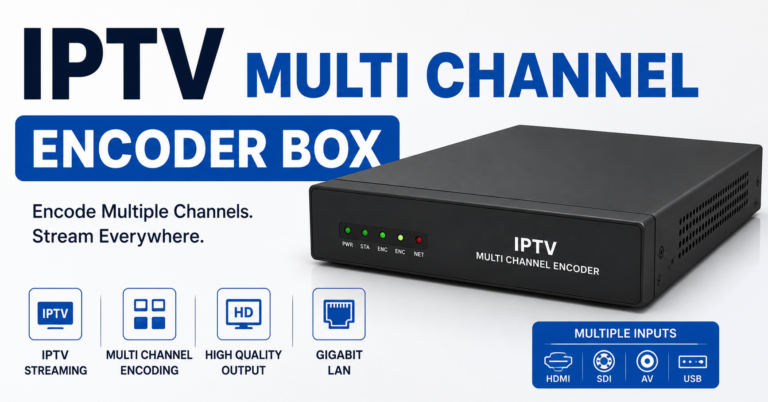
Before spending a single penny on hardware, understand the job. An SDI/HDMI IPTV encoder takes a raw video signal — from a satellite receiver, a camera, a cable box, any source with an SDI or HDMI output — and compresses it into a streamable format. Usually H.264 or H.265. That compressed stream then gets pushed via RTMP, SRT, or HLS to your origin server, which feeds your panel.
The encoder decides three things that shape your entire subscriber experience:
- Bitrate allocation — too low, you get macro-blocking on fast motion; too high, you choke your uplink and introduce HLS latency at the segment level
- Colour and resolution fidelity — cheap SDI/HDMI IPTV encoders clip chroma subsampling aggressively, turning premium sports streams into watercolour paintings
- Latency floor — the encoding delay sets the minimum lag your subscribers will experience, and no amount of CDN tuning can recover what the encoder adds
Pro Tip: If your encoder introduces more than 1.5 seconds of glass-to-glass latency on a 1080p H.264 stream, it’s not production-grade — it’s a webcasting toy dressed up in a 1U chassis.
SDI vs HDMI Inputs: Which One Your Setup Actually Needs
This is where newcomers burn money. They buy SDI/HDMI IPTV encoders with both input types, thinking flexibility matters. Sometimes it does. Usually it doesn’t.
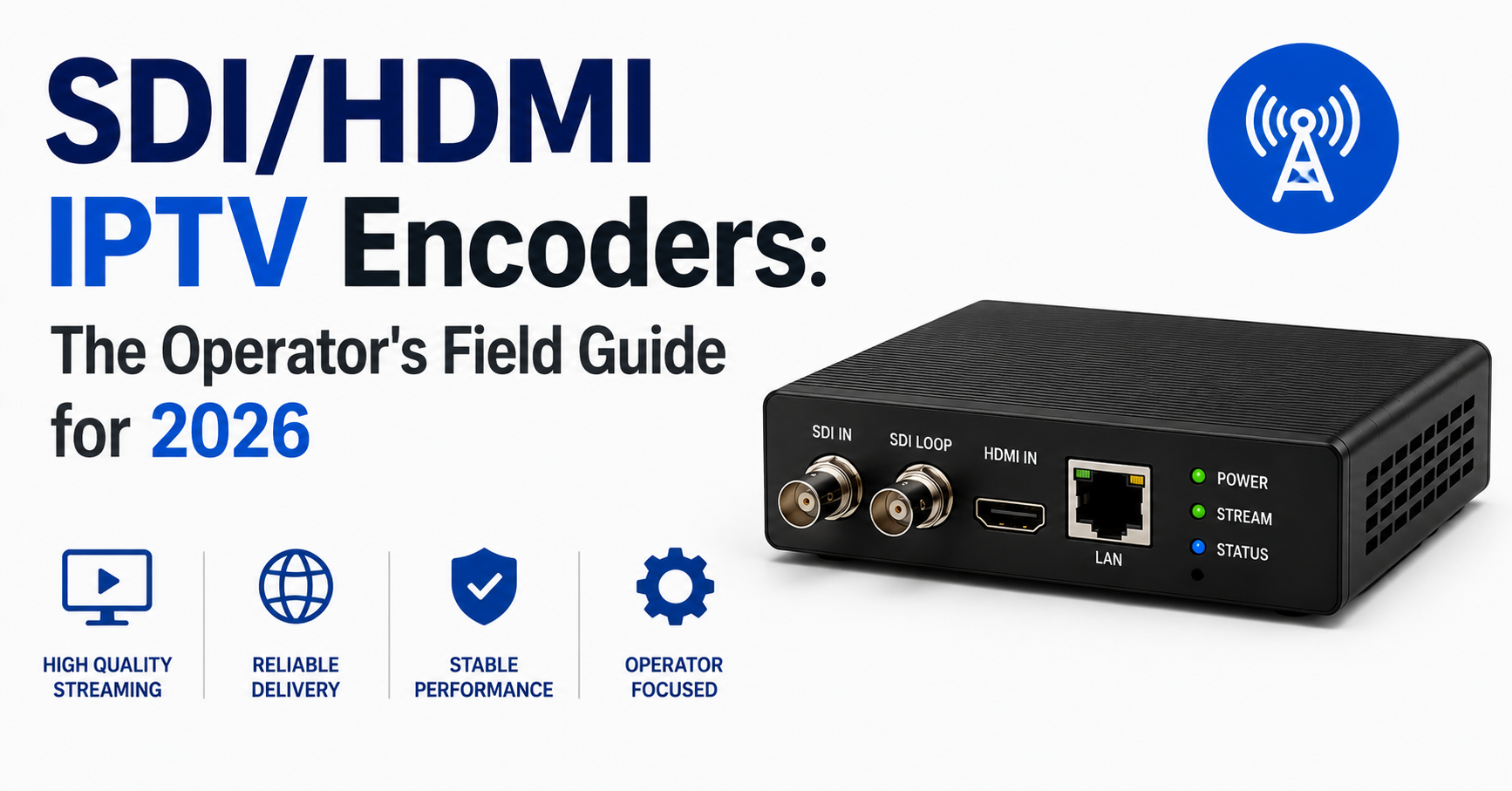
SDI (Serial Digital Interface) carries uncompressed video over coaxial cable. It locks. It doesn’t do HDCP. It runs 100 metres without a repeater. If your source equipment outputs SDI — professional satellite IRDs, broadcast-grade receivers — this is what you use. No questions.
HDMI is consumer territory. Shorter cable runs. HDCP handshake issues that will drive you to madness at three in the morning. But it’s also what most affordable satellite receivers and Android-based source boxes output.
Here’s the real-world decision matrix:
| Factor | SDI Input | HDMI Input |
|---|---|---|
| Cable run length | Up to 100m (no signal loss) | 10-15m before degradation |
| HDCP complications | None — SDI ignores HDCP | Constant — splitters needed |
| Source equipment cost | Higher (broadcast IRDs) | Lower (consumer receivers) |
| Signal reliability | Rock-solid locking | Handshake drops under load |
| Best for | Multi-encoder rack setups | Small 4-8 channel operations |
Most IPTV resellers running fewer than 16 channels start HDMI and regret it within six months. Most running 32 or more channels wouldn’t touch HDMI with a bargepole. Plan your SDI/HDMI IPTV encoders purchase around where you’ll be in a year, not where you are today.
The H.264 vs H.265 Encoding Decision Nobody Frames Correctly
Every forum thread about SDI/HDMI IPTV encoders devolves into an H.264 vs H.265 argument within five replies. Both sides miss the point entirely.
H.265 (HEVC) gives you roughly 40% bitrate savings at equivalent quality. That’s real. That saves uplink bandwidth. That reduces CDN costs. On paper, it’s the obvious winner.
But here’s what the spec-sheet warriors don’t tell you:
H.265 encoding at real-time speeds demands substantially more processing power. Cheaper SDI/HDMI IPTV encoders that advertise H.265 support are often running it on underpowered chips, producing output that technically qualifies as HEVC but looks worse than a well-tuned H.264 encode at the same bitrate. You save bandwidth and lose subscribers. Brilliant trade.
Pro Tip: Before committing to H.265 on any encoder, request a 60-second sample encode of fast-motion content at your target bitrate. Compare it side-by-side with the same encoder’s H.264 output at 1.4x the bitrate. If the H.264 looks better, your encoder’s HEVC implementation isn’t mature enough for production.
The other factor: client compatibility. In 2026, most IPTV apps and STBs handle H.265 without issues. But a meaningful percentage of your subscriber base — particularly those on older MAG boxes or budget Android devices — will still struggle with HEVC decoding. That translates to support tickets, refund requests, and churn.
The pragmatic approach is running H.264 as your primary codec on your SDI/HDMI IPTV encoders and offering H.265 as a secondary profile for subscribers on capable devices. Dual-output encoders that handle both simultaneously exist, and they’re worth the premium.
Bitrate Calibration: The Encoding Parameter That Builds or Breaks Retention
Subscriber churn in IPTV reselling is rarely about channel count. It’s about perceived quality. And perceived quality is overwhelmingly determined by the bitrate decisions you make at the SDI/HDMI IPTV encoders level.
Set it too low, and every football match looks like it’s being played underwater. Set it too high, and you’re burning server bandwidth that balloons your infrastructure costs while introducing buffering for subscribers on moderate internet connections.
Here’s the range that works across thousands of real subscriber sessions:
- SD content (480p): 1.2–1.8 Mbps — go lower and text overlays (scoreboards, tickers) become unreadable
- HD content (720p): 2.5–3.5 Mbps — this is the sweet spot for most reseller panels balancing quality against bandwidth
- Full HD (1080p): 4.5–6 Mbps on H.264, 3–4 Mbps on a genuinely good H.265 implementation
- 4K (2160p): 15–20 Mbps minimum — and frankly, most SDI/HDMI IPTV encoders under £2,000 can’t handle this at acceptable quality
The mistake resellers make is setting a flat bitrate across all channels. Sports content with rapid camera pans needs 20-30% more bitrate than a static news desk. If your encoder supports variable bitrate (VBR) with a sensible ceiling, use it. Constant bitrate (CBR) is simpler but wasteful — you’re allocating peak bandwidth to a talking head that doesn’t need it.
Pro Tip: Configure your SDI/HDMI IPTV encoders with VBR and set the max bitrate cap at 1.3x your target average. This gives motion-heavy content room to breathe without blowing your bandwidth budget. Monitor your actual throughput for a week before adjusting — gut instinct is useless here, only the numbers matter.
Hardware Encoder Architecture: What’s Inside the Box Matters More Than the Label on It
Walk into any IPTV operator Telegram group and ask for encoder recommendations. You’ll get fifteen brand names and zero useful technical guidance. Because the brand on the front panel tells you almost nothing. What matters is the encoding silicon inside.
The three chip families you’ll encounter in SDI/HDMI IPTV encoders at the reseller infrastructure level:
FPGA-based encoders — field-programmable gate arrays. Fastest encoding, lowest latency, most expensive. These are what broadcasters use. If you’re encoding 64+ channels and latency matters, FPGAs are where you end up. The downside: firmware updates are infrequent, and when bugs appear, you wait.
ASIC-based encoders — application-specific chips designed for video compression. HiSilicon (now under sanctions complications) dominated this space for years. Good price-to-performance ratio, reliable, but inflexible. You get whatever profiles and parameters the chip supports. No more, no less.
Software encoders on embedded Linux — a general-purpose CPU or GPU running FFmpeg or a proprietary encoding stack. Extremely flexible. Also extremely variable. The same software encoder can produce excellent or terrible output depending on how the manufacturer configured it.
| Architecture | Latency | Cost per Channel | Flexibility | Reliability |
|---|---|---|---|---|
| FPGA | Sub-second | £80–150 | Low | Very high |
| ASIC (HiSilicon etc.) | 1–2 seconds | £30–60 | Medium | High |
| Software/Embedded | 2–5 seconds | £15–40 | Very high | Variable |
For most resellers scaling from 16 to 64 channels, ASIC-based SDI/HDMI IPTV encoders hit the practical sweet spot. You sacrifice some latency headroom and parameter granularity, but you gain predictability — and predictability is what keeps panels stable.
Failover and Redundancy: The Backup Strategy Most Resellers Skip Until It’s Too Late
Your SDI/HDMI IPTV encoders will fail. Not might. Will. Power supplies die. Firmware crashes. HDMI handshakes lock up and refuse to recover without a full power cycle. The question is whether your subscribers notice.
Single points of failure at the encoding layer are the most common cause of total channel outages in reseller operations. And unlike a CDN node going down — where traffic automatically reroutes — an encoder failure means that channel simply stops existing until someone physically intervenes.
The minimum viable redundancy setup:
- N+1 encoding — for every group of encoders handling critical channels, have one spare unit pre-cabled and configured, ready to take over. Not sitting in a box. Cabled. Configured. Tested weekly.
- Dual uplink paths — your SDI/HDMI IPTV encoders should push to at least two origin servers simultaneously. If one origin drops, the panel pulls from the backup without subscriber-visible interruption.
- Hardware watchdog scripts — a simple monitoring script that checks each encoder’s output stream every 30 seconds. If it detects a dead stream, it triggers an alert and — if you’ve wired it correctly — automatically switches input to the backup encoder via a managed SDI/HDMI matrix switcher.
Pro Tip: The cheapest form of encoder redundancy isn’t buying double the hardware. It’s buying SDI/HDMI IPTV encoders that support dual simultaneous outputs — one to your primary origin, one to your disaster recovery origin. This costs zero extra hardware and saves you on the night everything goes sideways.
DNS Poisoning, ISP Throttling, and Why Your Encoder Output Protocol Matters in 2026
AI-driven deep packet inspection has changed the game for IPTV delivery in 2026. Major broadband providers across Europe are deploying machine-learning classifiers that identify IPTV traffic patterns and throttle or block them. This affects your entire chain — but it starts at how your SDI/HDMI IPTV encoders push streams to your infrastructure.
If your encoders output via plain RTMP, that traffic is trivially identifiable. RTMP’s handshake pattern, port usage, and packet structure are signatures that modern DPI systems flag instantly. Even RTMPS (RTMP over TLS) is increasingly fingerprinted.
SRT (Secure Reliable Transport) is the protocol reseller operators should be migrating to for encoder-to-origin delivery. It encrypts the payload, handles packet loss recovery natively, and its traffic pattern resembles generic UDP — making it significantly harder for ISP-level DNS poisoning and DPI systems to classify.
Not all SDI/HDMI IPTV encoders support SRT. This is a purchasing filter. Any encoder you buy in 2026 that doesn’t support SRT output is already obsolete for UK and EU reseller operations. Full stop.
The delivery chain protocol stack that works:
- Encoder to origin: SRT (encrypted, loss-tolerant)
- Origin to edge: HLS with AES-128 segment encryption
- Edge to subscriber: HTTPS delivery, DNS-over-HTTPS for playlist resolution
This layered approach doesn’t make your operation invisible — nothing does in 2026 — but it raises the cost of detection high enough that automated blocking systems skip you in favour of easier targets.
Load Balancing Across Multiple SDI/HDMI IPTV Encoders: Scaling Without the Bottleneck
Scaling from 16 to 64 to 200 channels introduces a problem that single-encoder setups never face: orchestration. When you have a dozen SDI/HDMI IPTV encoders running simultaneously, each pushing streams to your origin infrastructure, load distribution becomes critical.
The naive approach — giving each encoder its own origin endpoint — works until it doesn’t. What happens when one origin server gets overloaded because three of your highest-traffic channels happen to encode through units pointed at it? Subscriber buffering on those channels, while other origin servers sit half-idle.
Intelligent load balancing for encoder output requires:
- Stream-aware routing — your ingestion layer should distribute incoming encoder streams based on current server load, not static assignment. Tools like Nginx-RTMP with custom scripting or purpose-built media servers like Nimble Streamer handle this.
- Bitrate-weighted distribution — a 4K channel at 18 Mbps shouldn’t share an origin allocation equally with an SD channel at 1.5 Mbps. Weight your distribution by actual throughput, not channel count.
- Geographic awareness — if your subscribers are split between UK and EU markets, encode once at the source but distribute to regional origins. This reduces cross-continental HLS latency and gives you localised failover capability.
Pro Tip: Label every SDI/HDMI IPTV encoder in your rack with both a physical label and a logical identifier in your monitoring dashboard. When you’re troubleshooting at midnight with 300 angry resellers in your Telegram group, “Encoder 7, Port B, Channel: Premium Sports 2” saves you ten minutes over “the one in the middle of the second rack.”
Panel Credits, Encoder Costs, and the Pricing Model That Actually Scales
Here’s a conversation the IPTV reseller community avoids: what do SDI/HDMI IPTV encoders actually cost you per subscriber per month, and does your credit pricing cover it?
Work the maths backwards. A mid-range 16-channel ASIC encoder costs roughly £800–1,200. Lifespan under production load: 2–3 years before component degradation makes replacement sensible. That’s £25–50 per month, per encoder, in depreciation alone. Add electricity, rack space, cooling, and the occasional replacement PSU, and you’re at £40–70 monthly per 16-channel unit.
If each channel serves an average of 50 concurrent subscribers across your reseller network, that’s 800 subscribers per encoder. Your per-subscriber encoder cost: roughly £0.05–0.09 per month. Sounds negligible — until you multiply it across 200 channels and add redundancy units, then it’s a genuine line item.
The resellers who collapse aren’t the ones who overspend on SDI/HDMI IPTV encoders. They’re the ones who price their panel credits without accounting for infrastructure depreciation, then discover eighteen months in that their margins evaporated while they weren’t watching.
Build encoder depreciation into your credit pricing model from day one. Not as a guess — as a calculated cost per channel per month, reviewed quarterly.
Frequently Asked Questions
What is the difference between SDI and HDMI inputs on IPTV encoders?
SDI uses coaxial cable and carries uncompressed digital video without HDCP restrictions, making it ideal for long cable runs and professional rack setups. HDMI is consumer-standard, limited to shorter distances, and prone to HDCP handshake failures. For reseller operations exceeding 16 channels, SDI inputs on your IPTV encoders eliminate an entire category of reliability headaches that HDMI introduces.
How many channels can a single SDI/HDMI IPTV encoder handle?
Most rack-mount units designed for reseller use handle 4, 8, or 16 channels per chassis. Higher-density 16-channel models save rack space but generate more heat and present a larger single point of failure. For critical channels, spreading the load across multiple 4 or 8 channel SDI/HDMI IPTV encoders improves resilience even though it costs more in rack units.
Do SDI/HDMI IPTV encoders support SRT output protocol?
Not all of them. Many budget encoders still only support RTMP and HTTP output. SRT support is increasingly essential for reseller operations in 2026, particularly when delivering to origin servers across borders where ISP-level deep packet inspection is active. Always confirm SRT compatibility before purchasing — retrofitting protocol support via firmware is rarely possible on ASIC-based units.
Can I use SDI/HDMI IPTV encoders with Xtream Codes panel?
Yes. The encoder’s job is to produce a streamable output — typically an RTMP or SRT feed pointing at your origin media server. Xtream Codes then pulls or receives that feed and distributes it to subscribers via HLS. The encoder and the panel don’t communicate directly; they connect through your media server infrastructure. Compatibility is about output protocol and stream format, not panel-specific integration.
What bitrate should I set on my encoders for 1080p IPTV channels?
For H.264 encoding, target 4.5–6 Mbps depending on content type. Fast-motion content like live sport needs the upper end of that range. For H.265 on a genuinely capable encoder, 3–4 Mbps delivers comparable quality. Always use variable bitrate with a cap rather than constant bitrate — it lets the encoder allocate bandwidth where motion demands it without permanently reserving peak throughput.
How do I set up encoder failover to avoid channel outages?
The most cost-effective method is configuring dual simultaneous outputs on each encoder — one pushing to your primary origin, one to a backup origin. Combine this with a monitoring script that checks stream health every 30 seconds and triggers alerts on failure. For full hardware redundancy, maintain an N+1 spare encoder pre-cabled in your rack, ready to accept switched input from a managed SDI/HDMI matrix.
Why do my IPTV streams buffer even though my encoder bitrate is set correctly?
Buffering downstream of a correctly configured encoder usually points to one of three things: HLS segment duration set too long on the origin server (use 2–4 second segments), insufficient uplink bandwidth from the encoder location to the origin, or CPU/memory exhaustion on your media server causing segment generation delays. Check encoder output health first, then trace the path from origin to CDN edge to rule out each layer systematically.
Is it worth investing in FPGA-based encoders for a reseller operation?
For operations under 64 channels, FPGA encoders are typically overkill. Their sub-second latency advantage matters for live broadcast, but most IPTV subscribers tolerate 2–3 seconds of delay without complaint. ASIC-based SDI/HDMI IPTV encoders deliver the best cost-to-reliability ratio at the reseller scale. Reserve FPGA investment for when you’re encoding 100+ channels and latency is a genuine competitive differentiator in your market.
The SDI/HDMI IPTV Encoders Success Checklist for Resellers
- Audit every source device in your setup and confirm whether it outputs SDI, HDMI, or both — then match your encoder inputs accordingly rather than buying hybrid units you don’t need.
- Request encoding sample files from any vendor before purchasing — test them on your actual subscriber devices, not on a VLC window on your desktop.
- Confirm SRT output support on every SDI/HDMI IPTV encoder you purchase from this point forward — RTMP-only units have a shrinking operational shelf life.
- Set variable bitrate with a 1.3x ceiling on every channel and monitor real throughput for at least seven days before adjusting parameters.
- Cable and configure at least one N+1 backup encoder per rack — not boxed, not “on order,” physically ready to switch.
- Build a per-channel cost model that includes encoder depreciation, power, cooling, and rack space — then verify your panel credit pricing covers it with margin.
- Deploy a 30-second health-check monitoring script across all encoder outputs and route alerts to your operations channel — not your email inbox.
- Run dual-origin output from every critical encoder so that a single origin failure doesn’t produce a subscriber-visible outage.
- Label every encoder physically and logically in your monitoring stack — midnight troubleshooting with ambiguous hardware labels costs you subscribers, not just sleep.
- Review your full encoding infrastructure quarterly against your subscriber growth trajectory — the setup that served 500 subscribers won’t survive 5,000 without architectural changes. For deeper guidance on building a resilient reseller operation from the ground up, explore the resources at BritishSeller’s reseller infrastructure hub.