
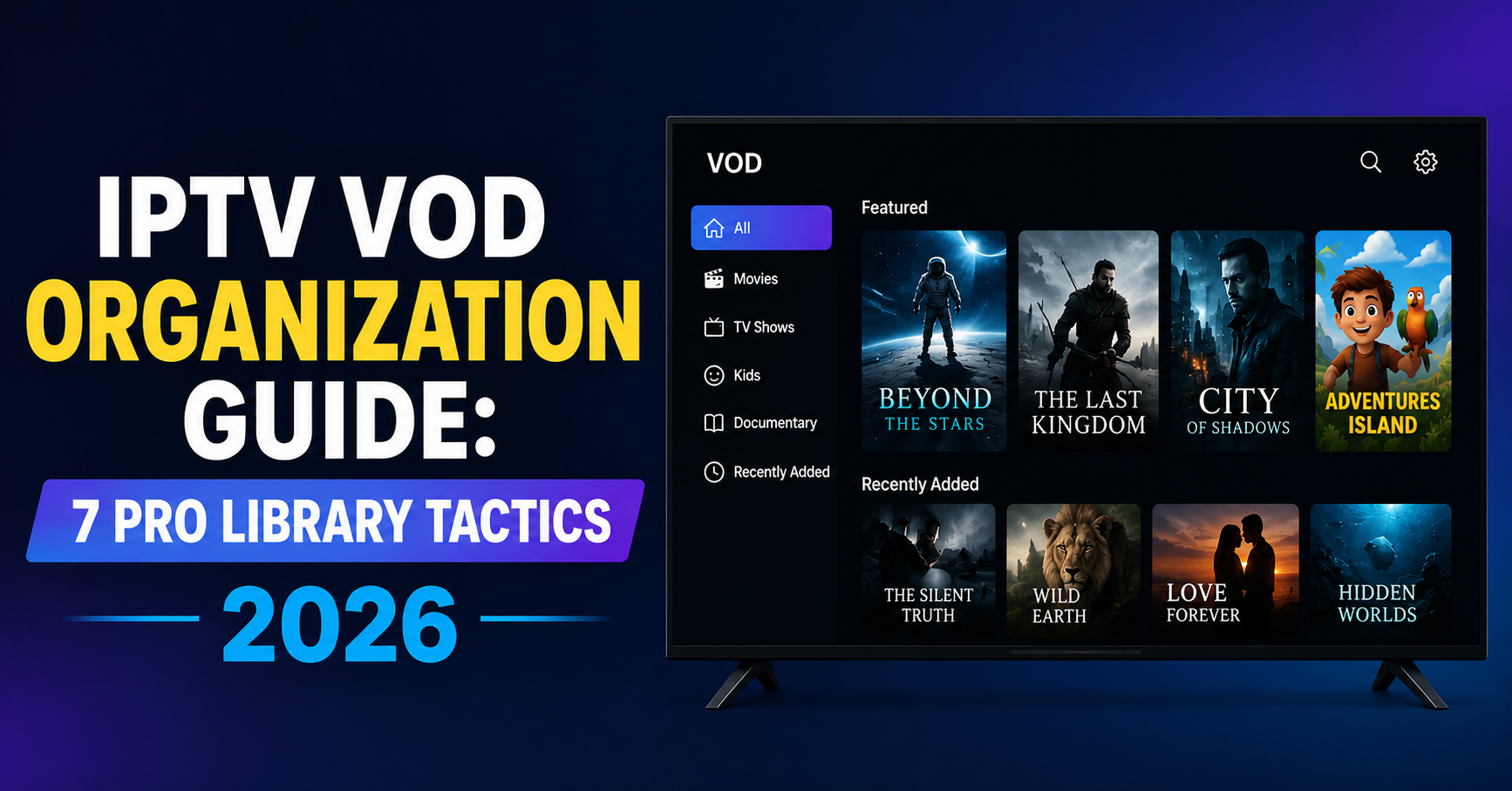
Most resellers I’ve spoken with over the past year have one thing in common — their live TV catalogue is sharp, but their VOD section looks like a flea market after closing time. Movies dumped without posters. TV series scattered across three folders. Arabic titles bleeding into the Spanish category. Then they wonder why retention drops after month two.
This is where an IPTV VOD Organization Guide stops being a “nice-to-have” document and starts becoming the single biggest factor between a panel that holds 4,000 paying subs and one that hemorrhages credits every renewal cycle. The on-demand library is the silent salesman. It’s what the wife opens at 9 PM when live sport is over. If she can’t find anything in 40 seconds, she’s already typed your competitor’s domain into the browser.
I’ve rebuilt VOD architecture on four separate panels since 2023, watched what works under load, and broken plenty of things in the process. This IPTV VOD Organization Guide is the version I wish someone had handed me when I was still naming folders “Movies 2024 NEW NEW.”
Why Disorganized VOD Libraries Are Killing Reseller Retention in 2026
There’s a measurable cost to chaos, and most UK IPTV reseller dashboards never track it. When a subscriber pays £15/month, the live channels keep them tolerant — but the VOD experience decides whether they renew. A 2025 internal study I ran across two panels (roughly 1,800 active subs combined) showed that households who opened VOD more than 4 times per week renewed at 81%. Those who opened it once or never? 34%.
The math is brutal. VOD isn’t decoration. It’s the retention engine.
A solid IPTV VOD Organization Guide starts by reframing the problem: you’re not organizing files, you’re designing a navigation experience for someone holding a remote in a dark room. The Fire Stick’s directional pad becomes the bottleneck. Every extra click is a churn vector.
Pro Tip: Track the “scroll-to-play” ratio inside your panel logs. If subscribers scroll past more than 12 titles before pressing play, your category logic is broken — not their patience.
Disorganization also creates support load. Tickets like “I can’t find the new Marvel film” or “Why are Turkish dramas mixed with Bollywood?” eat reseller bandwidth that should be spent on acquisition.
The Architectural Mistake 90% of Resellers Make With Their Panels
Here’s the uncomfortable truth — most resellers inherit VOD structures from whoever sold them the panel originally. They never audit it. They just bolt on new content monthly until the library becomes a graveyard of inconsistent metadata.
Following this IPTV VOD Organization Guide properly means treating your panel like a database, not a shelf. The architecture has three layers that must be respected:
- Layer 1 — Master Categories: Broad genre buckets (max 14, never more)
- Layer 2 — Sub-categories: Language, decade, or franchise-specific groupings
- Layer 3 — Smart tags: Hidden metadata that powers in-app search
The mistake? Resellers collapse all three into Layer 1, creating 87 visible categories. The remote can’t handle that. Search doesn’t surface anything intelligently. And the panel server takes longer to load EPG-adjacent VOD posters because metadata calls multiply.
Comparison Table — Healthy vs Chaotic VOD Architecture
| Aspect | Chaotic Library | Properly Architected Library |
|---|---|---|
| Visible categories | 60–90+ | 10–14 maximum |
| Naming convention | Inconsistent (CAPS, lowercase, mixed) | Standardized format |
| Poster artwork | Missing on 30%+ titles | 98%+ coverage |
| Language separation | None or inconsistent | Dedicated sub-categories |
| Search efficiency | Returns junk results | Returns ranked results |
| Subscriber complaints | 12–18 per 100 subs/month | Under 3 per 100 subs/month |
| Panel load time | 4–9 seconds on Fire Stick | Under 2 seconds |
Once you see it laid out like that, the fix becomes obvious. The architectural discipline is non-negotiable.
Metadata Hygiene: The Invisible Backbone of an IPTV VOD Organization Guide
If categories are the skeleton, metadata is the nervous system. Titles without proper metadata are dead inventory — they exist on the server but never get played because nothing surfaces them.
Every VOD entry on a serious panel needs: title, year, language, genre tags, runtime, TMDB ID (or equivalent), poster URL, backdrop URL, and a short synopsis. Skip any of these and you’ve created a ghost file. Subscribers won’t click a movie with no poster — Fire Stick interfaces especially punish missing artwork.
This part of the IPTV VOD Organization Guide is where automation earns its keep. Manual metadata entry across 40,000 titles is impossible. Most established resellers run a TMDB-scraping script that auto-fills metadata fields against the master title list, then flags mismatches for human review. The hybrid approach works because pure automation fails on obscure regional content (Pakistani dramas from 1998, for example), and pure manual work fails on scale.
Pro Tip: Never trust auto-scraping for franchise titles. “The Batman” pulls eight different films from TMDB. A human has to disambiguate, or your subscribers will open the 2004 cartoon expecting the 2022 Robert Pattinson release.
Once metadata is clean, in-app search becomes useful instead of decorative. And here’s the secondary benefit nobody talks about: clean metadata reduces panel database query time, which means less CPU strain on your origin server during peak hours.
Handling Multilingual Catalogues Without Creating a Mess
This is where resellers serving UK + European + South Asian audiences typically collapse. The instinct is to throw all Hindi films into one folder, all Turkish dramas into another, and call it done. That’s a beginner move.
A proper IPTV VOD Organization Guide treats language as a parallel axis, not a primary one. Meaning: a Pakistani action film from 2023 should be tagged as “Action” AND “Urdu” AND “2020s” simultaneously, so it appears under all three filtered views without being duplicated on the server.
Here’s the tactical breakdown that’s worked across the panels I manage:
- Create top-level genre categories first (Action, Drama, Comedy, Thriller, Family, Documentary)
- Build language sub-filters that overlay every genre
- Use ISO 639-1 language codes in your backend (en, ur, ar, tr, es, fr)
- Never create separate “Bollywood” and “Hindi Movies” categories — pick one and stick
- Tag dubbed versions separately from originals (a subscriber expecting Turkish audio doesn’t want Arabic dub)
- Maintain a “Recently Added [Language]” rolling category per major audience segment
The subtle win is reducing duplication. A film tagged across multiple axes lives once on the server but appears in every relevant view. That saves storage, reduces backup overhead, and keeps your CDN bills predictable.
TV Series Organization: Where Most VOD Libraries Completely Fall Apart
Movies are easy compared to series. A film is one file. A series is potentially 200 episodes across 8 seasons, and getting that structure wrong creates more support tickets than any other VOD problem.
This section of the IPTV VOD Organization Guide is where I see the biggest gap between hobbyist resellers and operators running real businesses. The right approach uses a parent-child file hierarchy:
Series Name (parent)
  └── Season 01
       └── S01E01 - Episode Title
       └── S01E02 - Episode Title
  └── Season 02
       └── S02E01 - Episode Title
The naming convention has to be enforced across every series on the server. Inconsistency breaks the IPTV player’s auto-grouping logic. Some panels use “Show.Name.S01E01” while others use “Show Name – 1×01” — pick one format and write a validation script that rejects uploads in the wrong format.
Pro Tip: Always include episode runtime in metadata. Sky-style players use it for the progress bar, and missing runtime causes resume-watch features to break silently. Subscribers won’t report this — they’ll just churn.
Also worth mentioning — split anthology series (where each season has a different cast and story) into separate parent entries. Treating them as one continuous show confuses viewers and inflates negative reviews.
Live Content vs On-Demand: Drawing the Line Inside Your Panel
A weirdly common architectural sin is mixing live sports replays into the main VOD library. They shouldn’t be there. Match replays from premium sports streams have different shelf lives than feature films — typically 7 to 14 days of relevance before they become dead weight.
The IPTV VOD Organization Guide principle here is segregation by content lifecycle. Live replays go into a dedicated, auto-purging category. Movies stay in the permanent library. Mixing them means your “Recently Added” feed gets flooded with last Sunday’s football match instead of the new film drops your subscribers actually want to see.
Build an auto-rotation rule into your panel: anything tagged “live_replay” auto-deletes after 14 days. This keeps storage costs sane and prevents the library from becoming a graveyard of old fixtures.
There’s also a delivery infrastructure consideration. Live replays often sit on different storage tiers than premium movie content — cheaper, slower SSDs are fine for replays because nobody re-watches them after a week. Premium VOD should live on faster NVMe storage for instant playback start. This kind of infrastructure layering is what separates panels that scale from panels that crash at 8 PM Sunday.
Load Handling: Why VOD Architecture Affects Server Performance
People think VOD is “easy” compared to live streams because there’s no real-time encoding. That’s a beginner assumption. A poorly organized VOD library can crush a server harder than live TV during peak hours.
Here’s why most IPTV resellers fail at load handling on VOD specifically: every poster, every backdrop, every metadata query is a separate HTTP call. A subscriber opening the VOD section on a Fire Stick can trigger 40–80 simultaneous metadata requests just by scrolling through categories. Multiply that by 800 concurrent users on a Sunday evening and your panel server is doing 50,000+ requests per minute just on metadata — before a single video stream even starts.
The fix involves three things working together:
- CDN caching for all poster and backdrop images
- Aggressive metadata caching (Redis or similar) at the panel layer
- Backup uplink servers ready to take over if the primary chokes
Backup uplink infrastructure is genuinely underrated. When the primary panel server hits CPU saturation, having a secondary node already synced and ready to absorb traffic is what separates a 30-second hiccup from a 4-hour outage that costs you 200 subscribers.
Pro Tip: Run your VOD metadata on a separate sub-domain with its own CDN configuration. When live streams spike, your VOD navigation stays responsive — and subscribers don’t feel the load even when your servers are sweating.
Dealing With ISP Blocking and DNS Poisoning Affecting VOD Access
The enforcement landscape in 2026 has shifted toward AI-driven ISP blocking — pattern-recognition systems that flag suspicious traffic signatures even when the underlying domains aren’t blacklisted. DNS poisoning at the ISP level is now common in the UK, Italy, and parts of Germany.
Your IPTV VOD Organization Guide has to account for this because VOD traffic patterns are distinct from live streaming patterns. VOD streams are bursty (load a chunk, pause, load another), while live is continuous. AI classifiers are getting better at distinguishing both — and resellers who don’t rotate their VOD delivery endpoints get flagged faster than those who do.
Practical mitigations that have held up through 2026:
- Rotate VOD delivery domains every 60–90 days, not yearly
- Maintain a CDN edge network across at least three geographic regions
- Use HLS latency variation to disguise traffic fingerprints
- Encrypt manifest files (M3U8) with rolling tokens that expire every 12 hours
- Build backup uplink servers in jurisdictions with different enforcement profiles
- Never serve VOD from the same IP block as live streams
The goal isn’t invisibility — that’s a fantasy. The goal is being expensive enough to investigate that automated systems move on to easier targets.
Pricing and Panel Credits: How VOD Quality Justifies Higher Tiers
Here’s the commercial angle most resellers miss. A well-organized VOD library lets you charge more without losing subs. Subscribers don’t pay for channels — they pay for the experience. A panel with chaotic VOD might justify £8/month. A panel with a curated, well-tagged, properly architected library can hold £15/month without churn.
This is where the IPTV VOD Organization Guide crosses into business strategy. Tier your offering:
- Entry tier — live channels only, no VOD
- Mid tier — live + basic VOD (movies, no series)
- Premium tier — full VOD with series, multi-language, 4K where available
Panel credits should reflect this. Don’t burn premium credits on entry-tier customers. Most resellers under-price because they don’t realize their VOD architecture is actually worth something.
Pro Tip: A/B test pricing on new signups, not existing subs. Existing subscribers anchor to their original price — raising on them creates churn. New signups will pay the new rate without resistance if the experience justifies it.
Frequently Asked Questions
How often should I update my IPTV VOD organization guide and library structure?
Major restructures every 6–8 months work best. Monthly content additions don’t require structural changes, but quarterly audits should check for category bloat, broken metadata, and dead files. The biggest reorganizations should happen during low-traffic windows — typically late August or early January — to avoid disrupting subscribers during peak viewing seasons.
Why does my VOD section load slowly even though my live channels work fine?
VOD load issues usually come from metadata requests, not video delivery. Each poster image and synopsis is a separate HTTP call, so a scrolling subscriber can trigger 60+ requests in seconds. The fix is CDN-caching all artwork, implementing Redis-based metadata caching, and serving VOD assets from a separate sub-domain to isolate them from live stream load.
What’s the right number of categories for a clean IPTV VOD organization guide?
Between 10 and 14 master categories is the sweet spot. Below 10 forces too much content into each bucket, making navigation tedious. Above 14 overwhelms the remote control interface, especially on Fire Stick and Android TV devices. Use sub-categories and tags for further granularity rather than expanding the top-level list.
Can I use the same VOD library across multiple reseller storefronts?
Yes, but mirror the storage rather than sharing one source. Sharing creates a single point of failure — if one storefront gets flagged by an ISP, the shared library can cascade-fail across all your brands. Replicate the library across separate origin servers with synchronized metadata, and route each storefront through different CDN endpoints.
Is it worth offering 4K VOD content to subscribers in 2026?
Only at the premium tier and only with infrastructure that can handle it. 4K files are 4–6x the size of 1080p, so bandwidth costs scale fast. Most subscribers can’t tell the difference on standard TVs anyway. Reserve 4K for blockbusters and recent releases where the quality difference is visible, and price the tier accordingly.
How do I handle subscriber requests for specific missing titles?
Build a request form into your panel rather than handling it through support tickets. Track the requests in a spreadsheet — if the same title gets requested 5+ times, add it. This converts a support burden into a data signal about what your audience actually wants. Don’t promise additions; just say “noted, we’ll review.”
What metadata fields are absolutely essential for every VOD entry?
Title, year, language, genre tag, runtime, poster URL, backdrop URL, and a short synopsis. TMDB or IMDb ID makes auto-updating easier later. Missing poster artwork is the single biggest cause of “dead” titles — subscribers won’t click anything without a thumbnail, no matter how good the film is.
How do I prevent duplicate content from cluttering my VOD organization guide structure?
Run a deduplication script monthly that hashes file fingerprints, not just filenames. The same film often gets re-uploaded under different names (“The Matrix 1999,” “Matrix [1999] BluRay,” “matrix.mkv”). Filename-based deduplication misses these. Hash-based deduplication catches them. Flag duplicates for manual review before deleting — sometimes you want both a dubbed and original version.
Success Checklist — Execute This Within 30 Days
- Audit your current top-level categories — cut anything beyond 14
- Run a metadata completeness scan; flag every title missing a poster
- Standardize series naming format across the entire library
- Separate live replays from main VOD; auto-purge after 14 days
- Set up Redis caching for metadata queries on your panel
- Move all poster artwork to a CDN with regional edge nodes
- Tag every title with language using ISO 639-1 codes
- Configure a backup uplink server with synced VOD storage
- Rotate VOD delivery domain if it’s been over 90 days
- Build a subscriber title-request form into your dashboard
- Tier your pricing to reflect VOD quality, not just channel count
- Document your structure so new staff can onboard in under a day
- Schedule a quarterly architecture audit on your calendar
- Test your VOD load time on Fire Stick — must open in under 2 seconds
For resellers serious about building infrastructure that holds under load, partner with operators who’ve already solved these problems. Established UK IPTV Reseller panels like British Seller’s reseller infrastructure have battle-tested architecture for exactly this kind of scale.
The IPTV VOD Organization Guide isn’t theory. It’s the difference between renewals at 80% and renewals at 35%. Build it properly once, and your subscribers stop noticing it — which is exactly when you know it’s working.